Pixel Memory Diptych
Condense a street, building or travel photo into a retro pixel-art scene on paper in a 3:4 photo-and-art diptych. AI style preview; results vary by input and model.
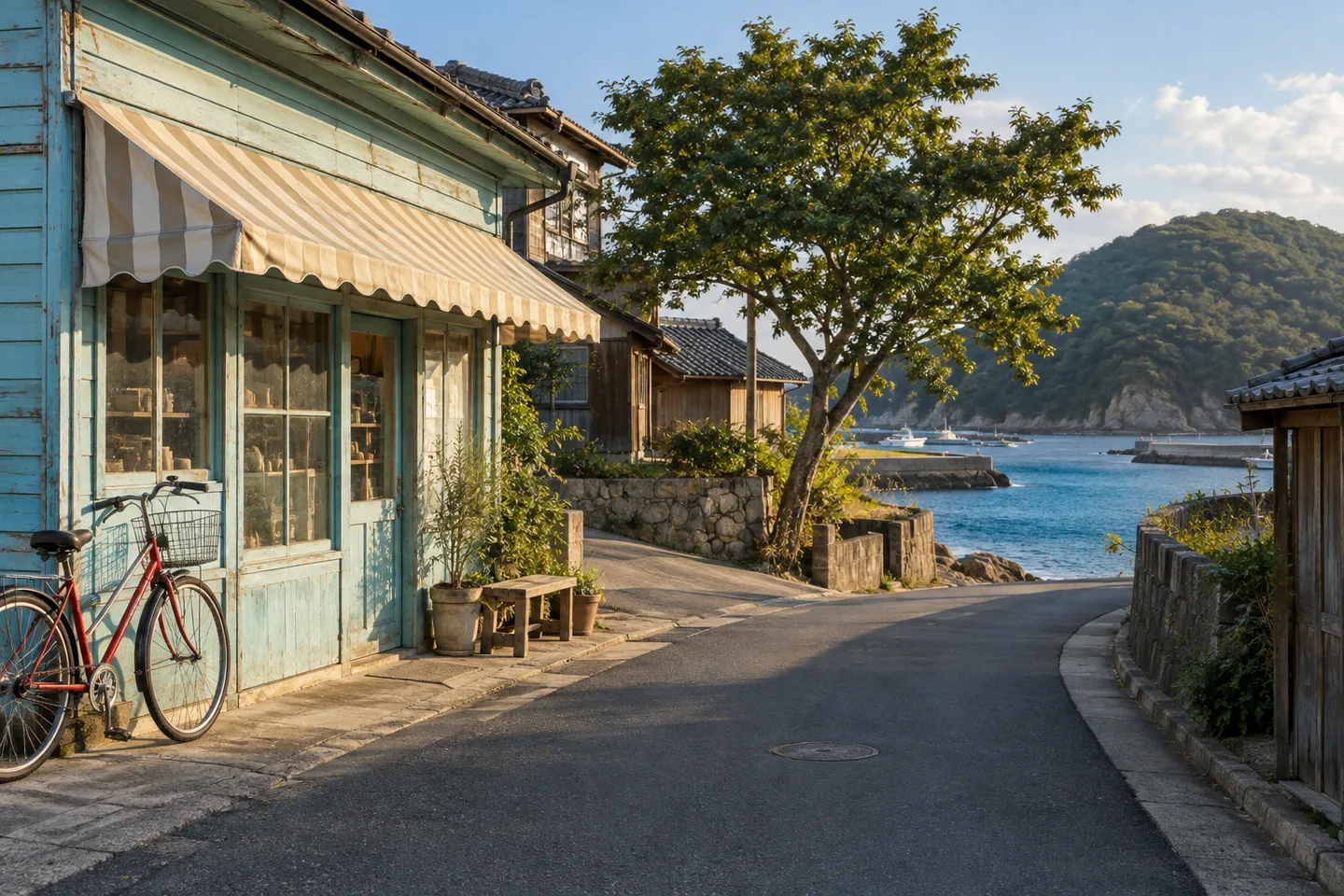
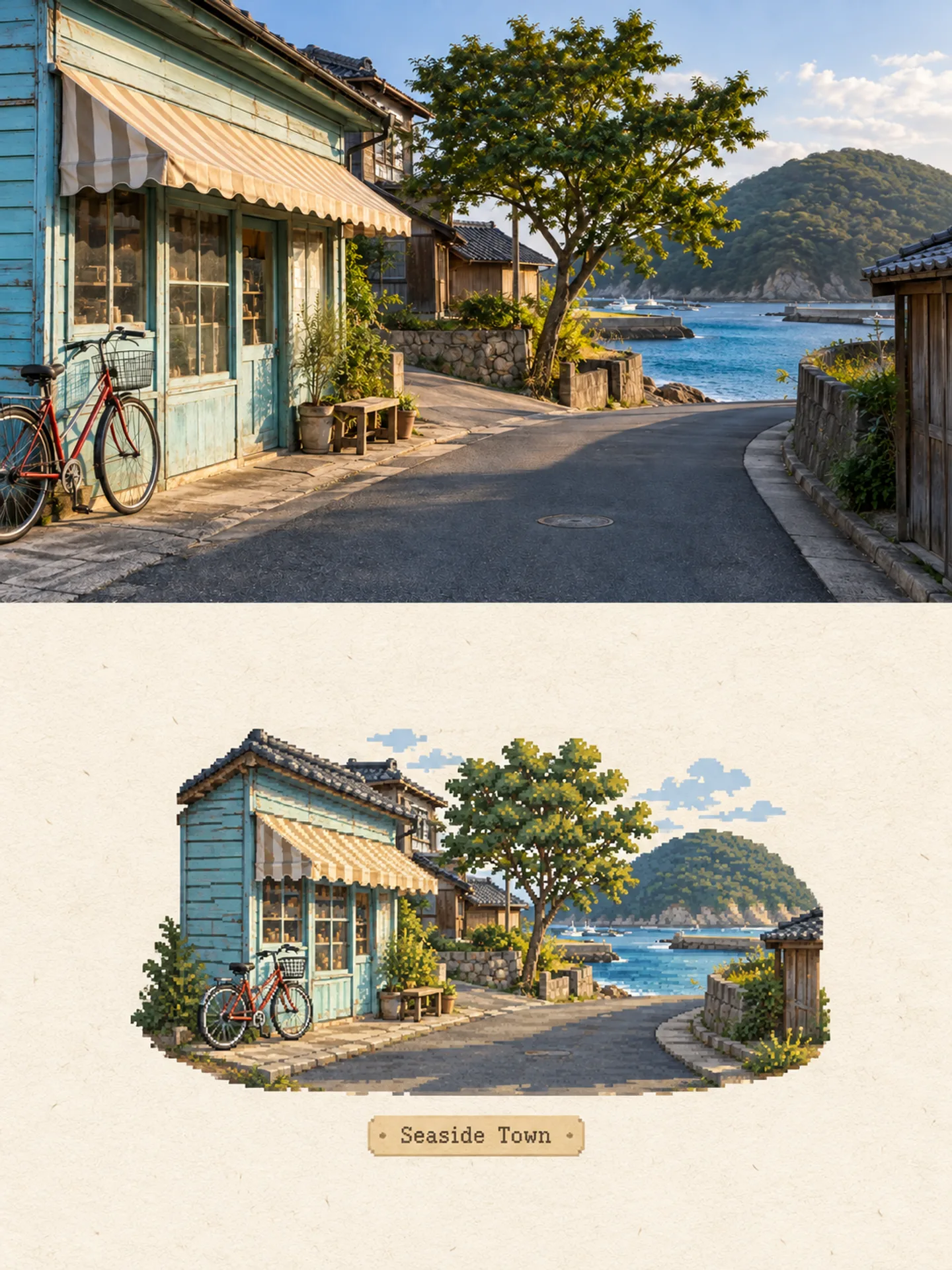
Condense a street, building or travel photo into a retro pixel-art scene on paper in a 3:4 photo-and-art diptych. AI style preview; results vary by input and model.
Photo Skill documented with a real comparison
Pixel Memory Diptych pairs a photographic upper panel with a small retro pixel-art interpretation below, in a 3:4 vertical composition. Use a street, building or travel photo with a few recognizable anchors: a roofline, a doorway, a road bend or a distinctive tree. The lower scene simplifies those anchors instead of applying a mosaic across the whole photograph.
Compare the input and output above before choosing this method. Follow the main silhouette and the positions of important objects through both panels. Tiny faces, signs and distant details may change or disappear. This is an AI-generated raster composition for a visual keepsake or editorial image, not an exact pixel conversion or a game asset pack.
A person, animal, building, or object with a clear silhouette gives the transformation reliable identity anchors. If the subject is already tiny, blurred, or hidden, stylization cannot safely recover missing visual evidence.
Hands, held objects, furniture, companions, and horizon lines should be separated clearly enough to understand. This helps the result preserve the event in the photograph instead of treating every shape as decoration.
The source does not need to resemble the finished artwork, but it should have enough resolution and breathing room for Pixel Memory Diptych to reorganize color, surface, and composition without losing the main subject.
Use the camera file when possible. Avoid screenshots containing app interfaces, heavy existing filters, large obstructions, or repeated compression, because those artifacts can be interpreted as part of the scene.
The creator's optional guidance is: Use one building, street or travel photo with 3–6 visual anchors. Default: 3:4. Treat it as clarification, not a request to replace what is visibly present.
Check the face, pose, object count, contact relationships, and overall composition first. Then evaluate palette and texture. If essential content is wrong, retry with a clearer source rather than attempting to repair missing evidence with a long prompt.
Upload one clear street, architecture or travel photo, choose Pixel Memory Diptych, and compare the generated lower scene with the source. Look for a few recognizable anchors rather than a copy of every detail. Review the actual output dimensions before downloading for your intended use.
No. It generates a new miniature scene in a photo-and-art composition. If you need exact grid dimensions, indexed colors or a pixel-for-pixel reduction, use a dedicated pixel editor instead.
It is not a sprite-sheet generator. The result includes an editorial layout and background; game tiles, frame alignment, transparency and palette cleanup must be prepared separately.