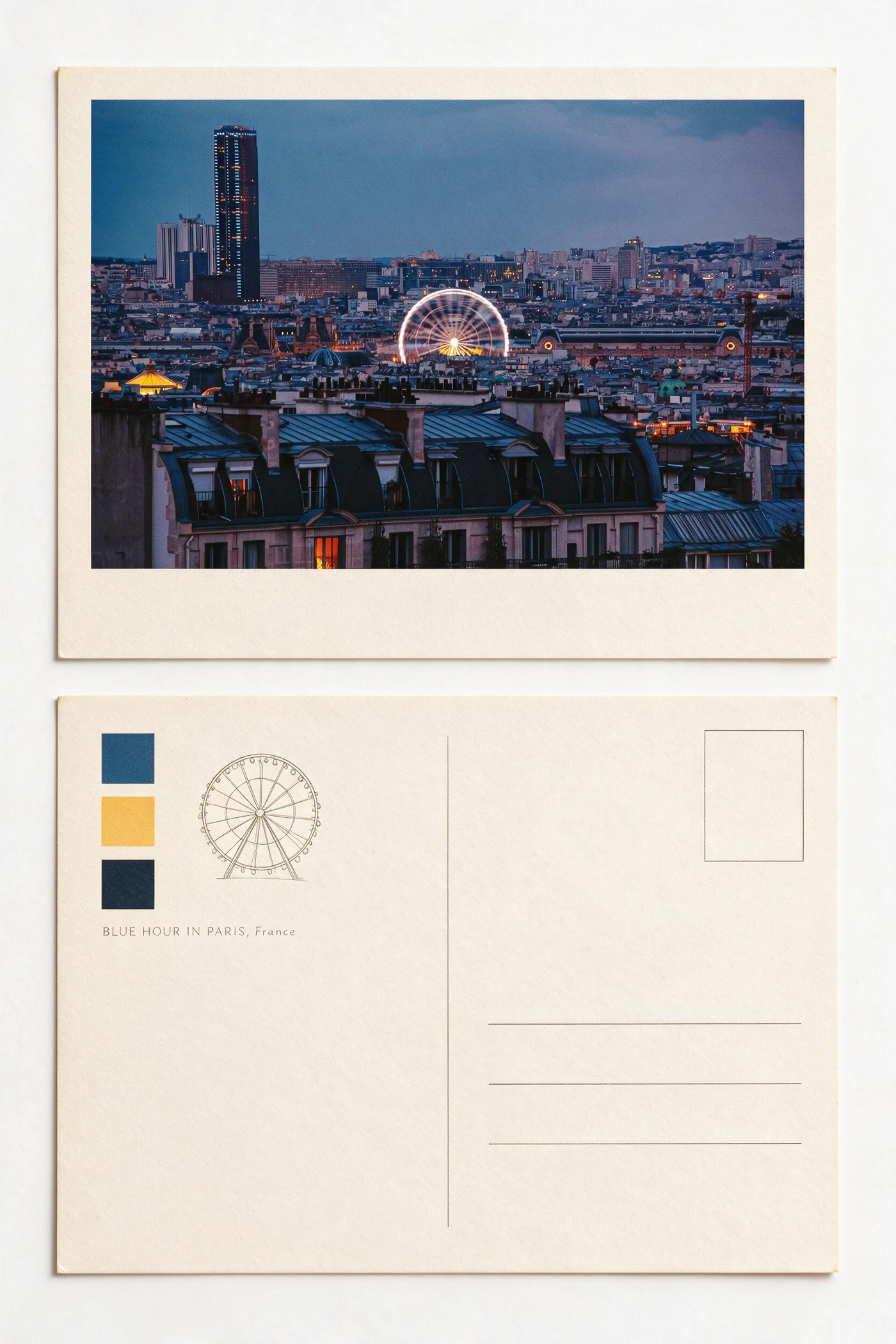
Upload a clear source photo, choose a visual direction whose composition suits the subject, and compare the result against the original before downloading. In Imagild, a reusable photo Skill contains the visual method, so you can start from a curated direction instead of writing a prompt from scratch.
The same source can support very different outcomes
This Paris photograph has a strong skyline, a bright wheel and a deep blue-hour palette. Atlas Enamel isolates a small emblem and gives the scene a keepsake-like surface; Zine Postcard preserves more of the city while reorganizing it as a printed object. Neither result is simply a color preset.
A reliable three-step workflow
Choose a source with one clear visual anchor
Look for a face, building, object or silhouette that remains recognizable at thumbnail size. Avoid starting with a frame where every detail competes for attention.
Match the method to the photograph
A graphic poster Skill works best when the source has a bold outline; an archival or print Skill can hold finer scenery. Judge the before-and-after examples before uploading.
Inspect structure, not just color
Check the subject, important edges, small text-like details and overall hierarchy. Regenerate or choose a gentler direction if the image no longer reads as your photograph.
What to preserve—and what can change
Preserve the anchor
The person, landmark or object that carries the memory should remain identifiable.
Allow the surface to change
Paper, enamel, ink, halftone and textile textures can change substantially when they support the chosen format.
Treat generated lettering as visual texture
AI-generated microtype may not be accurate. Add final names, dates or credits in a layout tool when exact wording matters.
Questions people ask before trying image-to-image styles
Is this the same as an Instagram filter?
No. A filter mainly adjusts pixels such as color and contrast. A generative photo Skill can reinterpret composition, material, framing and graphic elements.
Do I need to write an AI prompt?
Not for curated Imagild Skills. You choose a demonstrated visual method, upload a photo and can optionally add a short direction when a detail matters.
Which photos work best?
Sharp photos with a readable subject and enough separation between foreground and background are the most dependable starting point.