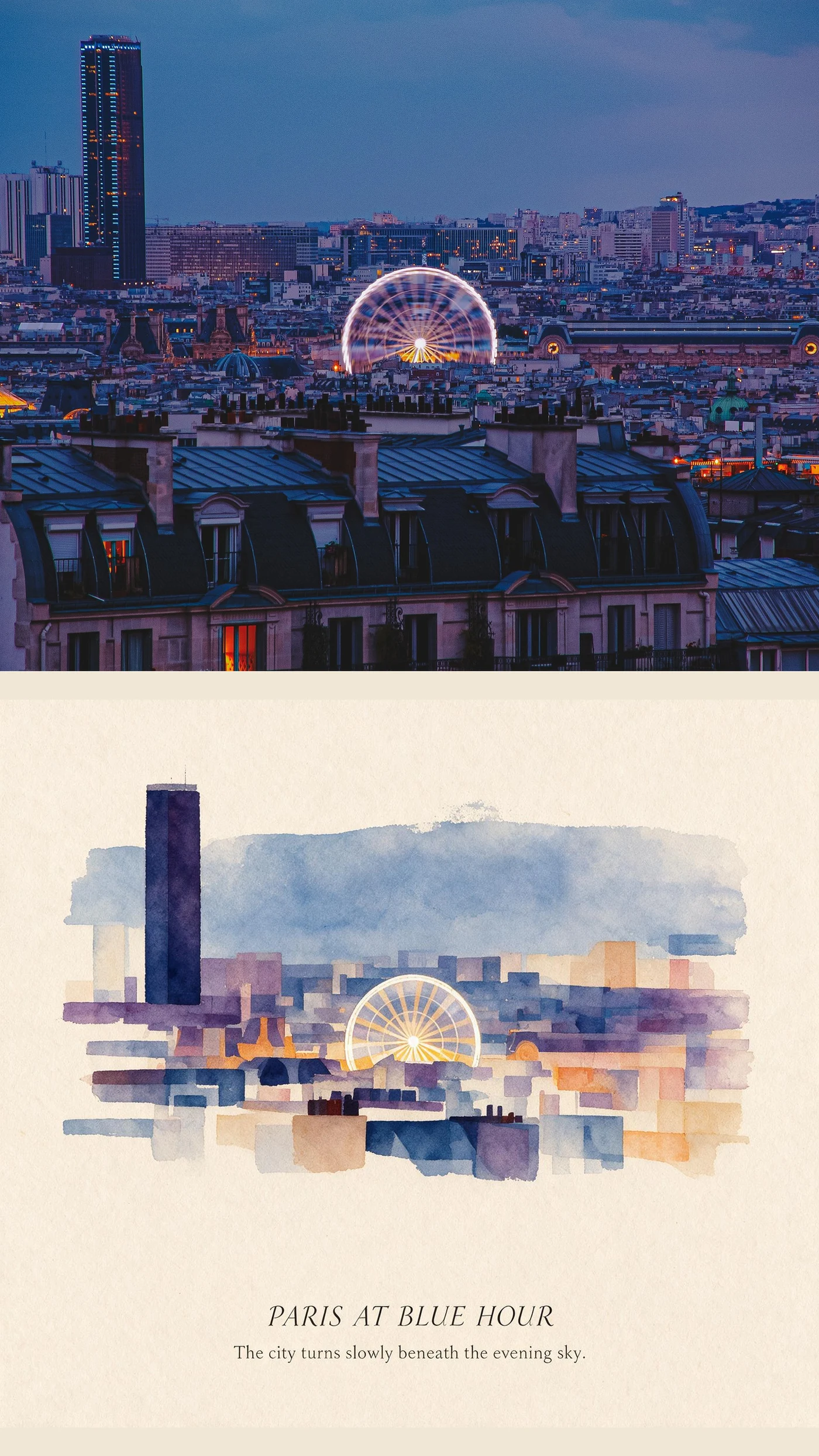
Choose a curated photo Skill with a before-and-after example, upload your image, and generate. You do not need to describe lighting, materials, framing and layout from scratch. Optional direction is best used for one concrete constraint—such as preserving a face or keeping a blue-hour palette—not for rewriting the whole method.
Visual proof replaces prompt guesswork
A good preview tells you how a method treats hierarchy, texture and recognizable details. Zine Postcard behaves like a physical printed object; Ink Echo Diptych splits the scene into a more expressive paired composition. You can judge those differences before spending time on your own image.
A prompt-free editing workflow
Define the use, not the prompt
Decide whether you need a post, cover, keepsake, print or experiment. That narrows the visual format without forcing you to invent production language.
Read the before-and-after pair
Look at what stayed recognizable and what was rebuilt. Choose a Skill whose treatment of people, architecture and negative space matches your tolerance for change.
Add one constraint only when needed
A short note such as “keep the face natural” or “retain the evening blue” is easier to evaluate than a stack of conflicting adjectives.
When a prompt-free workflow is the better choice
You know the mood when you see it
Visual browsing is faster than translating taste into model vocabulary.
You want repeatable direction
A named Skill gives multiple photos a shared method, which is useful for a series or campaign.
You still want creative control
Prompt-free does not mean decision-free: source selection, method choice and final acceptance remain yours.
Questions about AI editing without prompts
Does prompt-free mean every result is identical?
No. The method is consistent, but the source image still determines composition, subject and many details.
Can I still give the editor a direction?
Yes. Imagild supports optional direction for important constraints; the Skill provides the visual foundation.
Is this better than a long prompt?
It is better when you prefer predictable visual examples and do not want to engineer production language. A free-form prompt remains useful for unusual one-off edits.
How do I turn my own photo into art without writing a prompt?
Start with a before-and-after example, choose that Skill, and select your own photo in the workspace. Add a short direction only if needed, such as keeping a landmark recognizable. Sign in when you are ready to generate, then review the result: a shared method does not guarantee identical details.
Can I try AI photo editing before choosing a paid plan?
A verified new Imagild account receives 50 welcome points once, not a daily refill. A delivered 1K image costs 10 points, 2K costs 15, and 4K costs 20. You can browse examples before signing in. Check each Skill’s access label before generation.
Is an AI photo Skill the same as a color filter?
No. A color filter primarily adjusts the existing image. An AI Skill can reinterpret textures, layout, or objects, so check faces, lettering, and important details afterward. For a crop, perspective correction, or color adjustment that does not need generation, use the manual photo editor instead.