Imagild field note · Reviewed September 26, 2026
How to choose an AI portrait style from a real photo
Start with the job the portrait must do, then match the source photo to a lighting and framing plan. Imagild Portrait Studio offers six portrait families and 28 selectable styles, including 11 wedding directions. Each style is a creative instruction, not a guarantee that a generated face will match the original pixel for pixel.
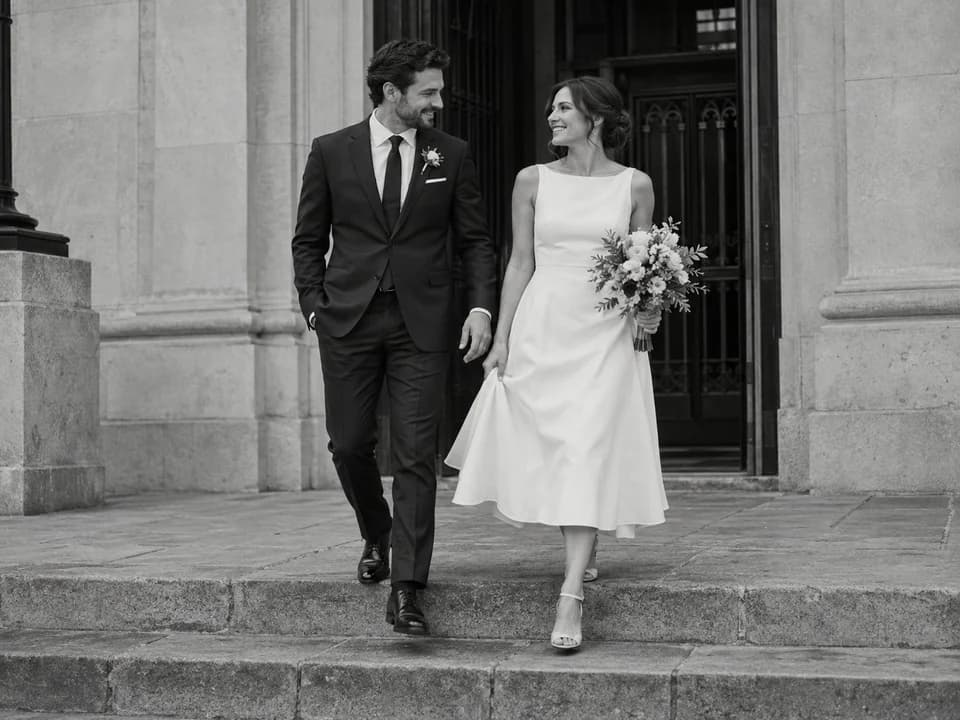
Which style fits the photograph you already have?
For a clean face and shoulders, choose a business headshot or window-light portrait. For a full-body photograph with believable feet and clothing, a travel or wedding setting can use more of the source. For a parent or grandparent, a seated or familiar-environment portrait often preserves the person’s age and manner better than a fashion pose. For children, keep the camera at their height and the scene age-appropriate.
Do not choose a dramatic architectural overhead view when the only reference is a tiny face crop. Changing the scene is possible, but unseen hands, shoes and clothing may have to be invented. If those details matter, upload a more complete authorized reference.
- Headshot: face detail, eye line and clean avatar crop
- Travel: believable scale, feet on ground and no false named landmark
- Wedding: correct number of people and realistic contact
- Senior or child: age, proportions and natural expression
How can a wedding portrait look different from a generic wedding preset?
Pick one photographic decision, not a pile of mood words. The documentary garden option relies on open shade and a shared glance; the couture option uses controlled side light and tailoring; the city-hall option uses a street-level black-and-white frame; the desert option gives the couple room inside a warm dawn landscape. These choices change framing, movement and light, not just color.
The studio also offers direct-flash reception, coastal sunset, classic monochrome and other distinct looks. Match the wedding type to the actual source: a solo upload remains solo. A style name does not supply a missing partner, venue, dress or event history.
What should you inspect before keeping a result?
Place the source and result side by side at the same size. Compare face shape, eyes, nose, mouth, hairline, skin tone and apparent age. Next inspect hands, garment seams and any interaction between people. Finally check the entire frame: horizons, feet, reflected light and whether important source details disappeared. Reject a beautiful result if it no longer depicts the person you intended.
Only upload photographs you have permission to use. A guardian should control uploads and sharing for a child. A generated travel backdrop is an imagined setting, not evidence that the person visited it. If exact identity is essential, use restrained editing rather than a major generative scene change.
Questions before you start
Will a prompt to preserve identity guarantee the same face?
No. The instruction makes the intended constraint explicit, but the user still needs to compare the generated face with the authorized source and reject a changed identity.
Can I change clothing while keeping the face?
Portrait Studio can suggest a wardrobe direction. A garment change is still generative, so check shoulders, hands, fabric edges and the face after the edit.
Are these sample portraits real customer transformations?
No. Portrait style cards are generated visual references. They show a photographic direction and do not measure the result you will get from your own source.
Prepared from the live product workflow and reviewed by the Imagild product team. Visual examples are labeled by provenance. Feature availability may change; see the editorial methodology and current tool before purchase.