Isometric Keepsake Guide
Turn your market stall photo into an isometric miniature without losing layout
This step-by-step guide walks you through using Imagild's Isometric Keepsake Skill to turn a casual market-stall snapshot into a polished miniature-style render, with clear notes on what stays, what shifts, and what you can expect from the final output.
Quick Answer
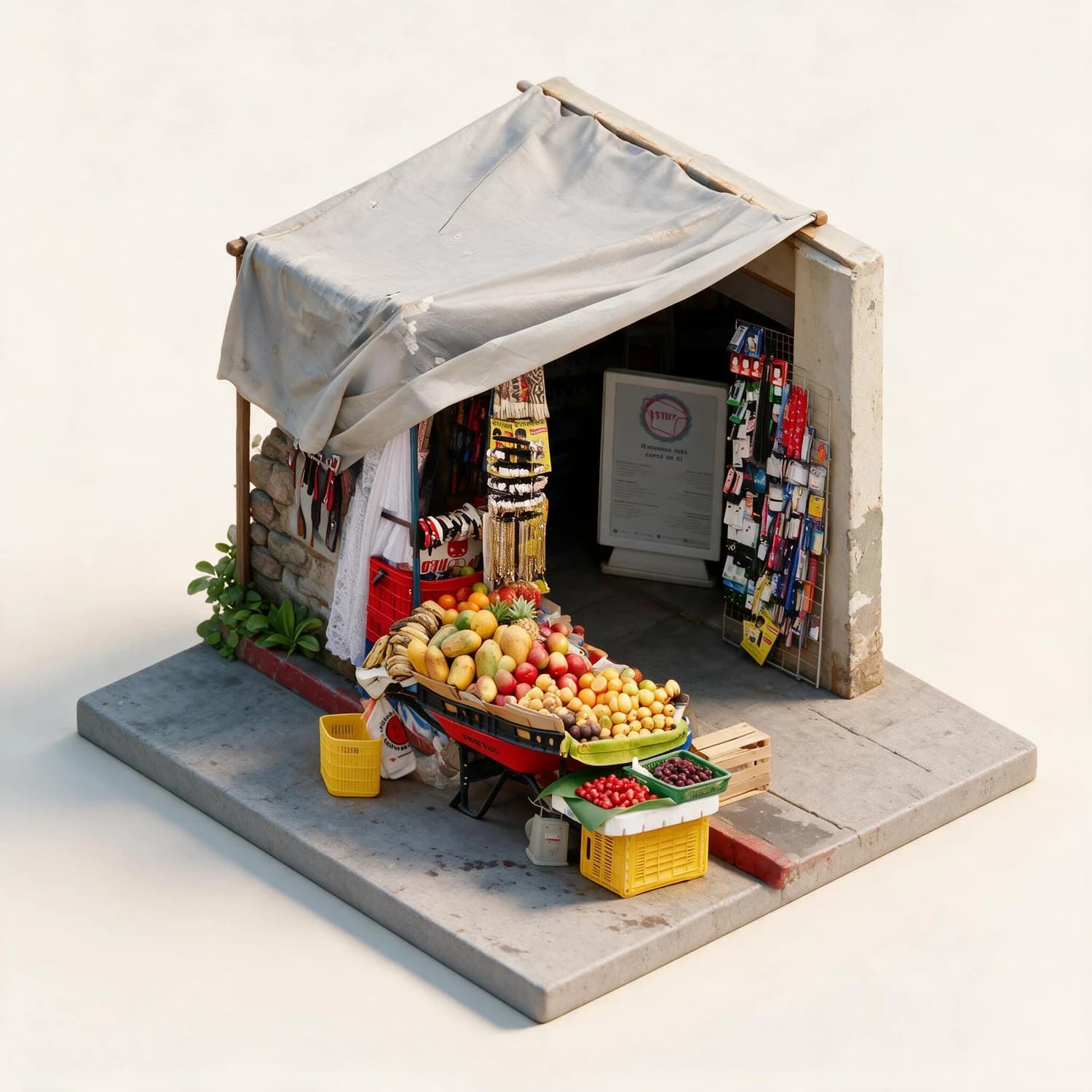
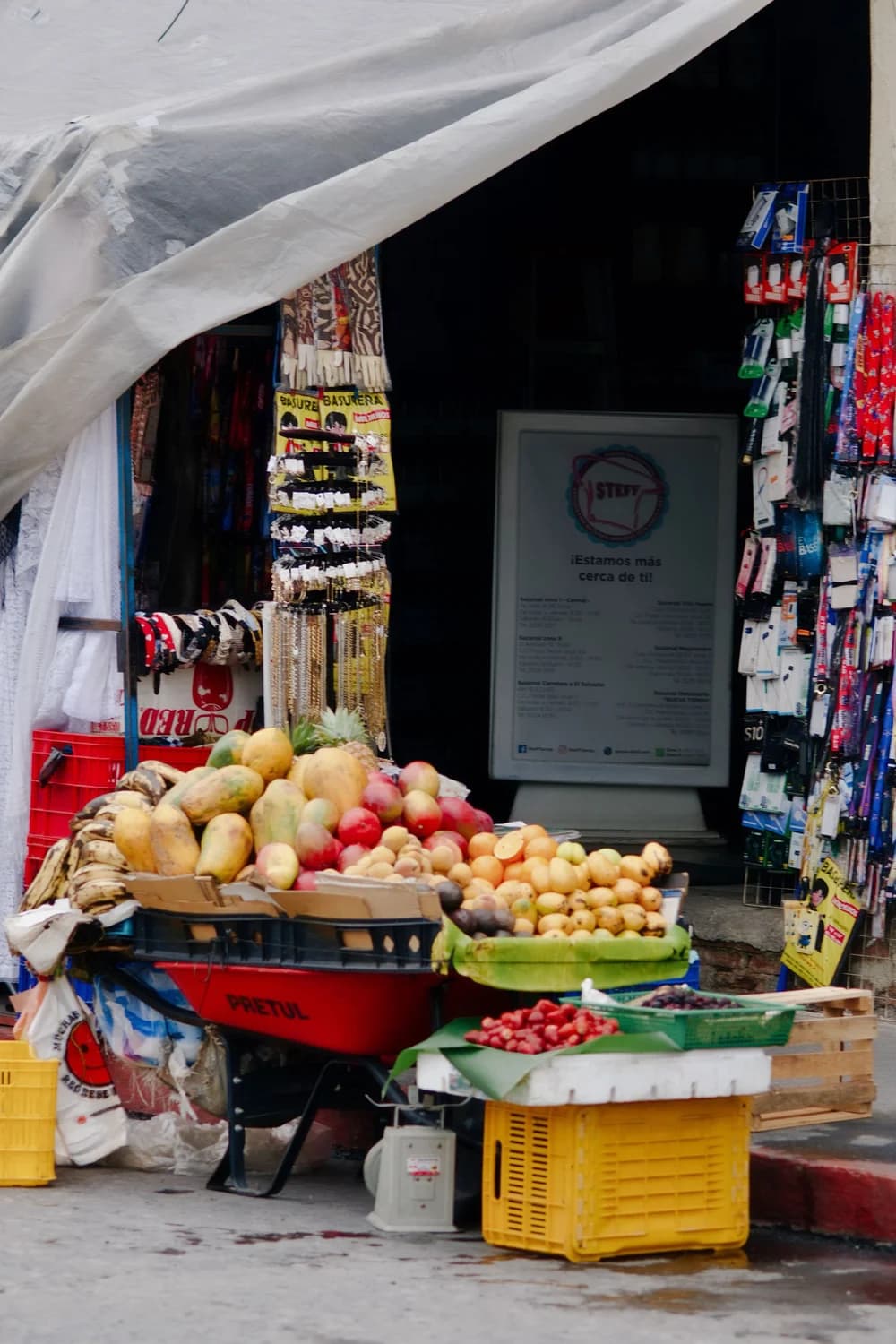
This guide shows you how to use Imagild's Isometric Keepsake Skill to turn a market-stall photo into a 2.5D isometric miniature that preserves your original stall layout, with no 3D modeling software or extra editing tools needed. In the reviewed before-and-after pair, the source shows a street stall with a sloped canopy, fruit displays across the front, hanging goods on both sides, and a dark entrance behind the merchandise.
Real Before-and-After Evidence
The original source photo shows a street stall with a sloped fabric canopy, neat rows of fruit displays across the front counter, hanging goods mounted on both side racks, and a dark shaded entrance tucked behind the merchandise. The generated isometric result retains the recognizable sloped canopy shape, the arrangement of front fruit tables, the two side racks, the rear entrance, the red curb along the front edge, and the general color palette of the original scene. It then completes a plausible full stall volume set on a single square platform, with simplified material textures and a soft warm studio background. No 3D mesh, turntable view, physical model, or printable 3D file is produced; the final output is a single 2.5D rendered image.
Step-by-Step Workflow
- 01
Open the Isometric Keepsake Skill
Open the published Skill at /skills/isometric-keepsake and review its source and result sample. Compare the canopy, front displays, side racks, entrance, curb, square platform, and warm studio background with the visual direction you want before providing your own market-stall photo.
- 02
Upload your market-stall source photo
Select a clear photo of your market stall that shows the full front layout, key displays, and surrounding context you want to carry over to the miniature style. For best results, make sure the main stall structure is not blocked by unrelated foreground objects, and that the lighting in your original photo is even enough to show the different sections of the stall clearly. The Skill is designed to work with standard snapshot formats you would capture on a phone or camera.
- 03
Run the transformation and review your output
Initiate the generative transformation and wait for the Skill to produce your isometric result. Once the render loads, compare it side by side with your original photo to confirm the core stall layout matches your expectations. If you are satisfied with the output, save it directly to your signed-in Imagild Library to access it later for sharing, editing, or reusing in other projects.
Key Decisions to Make Before You Start
- Choose which core layout elements you want to prioritize
- Before you upload your photo, decide which parts of your stall are non-negotiable to preserve in the final render. Common priorities include the exact arrangement of fruit displays, the shape of the canopy, the position of hanging goods, or the location of the rear entrance. Keeping these priorities in mind will help you quickly assess whether the generated result aligns with your vision once it is ready.
- Accept that fine details and small signs may be simplified or removed
- The Isometric Keepsake transformation simplifies complex real-world textures and often removes small, hard-to-read signs to create a clean, cohesive miniature look. If your original photo has handwritten price signs, tiny product labels, or fine printed text, do not expect those details to carry over perfectly to the final render. Plan to add any required custom text overlays in a separate editing step after you export your finished image.
- Verify the output is a 2D rendered image, not a 3D asset
- This Skill produces a single 2.5D-style rendered image, not a downloadable 3D mesh, turntable animation, physical model, or printable 3D file. If you need a 3D model for 3D printing, game development, or interactive 3D experiences, this specific transformation will not meet that need, and you will need to use a separate tool built for 3D asset creation instead.
Official sources checked
Frequently Asked Questions
Can I use this Skill on photos of non-market stalls, like a small backyard shed or a food truck?
This guide is based on the tested market-stall source and result pair, and the Skill is optimized for small, single-story standalone structures with clear front-facing layouts. Results for other subjects will vary, and you will need to review each generated output carefully to confirm the key layout elements you care about are preserved correctly.
Why is my generated isometric result missing a small decorative object that was clearly visible in my original photo?
The generative transformation prioritizes the overall stall structure, core layout, and cohesive miniature aesthetic over every tiny decorative detail. Small, isolated objects that do not contribute to the main recognizable shape of the stall may be omitted during the process. If a specific small item is critical to your final image, you can run the Skill again with a slightly different source photo that places that item more prominently in the frame.
Where does the isometric framing and square base design come from?
The Isometric Keepsake Skill is built on methods referenced in the public MemoryDiorama research paper, which explores how to reconstruct plausible compact 3D-inspired scenes from a single 2D photo. The square platform framing and simplified material style are part of the Skill's published visual direction, so every output follows that consistent miniature diorama look.