Skill Guide
Turn a Landscape Photo Into a Tactile Fiber-Art Poster With Imagild Organic Knit Poster
This walkthrough uses a real before-and-after lake scene pair to show how a standard travel photograph becomes a physical-looking fiber-art poster, no knitting pattern or flat texture overlay required.
Quick Answer
This guide shows you how to use Imagild's Organic Knit Poster Skill to turn your landscape photo into a tactile fiber-art poster, with the original location and any person in the frame staying readable through the wool, crochet, felt, and mohair rebuild.
Reviewed Source and Result Pair
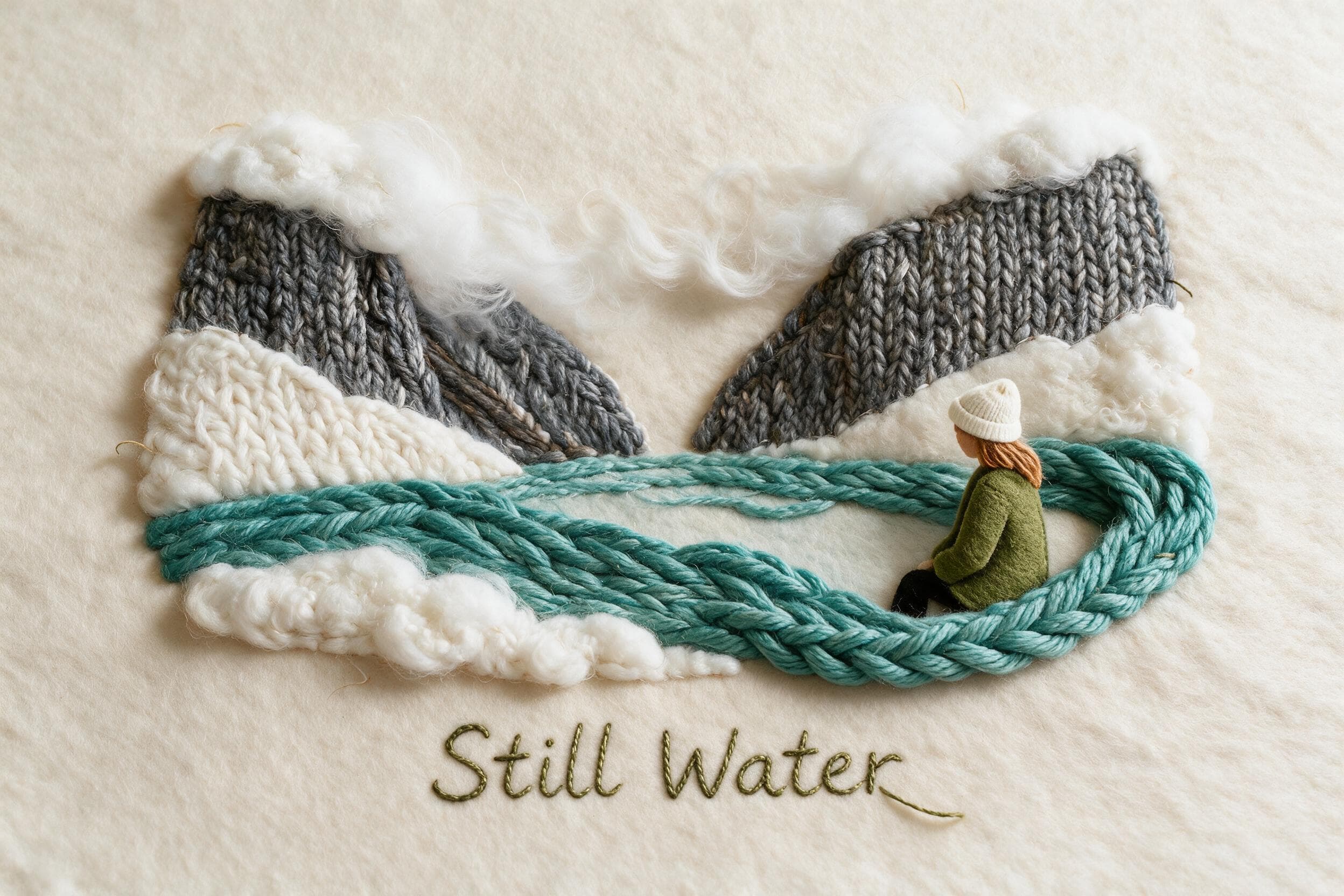
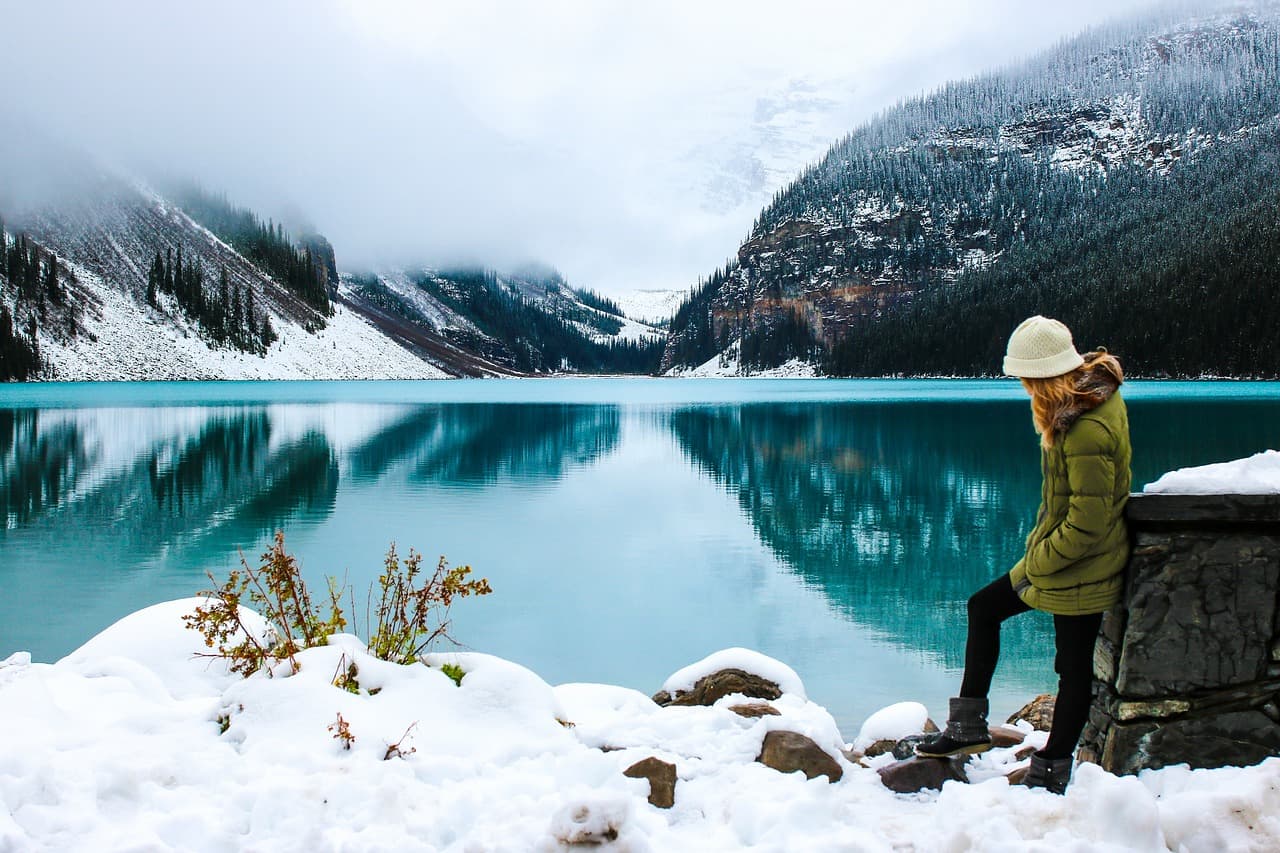
The original source image is a wide snowy mountain lake scene with bright turquoise water, a distinct V-shaped valley, and one seated person at the right edge wearing a green coat and a white hat. The corresponding result rebuilds the heavy mountain masses with thick gray knitting, the soft snow and distant mist with loose, fluffy white fiber, the lake surface with braided turquoise yarn, and the seated person as a small felt figure that occupies the same right-side position relative to the rest of the scene. Fine photographic reflections and tiny details from the original photo are reimagined as raised, physical fiber shapes, and the reviewed sample includes a short stitched title that appears woven into the poster surface.
Step-by-Step Workflow
- 01
Open the Organic Knit Poster Skill
Navigate directly to the public Organic Knit Poster Skill path at /skills/organic-knit-poster from your browser. You can review the published before-and-after sample on the Skill page first to confirm the general visual direction matches what you want to create before you move your own photo into the workflow.
- 02
Provide your source landscape photo
Upload the landscape photo you want to transform. For best results, choose a shot where the key location features such as shorelines, mountain silhouettes, or recognizable landmarks are unobscured, and any person you want to keep visible is positioned clearly within the frame. This helps the final output retain the specific sense of place you captured on your trip.
- 03
Run the transformation and save your accepted result
Start the generative transformation, then wait for the output to load. Once the result appears, compare it side by side with your original photo to confirm the location and person are still readable. If you are happy with the output, save it to your signed-in Imagild Library so you can access it later for sharing, printing, or further creative use.
Key Decisions Before You Start
- Choose which core elements you need to keep readable
- Decide ahead of time if your top priority is the recognizable shape of the mountain valley, the bright color of the alpine lake, the presence of a travel companion, or a mix of all three. This will help you evaluate whether the output meets your goal immediately after the transformation finishes, so you do not waste time second-guessing your creative choices.
- Understand what changes from a standard photographic image
- This transformation does not produce a literal knitting pattern or a flat texture overlay applied on top of your original photo. It rebuilds the entire scene using fiber materials that read as physical, so fine photographic details like individual ripples in the water or distant tree outlines will be reworked into yarn, felt, or crochet shapes instead of staying as sharp photographic lines.
- Plan to verify all generated text and dimensions separately
- The reviewed sample includes a short stitched title, but the exact wording of any generated lettering will not always match what you might expect from your original photo. You will need to check the full output carefully for any text you did not explicitly provide, and confirm the final aspect ratio and print dimensions work for your intended use case before you prepare a physical print.
Official sources checked
Frequently Asked Questions
Can I use this Skill to turn any travel photo of a lake or mountain into a fiber poster?
You can use any landscape photo you have rights to upload, but results will vary based on how your original image is composed. Scenes with strong, distinct shapes such as mountain ridges, clear shorelines, and bold color blocks tend to translate more successfully into the fiber-art style than cluttered, low-light shots where key features are hard to distinguish.
Will the person in my original photo still look like themselves in the final fiber poster?
The reviewed sample preserves the seated person's general position, green coat, and white hat as a small felt figure, but fine facial features and exact likeness details are not carried through the transformation. If you need a highly specific portrait, this Skill is not the right tool for that goal, and you may get better results focusing on the landscape elements instead.
Where can I find other poster-style transformations to try after this one?
Once you have saved your Organic Knit Poster result to your Library, you can explore two related guides on Imagild: the photo-to-poster guide that covers a range of alternative poster aesthetics, and the ai-photo-style-generator-from-image guide that walks you through the full process of reimagining any personal photo with a new cohesive visual direction.