Travel Creative Workflow
Turn One Travel Photo Into a Coordinated Memory Card and Sticker Set
Skip the tedious manual illustration work and turn a single travel snapshot into a cohesive gouache memory card and a set of matching scene motifs, all from one uploaded photo.
At a Glance
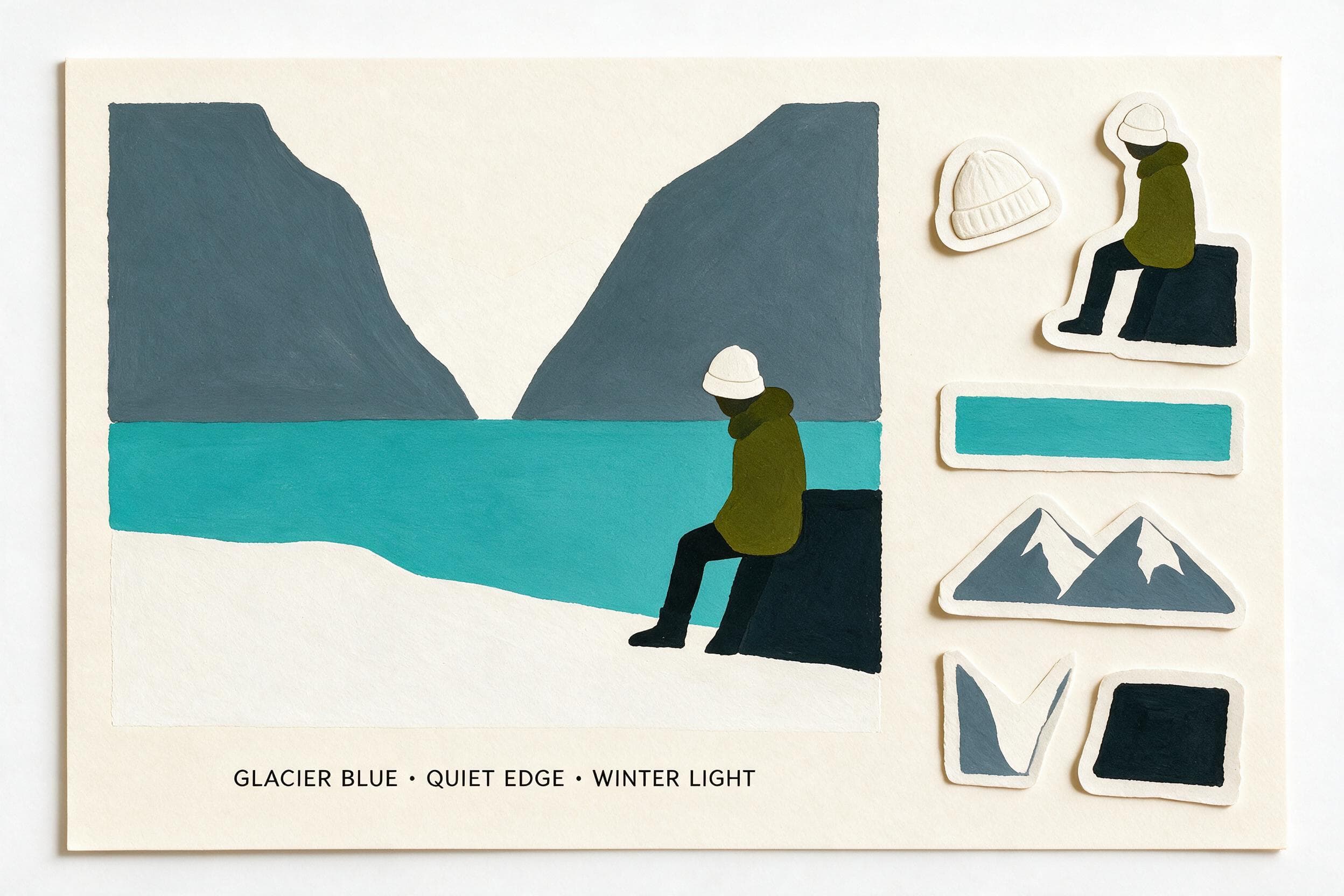
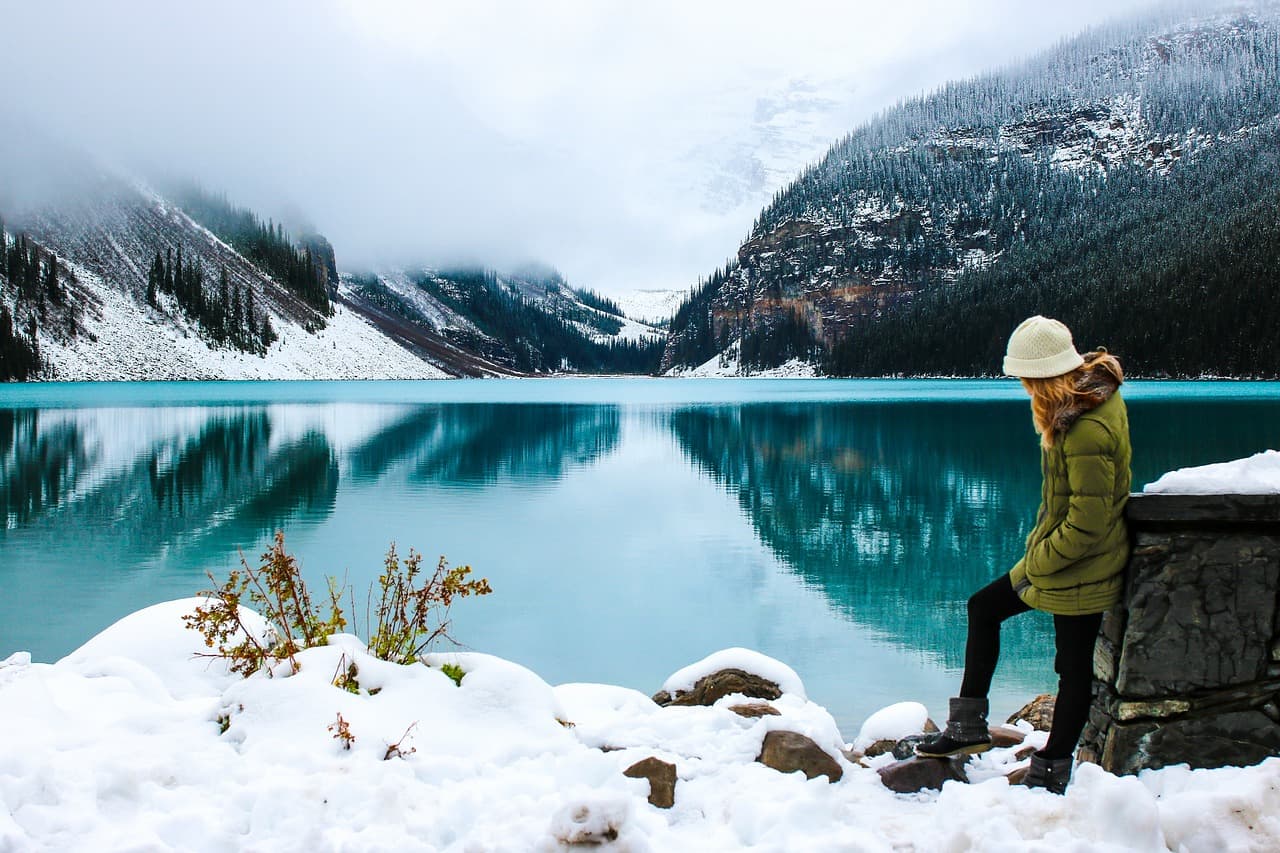
This guide walks you through using Imagild's Travel Memory Card Skill to turn one lake travel photo into a simplified gouache card and six separate white-edged motifs you can use for personal projects. In the reviewed before-and-after pair, the source shows snowy mountains around turquoise water with one seated traveler at the right in a green coat and white hat.
Real Before-and-After Sample
The original source photo shows snowy mountains surrounding bright turquoise water, with one traveler in a green coat and white hat seated on the right side of the frame. The generated result keeps the valley opening, wide blue water band, green-coated traveler, dark seat, and white hat intact, rendered as a simplified gouache-style card on warm off-white paper. Six distinct white-edged motifs appear to the right of the card: a standalone white hat, the seated traveler, a narrow water strip, a pair of mountain shapes, a soft gray valley shape, and a dark seat shape. The original photo's fine texture and distant background details are reduced to a cohesive illustrated style, and no additional design elements unrelated to the scene are added to the final output.
Step-by-Step Workflow
- 01
Open the Travel Memory Card Skill
Open the public Travel Memory Card Skill at /skills/travel-memory-card and inspect the published source/result pair. Note the single illustrated card and the six white-edged motifs visible in that sample before testing your own photo.
- 02
Upload your selected travel photo and run the transformation
Choose a travel photo you have the right to use, preferably with a scene whose important elements you can name. Run the transformation, then inspect whether your result includes a useful main card and recognizable motifs; do not assume its count or layout will match the sample.
- 03
Review, verify, and save your accepted result
Compare the generated output side by side with your original photo. Check whether each visible motif corresponds to a recognizable part of your scene and whether the card still communicates the memory you intended. Save only a result you have reviewed.
Key Creative Decisions to Make Before You Start
- Pick which core scene elements you want to prioritize
- Before you upload, decide which parts of your travel photo matter most to your final project. If you want the seated traveler to stay prominent, position them in a clear, unobscured part of your original frame. If you care more about the mountain silhouette and water color, make sure those elements take up a large enough portion of the photo for the Skill to reference them clearly.
- Accept that fine details will shift to match the gouache style
- In the reviewed result, fine fabric texture, distant tree lines, and small background detail are simplified into a soft gouache look. Treat that as evidence for this sample, then check your own output for any detail whose loss would change the meaning of the memory.
- Plan your sticker sheet preparation separately after export
- The sample visibly contains six white-edged motifs, but the image alone does not establish a physical cutting or printing specification. For a sticker sheet, inspect the exported file and prepare the production layout separately; Canon's official sticker-printing guide is a useful reference for its supported printing workflow.
Official sources checked
Frequently Asked Questions
Can I use any travel photo with this Skill, or does it only work with lake and mountain scenes?
The published evidence covers one alpine-lake source with a seated traveler. It does not establish results for every travel scene or prove that contrast predicts quality. If you test another photo, compare every visible card element and motif with your source.
Do I get exactly six sticker motifs every time I run the Skill?
The reviewed public sample includes six visible white-edged motifs. That count describes only this sample. Inspect your own result and confirm that every visible motif is relevant, recognizable, and usable for your memory-card composition.
What should I do if the generated result misses a key detail I wanted to keep?
If an important element from your original photo does not appear in the generated card or motifs, you can adjust your source image to make that detail larger and more central in the frame, then run the Skill again. You can also edit the saved raster file in an external image editor to add back the missing detail manually before you use the output for printing or sharing.