Crop and geometry
Fix image perspective online: straighten and correct angles
Rotation, horizontal perspective, and vertical perspective solve different problems. The cleanest correction identifies the dominant reference line, changes one geometry control at a time, and crops only after the structure feels stable.
Quick answer
To fix image perspective online free, open the photo in Imagild Photo Workbench. Use Straighten when the whole frame is rotated, Vertical Perspective when buildings lean inward or outward, and Horizontal Perspective when side-to-side depth skews parallel lines. Change one control at a time, then refine the free crop because correction can expose empty edges. Manual straighten, perspective correction, crop, and export do not require sign-in.
Geometry is read through reference lines
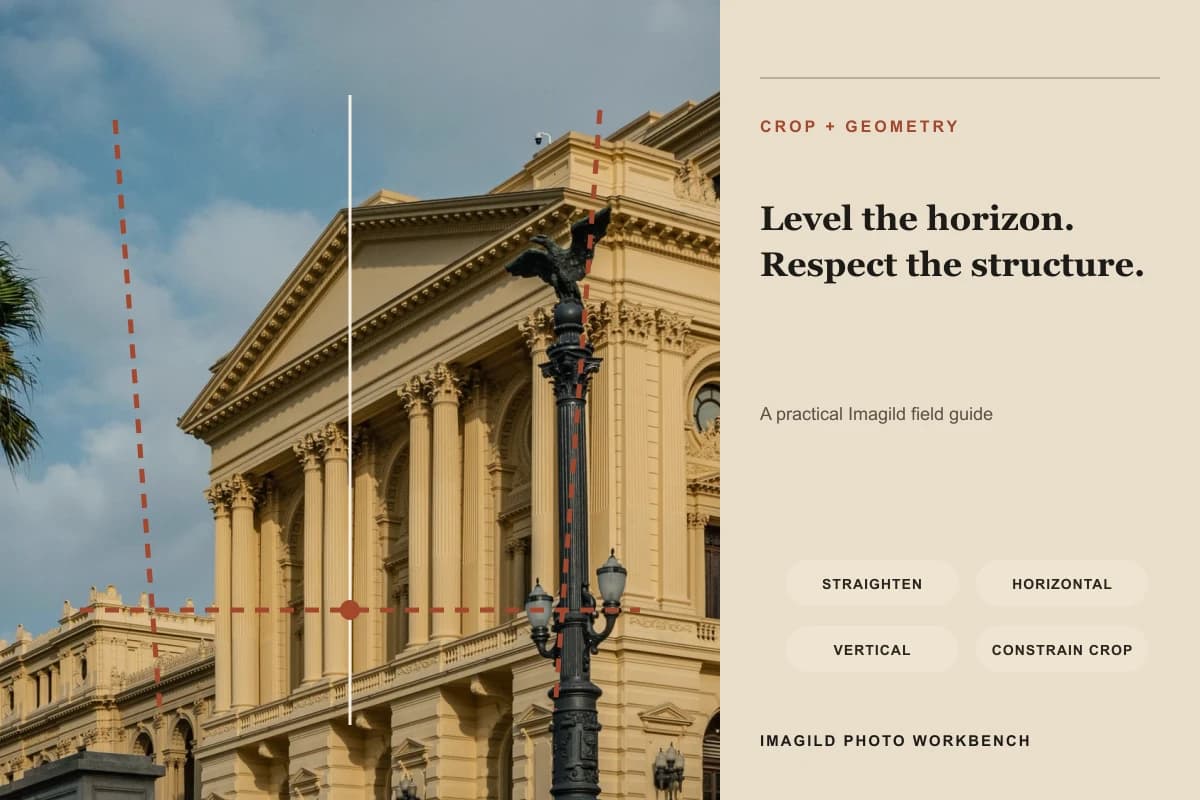
Imagild places free crop, common aspect ratios, straighten, horizontal perspective, and vertical perspective in one reversible panel. The guide visual draws a level line and converging guides over an architectural source to separate rotation from keystone correction. It is a workflow diagram, not a claim that every building should become perfectly rectangular. Lens distortion, intentional camera angle, curved architecture, and wide-angle composition can all make rigid correction inappropriate.
A controlled three-step workflow
- 01
Choose a trustworthy reference line
For landscapes, use a true horizon or a stable architectural edge; for interiors, choose a door frame, column, shelf, or wall junction that should be level or vertical. Avoid using a sloping road, curved facade, leaning tree, or intentionally angled object as the reference. Start by deciding whether the problem is rotation, keystone distortion, or both.
- 02
Correct one geometry dimension at a time
Apply Straighten first when the frame is simply tilted. Then adjust Vertical Perspective for converging uprights and Horizontal Perspective for side-to-side skew. Use small changes and pause to inspect central subjects. Extreme correction can stretch people, circles, products, or text even when the outer architecture looks more regular.
- 03
Rebuild the crop after correction
Perspective transformation changes the usable rectangle and can reveal blank corners. Move and resize the free crop to remove empty edges without cutting heads, hands, landmarks, signs, or important negative space. Compare with the source, verify the intended aspect ratio, and leave enough margin for the destination rather than cropping only to hide every transformed edge.
What to inspect before accepting the edit
- Level is not the same as vertical
- A level correction rotates the entire image so a horizontal reference becomes level. Vertical perspective changes how upright lines converge. A building can have a level horizon and still lean, or have straight-looking walls while the whole image remains rotated. Diagnose these separately.
- Preserve believable proportions
- Watch faces, people near frame edges, round wheels, plates, windows, product packaging, and typography. If a correction makes a person too wide, turns circles into ovals, or stretches a logo, reduce it. Geometric regularity should not come at the cost of obvious subject distortion.
- Keep intentional perspective when it carries meaning
- Low-angle architecture, dynamic street photographs, and wide interior shots may use convergence deliberately. The goal is not to flatten every image into a technical elevation. Correct only the distraction that weakens readability, and keep perspective that communicates scale, movement, or the photographer’s viewpoint.
Official sources checked
Frequently asked questions
Why do blank corners appear after perspective correction?
The image is being rotated or reshaped inside a rectangular canvas, so some transformed edges no longer cover the frame. Refine the free crop or reduce the correction. Do not stretch the photo solely to fill corners if that distorts people or objects.
Should every vertical line be perfectly vertical?
No. Lines at different depths can converge naturally, and some lenses or compositions intentionally exaggerate that effect. Choose one or two important structural references and stop when the image looks stable, not when every line has been forced into a grid.
Does perspective correction fix lens distortion?
It can improve visible horizontal and vertical convergence but is not a calibrated lens-profile correction. Barrel or pincushion distortion, curved lines, and optical defects may remain. Use restrained manual geometry and judge the final photograph rather than assuming one control solves every distortion type.