Crowded candid portrait workflow
Make a crowded fan-camera snapshot from a portrait
A crowded fan-camera image changes more than the lighting. It invents people, devices, attention, and an event-like context around the subject. This guide uses one reviewed source-and-result pair to show what is visible, what changed, and what must be checked before the generated scene is shared.
Quick answer
To make a crowded fan-camera snapshot from a clean portrait, use a consented adult photo with a clearly visible face, clothing, hands, and body outline, apply Garage Fan-Cam Snapshot, and compare the result with the source. Review the central subject, added bystanders, phones, cameras, pixelated faces, backlight, foreground obstruction, and the claim you attach to the image before sharing it.
What the reviewed garage pair shows
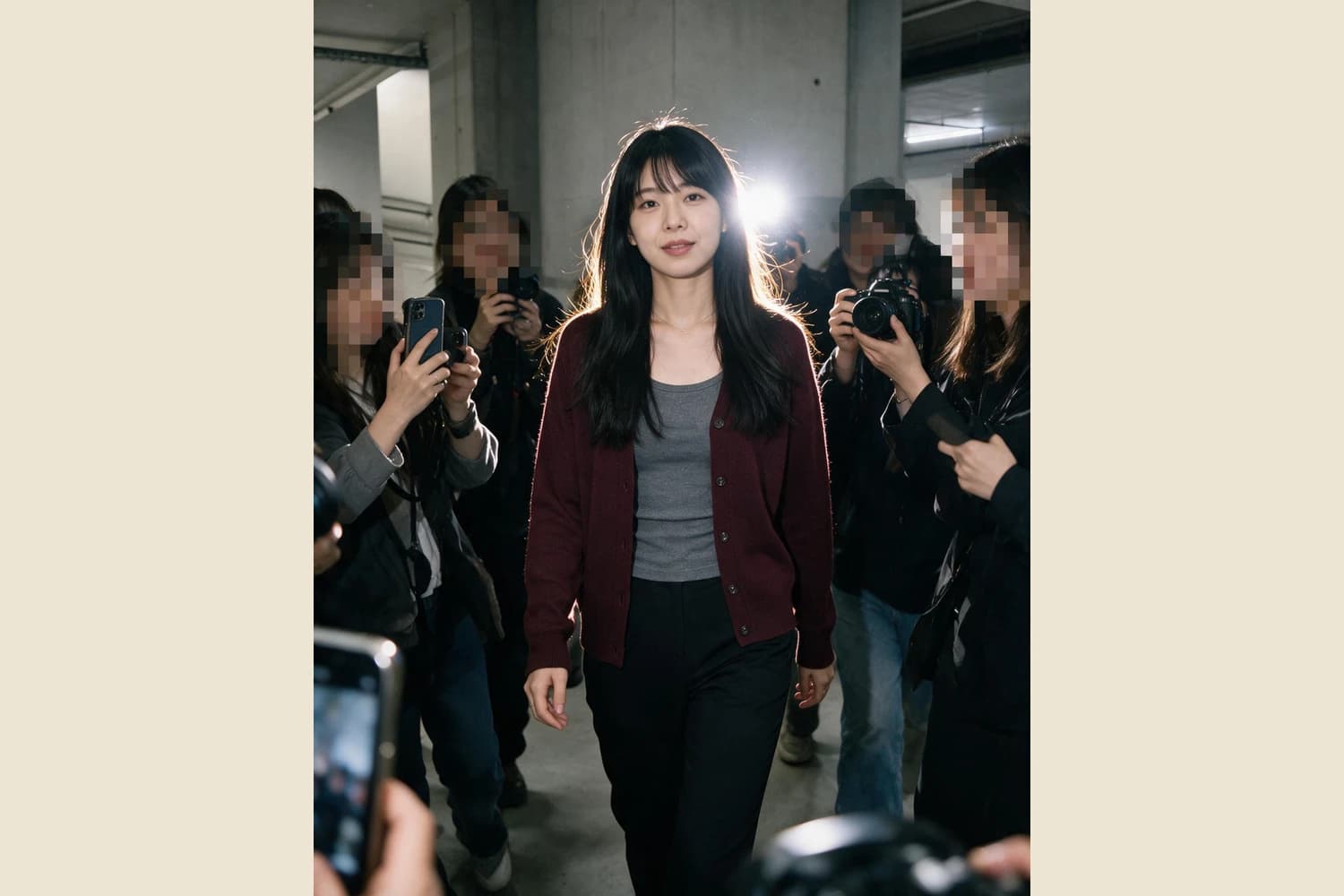
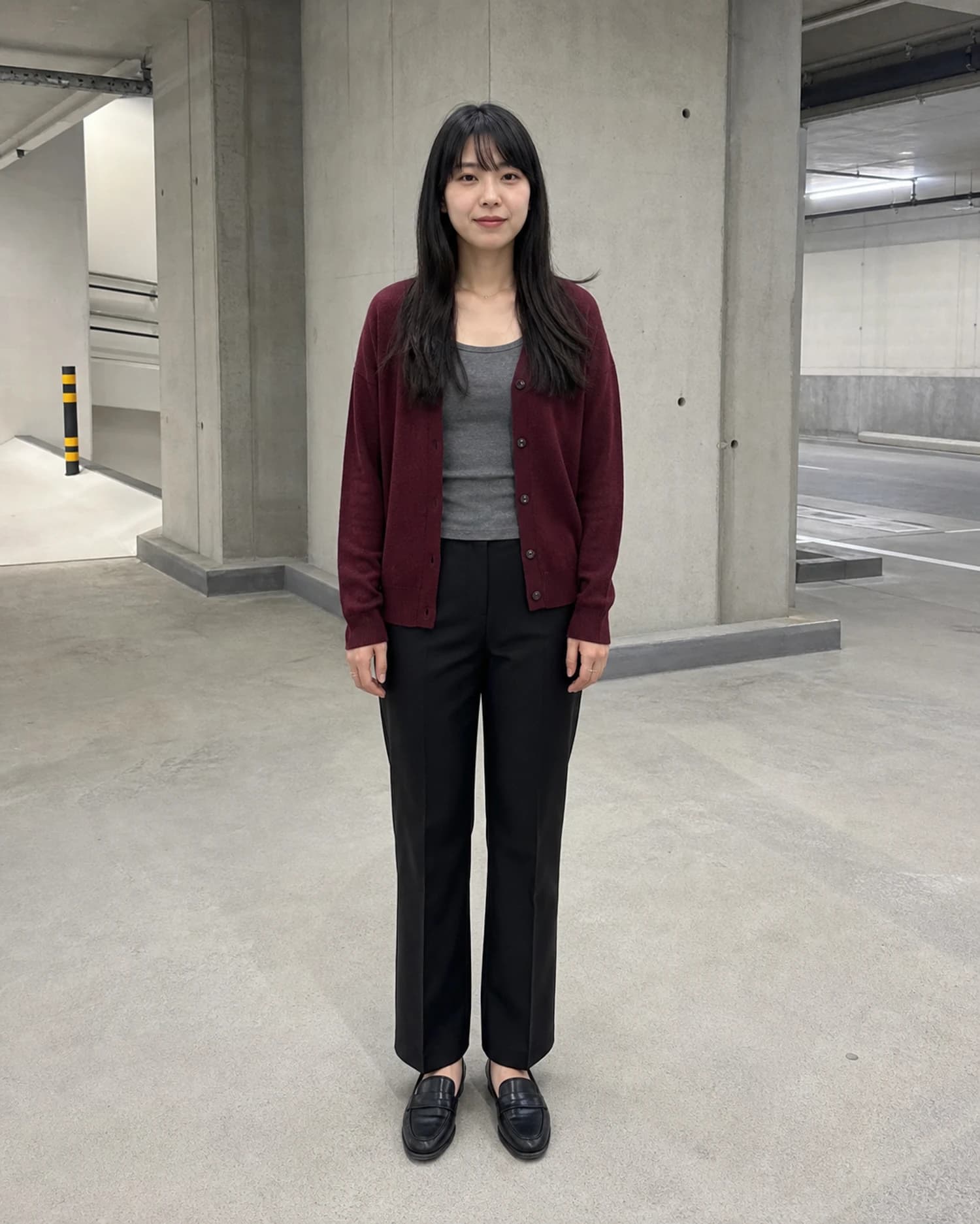
The source is a front-facing full-body portrait of one adult in a concrete garage. The subject wears a burgundy cardigan over a gray top, black trousers, and black loafers. The result keeps one central adult and the burgundy, gray, and black clothing relationships, but surrounds the subject with people holding phones or cameras. Visible bystander faces are pixelated. A bright light behind the head outlines the hair, while a phone and camera equipment partly block the lower frame. The result suggests a busy arrival, but the pair contains no evidence that such a crowd or event existed outside the generated image.
Build and review the scene in three steps
- 01
Start from an inspectable, consented portrait
Use a photo you may transform and publish. The adult subject's face, hair, hands, cardigan, shirt, trousers, footwear, and full outline should be readable before generation. Write down the few relationships that matter, such as garment colors and which person is the intended subject. A clear source gives you evidence for a later comparison; it does not promise that every detail will remain unchanged.
- 02
Run one coherent generative transformation
Open Garage Fan-Cam Snapshot and provide the source. Treat the crowd, phones, cameras, backlight, and foreground blockage as parts of one fictional visual situation. Do not add a real celebrity name, a real event, an endorsement, or a claim that photographers actually surrounded the person. The workflow creates a raster scene from the portrait; it does not recover an unrecorded moment.
- 03
Compare every person and object before saving
Check the central face, hairline, fingers, clothing edges, body proportions, and stance. Then inspect each added hand, phone, camera, strap, lens, shoulder, and pixelated face. Confirm that equipment does not merge into bodies and that the backlight does not erase important detail. Reject the result when an added person, device, or occlusion creates an impossible relationship or distracts from the intended subject.
What to preserve, allow, and disclose
- Preserve a readable central subject
- In the reviewed pair, the central adult, burgundy cardigan, gray top, dark trousers, and long dark hair remain comparable. That does not prove exact identity continuity. Review the face, hands, clothing construction, and proportions as separate editorial checks, especially because strong backlight and nearby objects can conceal errors.
- Allow crowd energy without visual confusion
- Phones at different heights, camera bodies, dark outerwear, pixelated bystander faces, and lower-edge obstruction can make the frame feel crowded. The effect works when the eye still finds one subject and each added object has a plausible owner. More people or more equipment do not automatically improve the image.
- Disclose the invented context
- Present the output as a generated or materially altered image. Do not call it documentary photography, a real fan encounter, proof of popularity, evidence of attendance, or a record of a newsworthy event. Use consented source material and avoid impersonation, harassment, false endorsement, or any use that could mislead viewers about what happened.
Official sources checked
Questions about fan-camera portrait scenes
Does pixelating added bystander faces make every use safe?
No. Pixelation is only one visible treatment in this reviewed result. It does not establish consent, remove every privacy concern, or make a deceptive event claim acceptable. Review the source rights, the identifiable central subject, the intended audience, and the caption or context in which the generated scene will appear.
Will the Skill keep the same face, clothes, and number of people?
No fixed outcome is promised. A generative result can change facial detail, hands, garment construction, body proportions, devices, crowd size, or lighting. The reviewed sample keeps broad clothing-color relationships and one central adult, but those observations are evidence about this pair only. Compare every new result with its own source.
Can I post the result as a real garage arrival?
No. The crowd, cameras, backlight, and event-like attention are generated context. A caption should not imply that the image documents a real arrival or fan encounter. If realistic presentation could confuse viewers, disclose the material AI alteration clearly and keep the original available for editorial review.