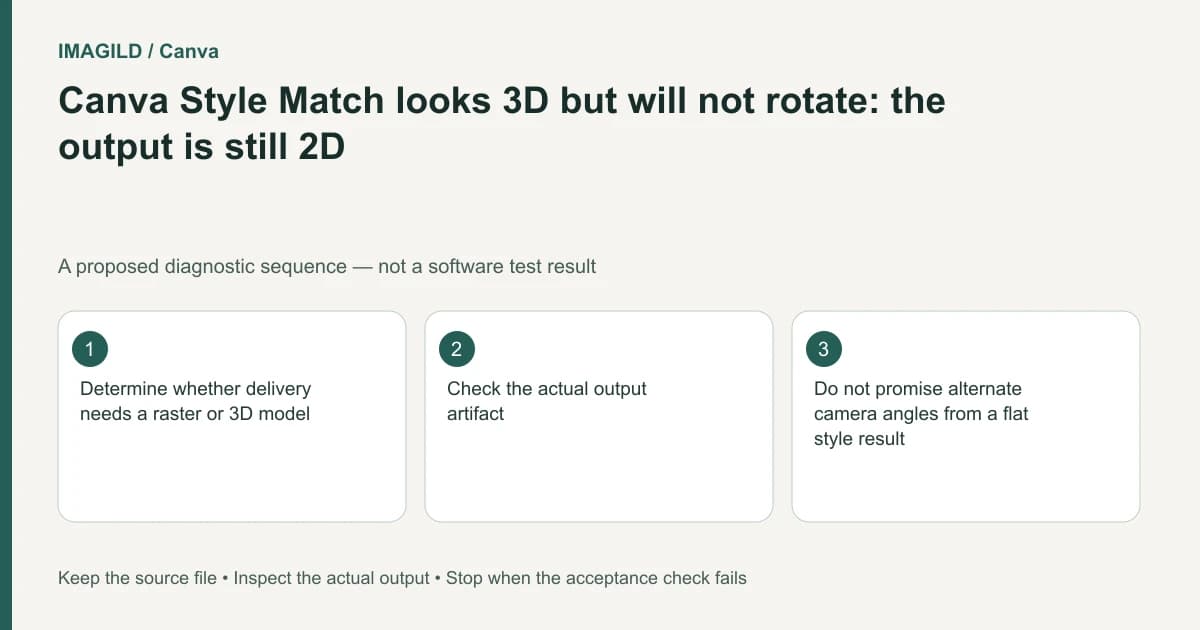
A Canva graphic with a three-dimensional appearance is still a flat image unless you separately have a real 3D asset. Style Match does not turn the artwork into geometry that can be rotated. Decide whether the client needs a styled picture, an animation or an interactive model before promising new viewpoints.
Ask what “3D” means in the delivery brief
A shaded icon on a poster, a video of a turning object and a product model in an interactive viewer can all be described casually as 3D. They require different artifacts. Ask how the recipient expects to use the result: place it in a layout, play it as a clip, or inspect it from arbitrary angles.
Canva's Style Match FAQ explicitly distinguishes a dimensional look from rotatable geometry. That boundary should be settled before anyone spends time looking for a missing camera tool. Resizing or rotating a flat element within the page is not the same as changing the virtual camera around its depicted subject.
Preserve the source and keep the styled image labeled as a visual proposal. If it represents a real product, ask who supplies verified dimensions, materials and hidden-side details. A front view cannot establish every unseen surface.
Identify the artifact before judging the preview
| Needed deliverable | Evidence to request | What a flat styled image supplies |
|---|---|---|
| Poster illustration | Reviewed image at required size | A visible composition |
| Transparent overlay | Actual alpha-capable image and edge check | Potentially a usable flat layer |
| Turning product video | Played clip and reviewed views | No automatic motion proof |
| Interactive model | Model asset opened in the destination viewer | A reference picture only |
| Measured product asset | Dimensions and scale validation | No measurement guarantee |
| Editable vector artwork | Real paths and intended editing controls | No automatic vector structure |
A filename containing “3D” does not resolve the artifact type. Inspect what was actually exported and what the receiving software can do with it. A screenshot of a model viewer is also a flat picture when delivered as an image.
Do not confuse representation changes
The MDN image-format reference is useful for understanding raster and vector image containers. Merely changing a file extension does not create the internal representation required for a model. A different image format can solve a delivery constraint without adding geometry.
The same distinction appears in our vector-looking artwork versus actual cut paths guide. Smooth-looking edges do not establish usable vectors; convincing shading does not establish a mesh. In each case, validate the required structure directly in the destination workflow.
If the immediate job only needs an illustration, avoid adding unnecessary modeling work. Approve the visible picture as such. If the client needs interactive rotation, stop treating the styled image as the finished asset and establish a separate modeling or capture plan.
Prepare a useful reference for a modeler
A hypothetical store needs a rotatable lamp but currently has a styled front image. Treat that image as an appearance reference, not as a complete modeling specification. Collect real measurements, additional photographs and an explanation of which decorative details are conceptual rather than manufactured. No model was created for this example.
Shopify's 3D-model creation guidance describes requirements for actual product models. Our real-world AR scale check addresses the separate problem of a genuine model displaying at the wrong scale. Neither route turns a Canva style result into a validated model by renaming it.
Mark uncertain features in the reference pack: the unseen rear surface, the underside and the true thickness of thin components. Ask the responsible owner to resolve those details. Plausibility in a generated picture is not evidence of manufacturing accuracy.
If the client only wants a motion impression
Define the required motion precisely. A page-level spin, an animated camera-like move and a product revealing its previously hidden back are different promises. Show a proposal before committing to a final clip, and review any newly generated view for invented structures.
Retain the approved still so the motion candidate can be compared against it. For a real item, reject altered logos, missing parts or changing proportions even if the movement looks smooth. When a flat-image animation is sufficient, label it accurately rather than calling it an interactive model.
Finish with a file-role check
Deliver a note identifying the asset as a styled image, a reviewed video or a separate model, whichever was actually produced. Check the actual file in the application the recipient will use. Keep the editable master and flat delivery roles distinct.
If only the Canva picture exists, the task is complete only for a picture brief. A rotatable-model brief remains open. This guide is a documentation-based decision workflow, not a 3D reconstruction test, a model-quality certification or a claim that hidden product details were recovered.