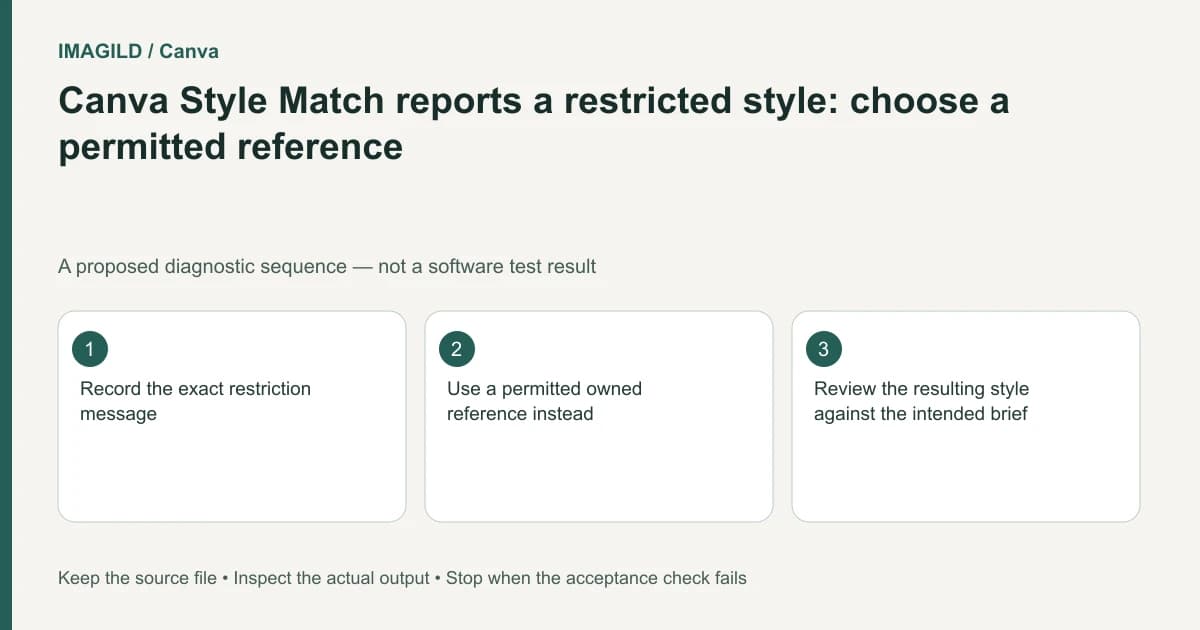
Treat a restricted-style message as a content boundary first. Preserve the design, record the exact message, and choose a permitted reference or a different design approach. Refreshing repeatedly or disguising the same reference is not a reliable or appropriate way to establish that the style is available for this task.
Record the condition before troubleshooting
Note the selected source, target element, active account and command. Capture the wording of the restriction for your own support record without including private client material unnecessarily. Distinguish a source-specific restriction from a missing toolbar, an unavailable target or a general processing failure.
The Canva Style Match troubleshooting page documents restrictions on some partner styles. That information does not tell you the complete rights status of every asset. It does explain why access to an element in a design is not proof that every transformation involving that element is supported.
Keep a copy of the accepted layout before replacing references. A quick substitution can change the design's visual identity even if it removes the error. The objective is a permitted treatment that meets the brief, not simply a successful processing message.
Check whether artistic matching is actually necessary
Ask which qualities the client wants: a color relationship, a type treatment, a texture or a specific illustration language. Canva's ordinary style-copy instructions describe formatting transfer as a different operation. A known brand color can often be applied explicitly without attempting to reproduce a restricted artistic reference.
Write neutral visual requirements in the brief: restrained contrast, rounded shapes, a limited approved palette, or a paper-like texture. These are proposed design directions, not a workaround that authorizes copying protected material. Avoid naming a restricted source as the only acceptable outcome when another authorized approach will serve the communication goal.
If exact replication is essential to the commission, ask the responsible owner for an authorized editable source or a permitted production route. Do not promise that a different upload, crop or screenshot will make the same restriction disappear.
Pick an alternative with an explainable role
| What the requester needs | Candidate alternative | Check before accepting |
|---|---|---|
| Approved color and opacity | Explicit formatting values | Correct values on the intended element |
| General illustrated character | Owned or authorized reference | The new treatment still fits the brief |
| Exact branded illustration | Licensed editable artwork from the owner | The actual requested editing rights and source |
| A different ready-made style | An available permitted style | Meaningful content remains accurate |
| Consistent campaign appearance | A documented style specification | Every asset uses the approved revision |
| Unclear restriction | Vendor support with the exact message | A confirmed route rather than a guessed bypass |
This is a workflow decision table, not legal advice or a determination of ownership. When rights or permissions are uncertain, keep that uncertainty visible and obtain the relevant authorization rather than presenting a technical success as proof of permission.
Avoid spending attempts on an unresolved input
Consult the current Canva AI usage guidance before authorizing further visual-style processing. Record what will change between attempts. Repeating the same restricted source without a new supported condition does not produce useful diagnostic evidence.
Try a permitted alternative on one target and inspect its content. A source becoming eligible does not establish that the resulting face, product or typography remains accurate. Compare the actual candidate against the protected elements in the brief.
There are similar distinctions between general asset access and eligibility for a particular feature. Our Canva Image to Video input check addresses a different feature with its own conditions. Do not transfer one feature's eligibility rules to another.
A hypothetical event-poster revision
Imagine an organizer provides a poster with a partner illustration and requests matching decorative icons. The copying operation reports a restricted style. This is an illustrative case, not a recorded Canva session.
Preserve the poster and ask whether the organizer can provide authorized icon artwork. If not, propose a different owned reference or manually specified palette and shape system. Make a small proof with one replacement icon. Request approval for the changed visual direction before rebuilding every decorative element.
The restriction remains part of the production record even if an alternative succeeds. Do not describe the alternative as an exact reproduction of the original partner style when the source and method have changed.
Deliver the accepted alternative clearly
Inspect the exported poster for inconsistent colors, unreadable text and unintended content changes. Retain the source record and label the approved alternative using the version-handoff procedure. If the new reference is an SVG, use the SVG import-preparation guide to separate file compatibility from style availability.
This article explains a documented restriction and proposes a bounded response. It does not test a restricted asset, interpret a specific license, guarantee approval from Canva or claim that a processed result is automatically cleared for publication.