Travel Photo to Scrapbook Collage
Turn a Travel Photo Into a Scrapbook Collage: What to Verify
This evidence-led guide shows the public Travel Atlas Scrapbook workflow, identifies what is visible in one reviewed result, and gives you a practical comparison checklist for your own output. It does not promise that another photo will keep the same layout or scene details.
At a Glance
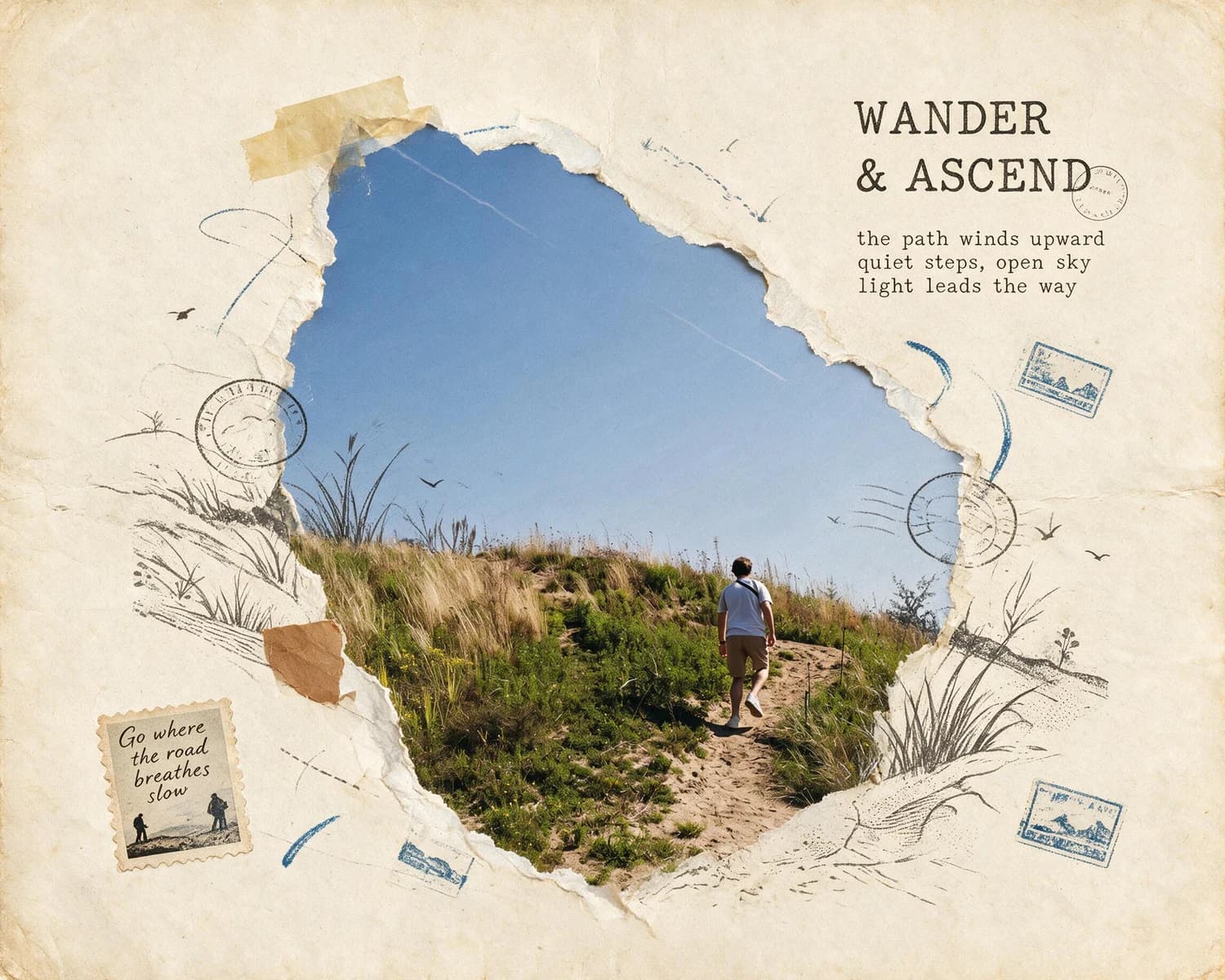
Open the Travel Atlas Scrapbook Skill, provide a travel photo you have permission to use, run one generative transformation, and compare the output with the source. The reviewed sample keeps one walker, an uphill path, a grassy slope, and open sky, but that single result does not predict another run. Treat any generated lettering, stamps, or route graphics as unverified decoration.
Before and After: Reviewed Travel Atlas Scrapbook Sample
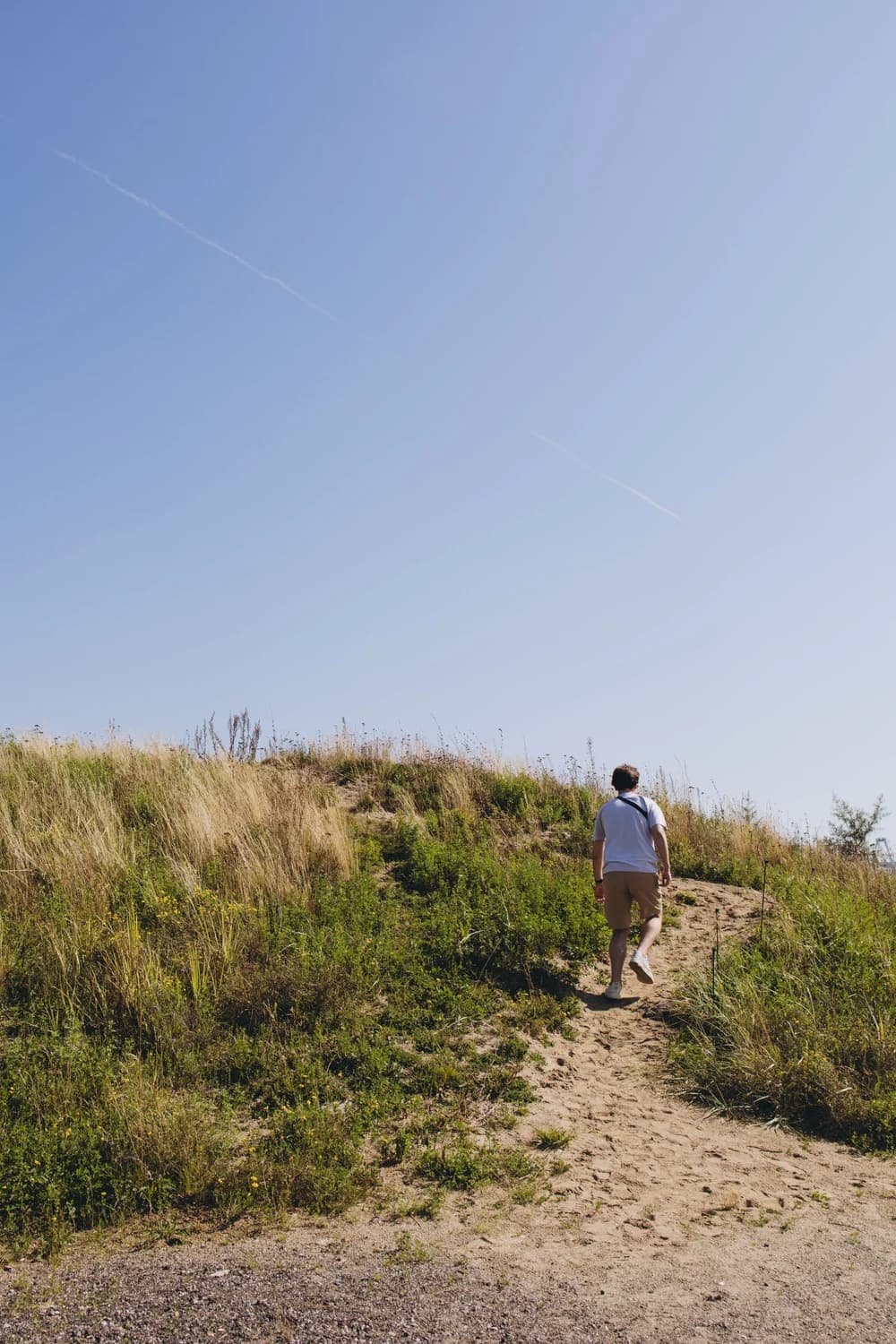
The original portrait-oriented source photo shows one person walking uphill on a sandy path, with a grassy slope and a large area of open blue sky. The final landscape-oriented result keeps that same person, uphill sandy path, grassy slope, and open blue sky as its central photographic content, while adding distinct torn-paper edges around the photo area, scattered stamp-like marks, soft blue route strokes, delicate botanical line drawings, and generated lettering across the layout. No part of the generated decorative elements in this sample replaces or obscures the core travel scene that ties the image to the real location where the photo was taken.
Step-by-Step Workflow
- 01
Open the Travel Atlas Scrapbook Skill page
Navigate directly to the public Skill at /skills/travel-atlas-scrapbook to review the published before-and-after sample before you begin. This page shows the exact first-party source and result pair used to create this guide, so you can see the type of visual transformation the Skill produces before you upload your own travel photo. Take a moment to confirm this style matches the scrapbook look you want for your travel memory, and note that the sample uses a portrait source to produce a landscape collage layout.
- 02
Upload your source travel photograph and run the Skill
Provide a travel photograph you have permission to use and run one generative transformation. Before starting, note the source details you plan to check afterward, such as a person, path, slope, horizon, or sky. Keep the original file available so the comparison is based on the source rather than memory.
- 03
Compare your result to your original photo and save
When the result appears, compare it directly with the source photo. Check the details you listed, inspect any generated lettering and postal- or route-like graphics, and reject factual interpretations that the image cannot support. Save the result to your signed-in Imagild Library only if the visible transformation meets your purpose.
Key Practical Decisions to Make Before You Start
- Choose which core scene elements you want to remain visible
- Before you upload your photo, take 30 seconds to identify the specific parts of the image that make it tied to your real travel experience. This could be the person in the frame, the distinct walking path, the recognizable grassy slope, or the wide open sky that defined the day you took the photo. Knowing exactly which elements matter most to you makes it much easier to verify that the final collage still carries the real place context you do not want to lose.
- Check orientation and cropping in the result
- The reviewed sample places a portrait source inside a landscape scrapbook composition. That is an observation about this pair, not a fixed output rule. Inspect your own result for cropping, stretching, covered edges, and changes in the relative position of the scene details that matter to you.
- Plan to add all factual location details separately after generation
- If the result contains words, postal-style marks, route-like graphics, or scenic stamps, treat them as decorative and unverified. Prepare accurate captions, dates, place names, and route notes from your own records, then pair them with the image separately rather than treating generated marks as a travel record.
Official sources checked
Frequently Asked Questions
Can I rely on the generated text and stamp marks in the collage to tell people where my photo was taken?
No. In the reviewed pair, the lettering, postal-style marks, route strokes, and small scenic stamps are visual additions, not evidence of a location, date, route, or event. Even plausible-looking wording must be checked against your own travel records before you publish it as fact.
What should I do if the generated collage obscures the core part of my travel photo that I wanted to keep?
Do not accept the result as a faithful record. Compare it with the source, note what was covered or changed, and decide whether the output still serves your intended use. This guide does not promise that another source or another run will resolve the same issue.
Should I keep the original travel photo after making the collage?
Yes. Keep the original file separately from the generated collage so you can verify visible details and retain an unaltered record. The Library of Congress recommends organizing digital files, keeping copies on at least two storage media, and storing those copies in separate physical locations.