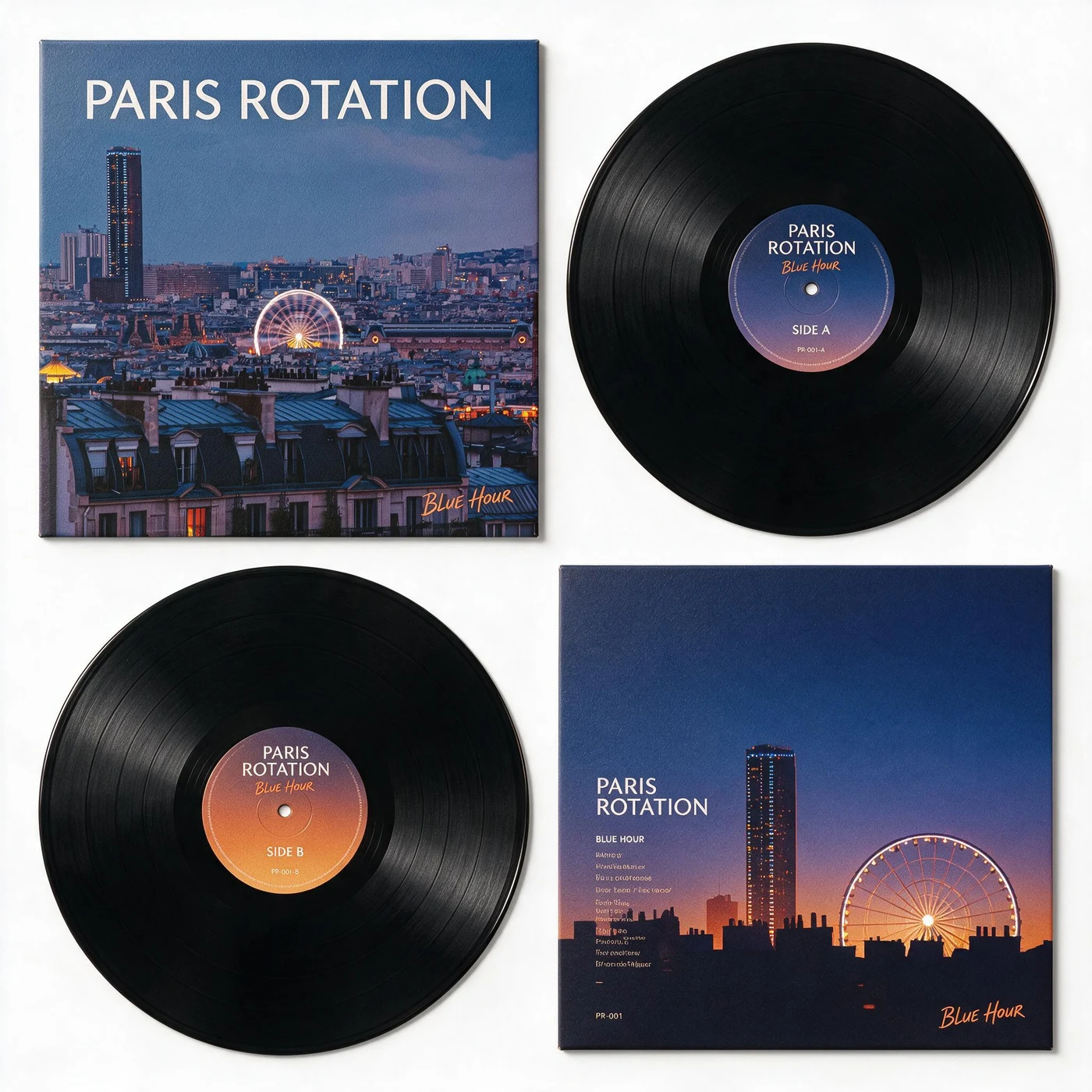
To make an album cover from a photo, choose an image with one dominant subject and useful empty space, apply Vinyl Memory Release, and compare the source with the generated square artwork. Add the exact artist and release name in a separate typography pass: use AI for the visual world, and a layout tool for wording that must be correct.
From city photograph to a complete release system
The Ferris wheel and tower already behave like graphic marks. Vinyl Memory Release keeps the blue-hour identity, crops the city into a square sleeve, and extends the palette across labels and companion artwork. The result feels related to the photo instead of replacing it.
Build the cover in three passes
Select a photograph that survives a square crop
Keep the subject away from fragile edges and check the image at small size. A strong light, silhouette or face gives the cover a recognizable center.
Generate the visual system
Use a method that produces more than a single crop: sleeve, label, color system or secondary panel. This makes the result useful across social thumbnails and release graphics.
Finish exact type outside the generator
Replace generated microtype with the correct artist, title, catalog number and credits. Check readability at streaming-thumbnail size before exporting.
Album-cover checks that matter
Thumbnail recognition
The central shape should remain legible around 160 pixels wide.
Space for real typography
Leave a calm area for the artist and title instead of placing text over the busiest detail.
A system beyond the square
Plan a vertical story crop, a wide header and a text-free artwork version from the same direction.
Questions about AI album artwork
How do I use an AI album cover generator from a photo?
Upload a photo with one dominant subject, apply Vinyl Memory Release, and compare the square result with the source. Keep room for the artist and release name, replace generated lettering with exact text, and verify the current image specifications of your distributor before publishing.
Will the AI spell the artist name correctly?
Generated lettering may be inaccurate. Treat it as layout inspiration and replace important text in a design tool.
What resolution should I export?
Follow the requirements of your distributor. Many services request a square, high-resolution RGB image; verify the current specification before delivery.
Album artwork is not the same deliverable as a release-ready cover
An AI album cover generator from a photo can help establish a visual direction. It does not verify music-distributor requirements or guarantee correct artist lettering. Review three separate decisions before upload.
[Keep the subject recognizable in a square](/en/guides/straighten-and-fix-photo-perspective-online): Check the face, instrument or landmark at thumbnail size. If the source is awkwardly cropped, prepare it with the photo workbench before generation rather than relying on the model to invent a missing edge.
[Separate cover art from campaign posters](/en/guides/photo-to-poster): A cover needs to work small and square; an event poster needs readable visual hierarchy at a distance. Use a separate poster composition instead of stretching the album image.
[Check the actual download, then your distributor](/en/guides/jpeg-vs-png-vs-webp-for-photo-export): Choose an appropriate raster format, inspect pixels and artifacts, replace inaccurate lettering in a layout editor, and consult your distributor for its current size, color and content rules. No generated image is automatically release-approved.