Paper Memory Imprint guide
Turn a city landmark photo into a minimal paper print with one truthful photo window
This step-by-step guide walks you through using the Paper Memory Imprint Skill to convert a real city landmark photo into a quiet, print-ready paper composition that never blurs into a generic watercolor or duplicate illustration.
Quick answer
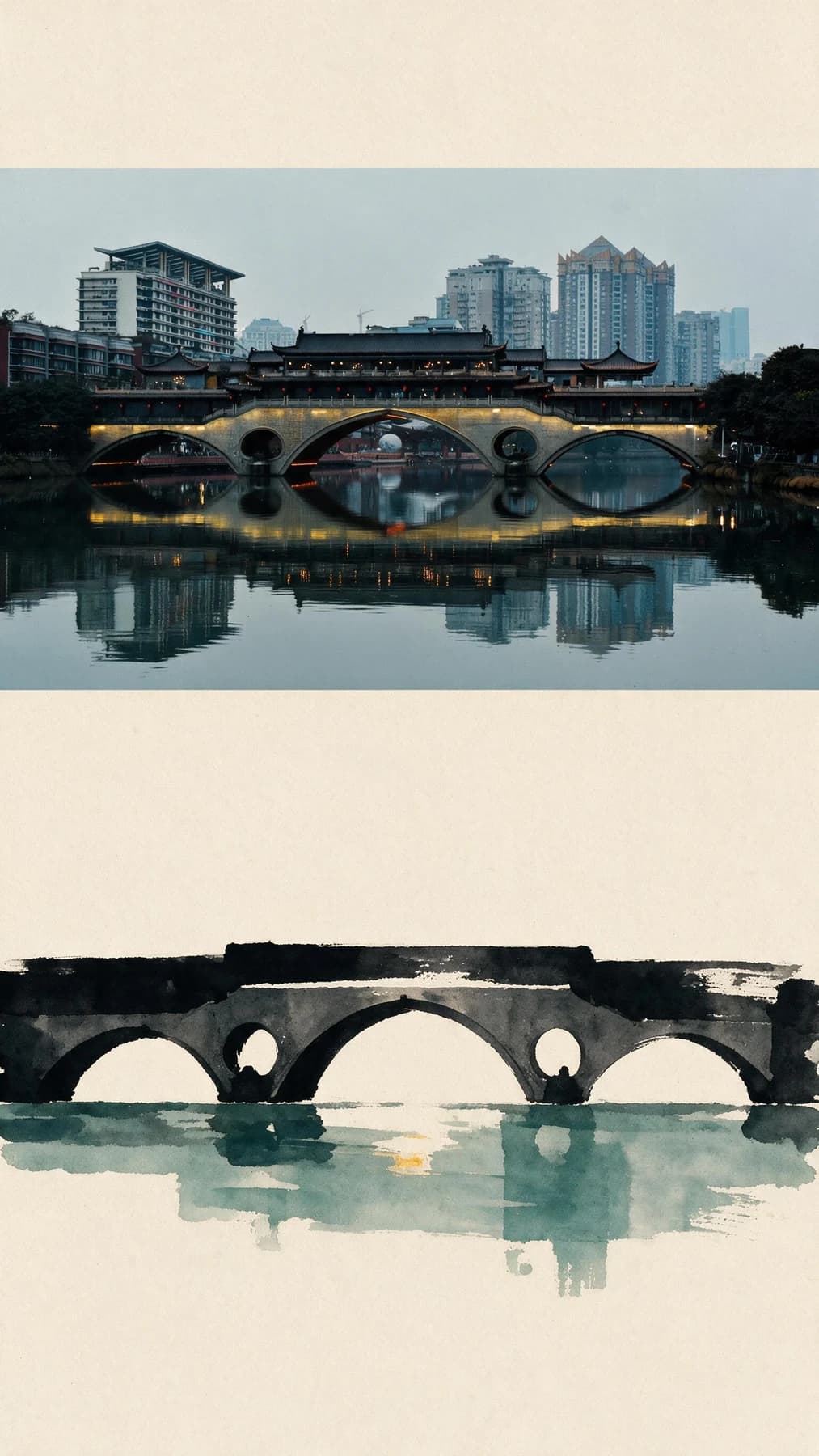
Paper Memory Imprint places one intact wide crop of your landmark photo in the upper section of a warm vertical sheet, then adds a sparse dark ink echo of the same subject below, no extra annotations or invented locations included.
Verified before-and-after sample
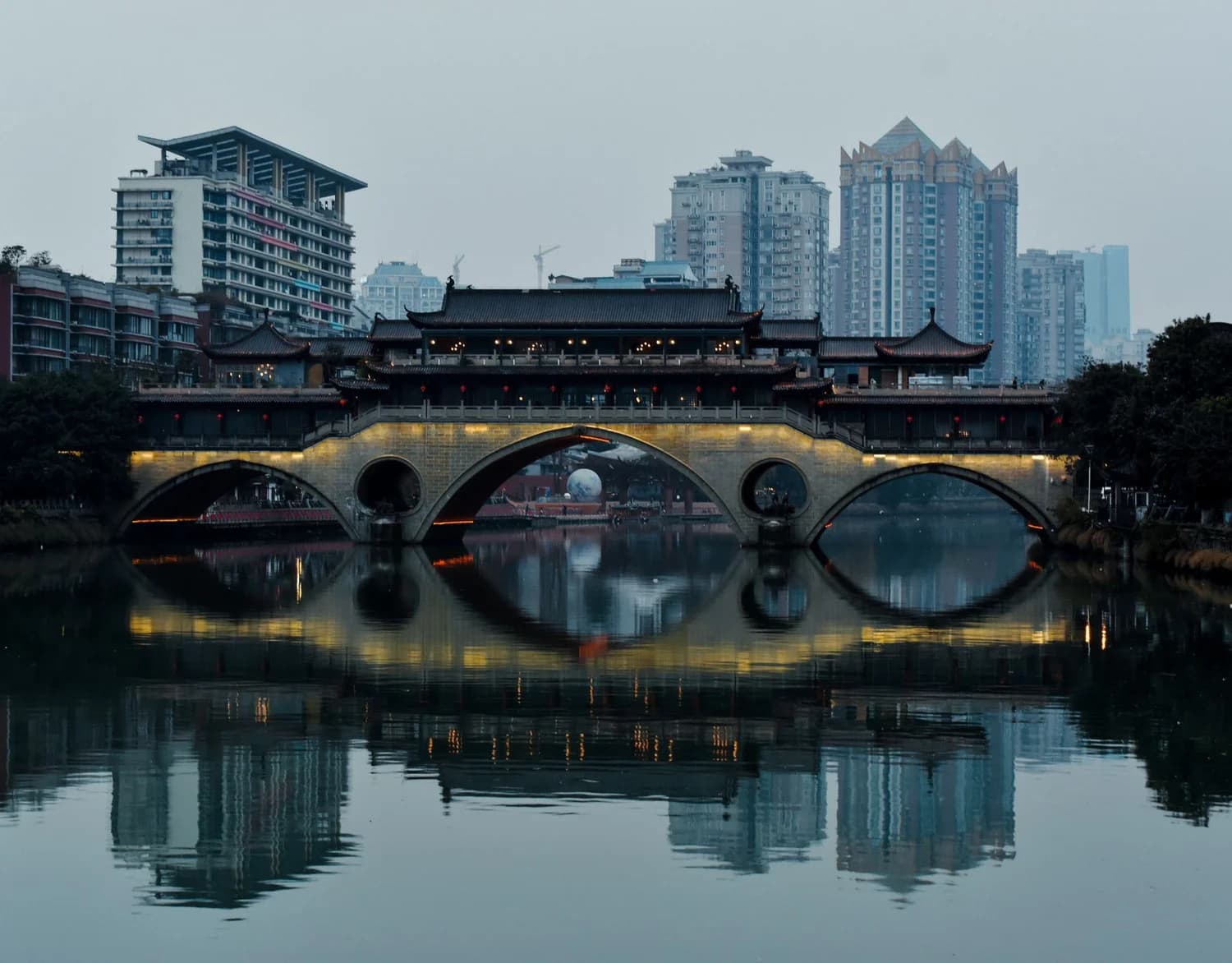
The verified source image is a wide city scene centered on an illuminated multi-arch bridge and its calm water reflection, with a full skyline of high-rise buildings visible in the background. The published result keeps one intact wide crop of the bridge and its reflection in the upper portion of a warm, off-white vertical sheet, preserving the original lighting and the exact arch-and-reflection relationship. The lower half of the sheet reinterprets that same bridge shape as a sparse dark ink imprint that removes the entire background skyline and all fine photographic detail, so the lower element acts as a deliberate echo rather than a second full photo. No title, date, location label, logo, or factual annotation appears anywhere on the output, and no unrelated landmark or invented scene is added to the final composition.
Step-by-step workflow
- 01
Open the public Paper Memory Imprint Skill
Navigate directly to /skills/paper-memory-imprint from your browser while signed into your Imagild account. This public Skill is pre-published and ready to use immediately, so you do not need to build a custom workflow from scratch in the workbench. You can review the official before-and-after sample on the Skill page first to confirm the visual direction matches what you want to create before you upload any of your own photos.
- 02
Upload your city landmark source photo and run the transformation
Provide a source photo with a strong, recognizable central subject, such as a nighttime bridge, riverside landmark, or wide city scene. Run the transformation, then compare the upper photographic area and lower ink-like imprint with the source to see which forms were retained, simplified, or omitted.
- 03
Review your output and save it to your Library
When the transformation finishes, compare the generated result side by side with your original source photo. Confirm the upper photo window retains the part of your landmark you wanted to keep, and that the lower imprint reads as a recognizable echo of that same subject. If you are satisfied with the composition, save the accepted result to your signed-in Imagild Library, where it will be stored for the platform's stated retention period so you can return to it later for export or further personal use.
Key creative decisions to make before you start
- Choose which part of your photo you want to keep as the truthful window
- Since the Skill preserves one intact wide crop of your source photo in the upper section of the final sheet, select a source image where your favorite landmark or most meaningful detail sits near the center of the frame. A photo with a strong central subject, such as a multi-arch bridge with a distinct reflection, will produce a much more coherent echo in the lower imprint than a cluttered shot with no clear focal point. You do not need to edit or pre-crop your image before uploading, but picking a well-composed original will make your final print feel far more intentional.
- Decide how much surrounding detail you are comfortable seeing removed
- The lower imprint deliberately strips away the original background skyline, fine texture, and all secondary elements from the echoed subject. That means high-rise buildings, distant streetlights, and small foreground objects that appear in your source photo will not carry over into the lower ink imprint. This is not an error: it is part of the Skill's design to keep the lower element sparse and quiet, so it does not compete with the truthful photo window above. If you want to retain full fine detail across the entire sheet, this specific Skill may not be the right tool for your goal.
- Verify the final output for missing or unintended content before you export
- The published sample contains no titles, dates, location labels, logos, or added annotations, but generative transformations can occasionally introduce small unexpected details that do not match the official sample. Before you export your file for printing, check the full surface of the generated sheet to confirm no unwanted text, strange marks, or unrelated shapes have appeared. You should also confirm the lower imprint still clearly references the exact landmark from your source photo, rather than shifting to an unrecognizable generic shape. If the result does not meet your standard, you can run the Skill again with the same source photo to generate a new variation.
Official sources checked
Frequently asked questions
Can I use this Skill with a photo that does not show a bridge or a reflective water surface?
The official published sample uses a multi-arch bridge with a clear reflection to demonstrate the Paper Memory Imprint effect, but you can upload other city landmark photos as your source. Keep in mind that the lower imprint echoes the core shape and relationship of the main subject you provide, so a landmark with a distinct, simple silhouette will generally produce a more recognizable and satisfying echo than a subject with extremely complex, busy geometry. Results will vary based on the content of your original photo.
Will the Skill add text labels, map pins, or location metadata to my final print?
No. The verified official sample output contains no title, date, location name, logo, or factual annotation of any kind, and the Skill is designed to produce a clean, unmarked paper composition. That said, generative systems can occasionally produce unexpected artifacts, so you should still inspect your final result carefully before you share or print it to confirm no unintended text or labels have appeared on the page.
How is this different from using a standard photo filter or a watercolor effect?
This is a structured generative Skill, not a one-click filter that applies the same uniform effect across every pixel of your image. Instead of blurring your entire photo into a generic painted haze, Paper Memory Imprint creates a deliberate two-part layout: one section keeps a truthful, unmodified photographic window of your original landmark, while a separate lower section reinterprets the same subject as a sparse dark ink imprint. This preserves the documentary quality of your original photo while adding a subtle, handcrafted paper memory layer that feels intentional and personal.