Ink Echo Diptych
Ink Echo Diptych Guide: Pair Your Botanical Still Life Photo With an Interpretive Ink Panel
This step-by-step guide walks you through using the Ink Echo Diptych Skill to create a two-panel piece that keeps your original photographic record and adds a complementary ink-and-color reconstruction of the same still-life arrangement, so you can compare the exact captured moment with a loose, expressive reimagining side by side.
Quick Answer
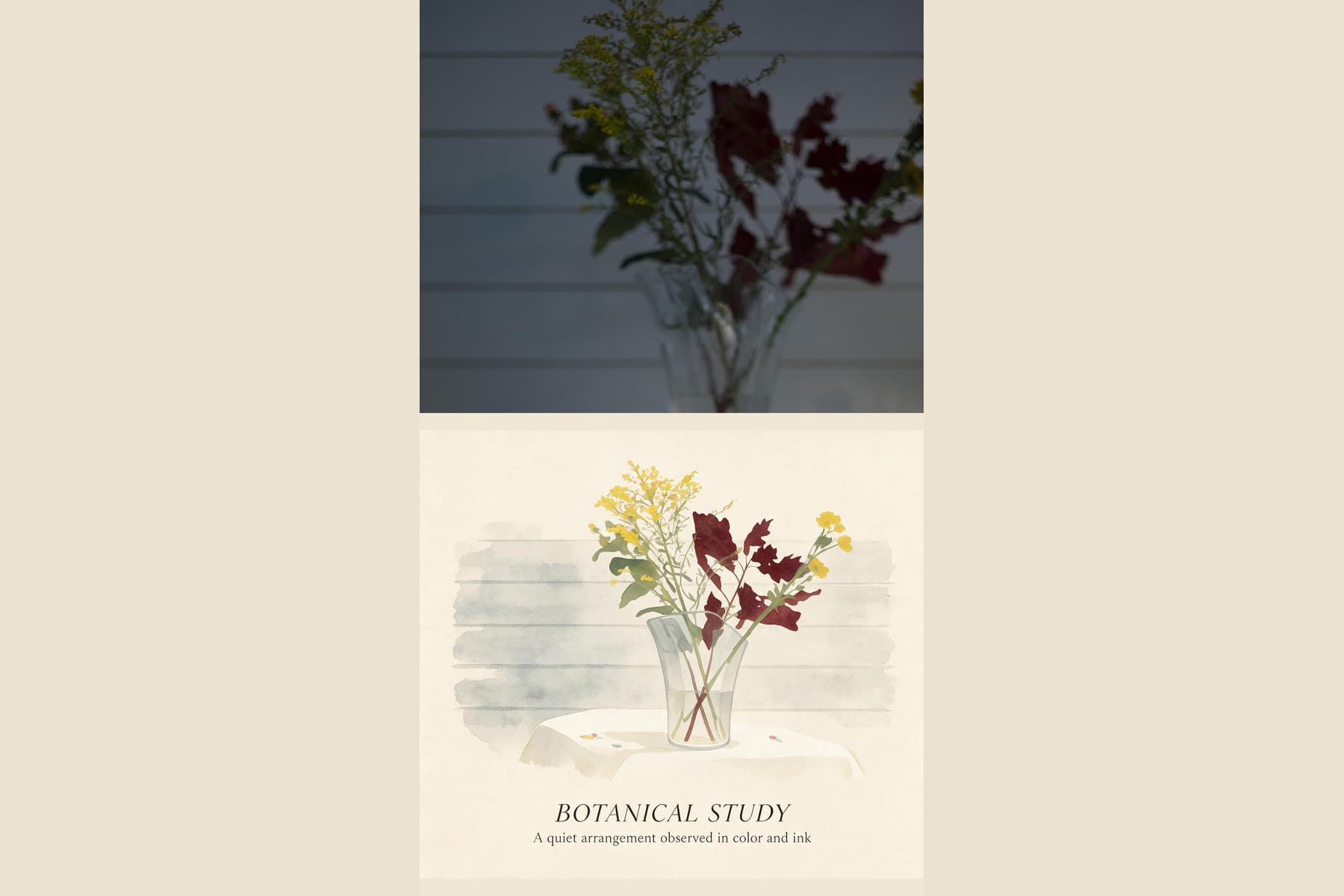
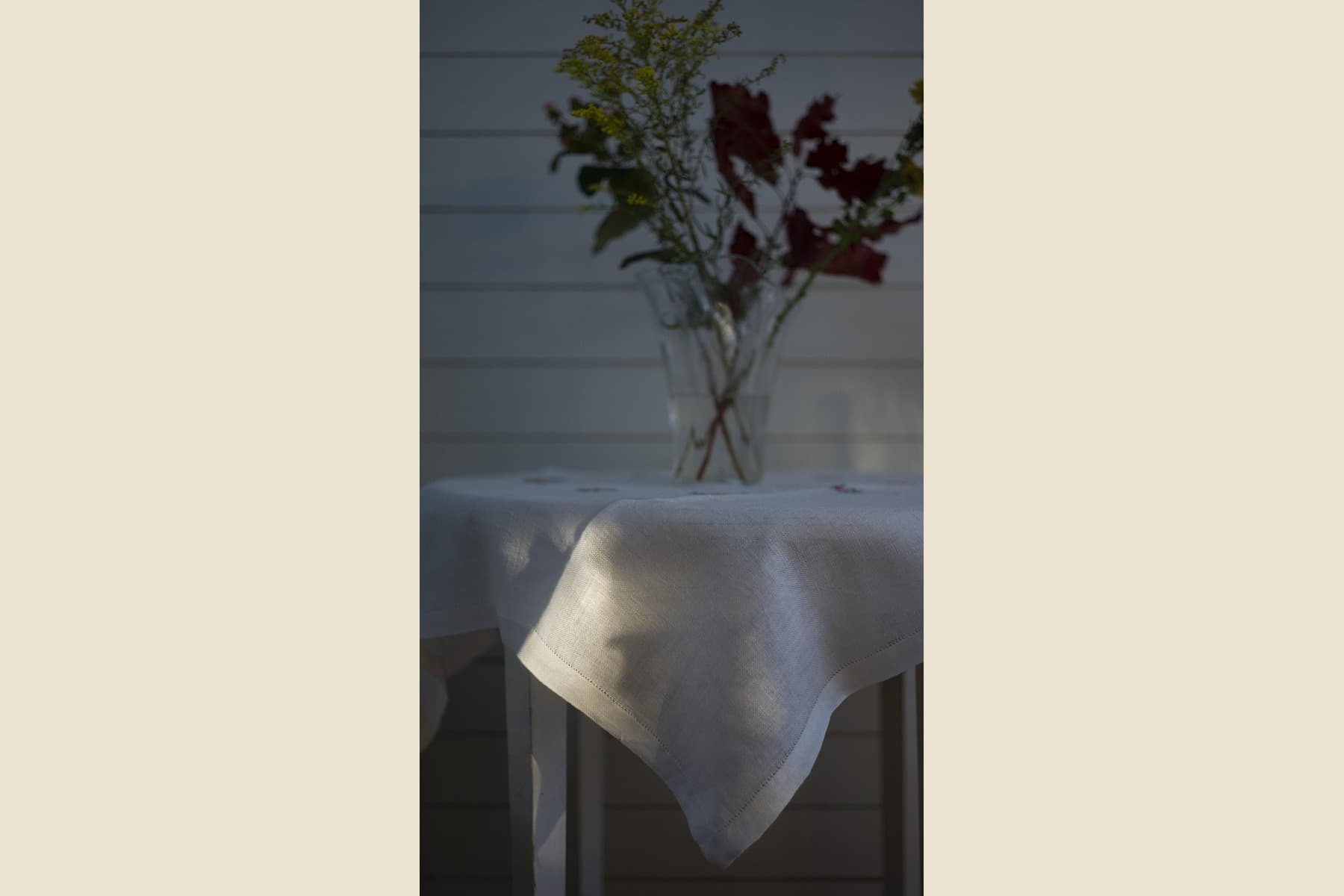
The Ink Echo Diptych Skill places your source photo in one panel and generates a matching ink-and-color interpretation in the other, echoing core arrangement elements while reworking fine details into broad, painterly marks. In the reviewed before-and-after pair, the source is a vertically framed, low-light photograph of a clear glass vase with crossed stems, dark red flowers, small yellow blooms, and a white tablecloth against horizontal wall boards.
What the Published Sample Shows
The reviewed source is a vertically framed, low-light photograph of a clear glass vase holding crossed stems, dark red flowers, small yellow blooms, and a white tablecloth set against horizontal wall boards. The published result places that full source photo in the upper half of the final piece, while the lower half renders a spacious, ink-and-color interpretation that retains the recognizable shape of the vase, the overlapping pattern of the crossed stems, the grouped masses of dark red and yellow flowers, the edge of the white tablecloth, and soft pale horizontal bands that echo the original wall boards. The lower panel does not copy every fine detail exactly: individual petal shapes are reworked into broad, textured marks, the original low-light lighting is replaced with a brighter, more open tonal range, and a short generated botanical title and subtitle appear near the bottom of the illustration that do not match any text visible in the source photograph.
Step-by-Step Workflow
- 01
Open the Ink Echo Diptych Skill
Open the public Ink Echo Diptych Skill at /skills/ink-echo-diptych and review its published source/result pair. Note the upper photographic area, lower ink-and-color interpretation, vase and stem relationships, and generated title before testing your own source.
- 02
Provide your source still-life photo
Provide a botanical still-life photograph that you have the right to use. A clearly framed vase, stems, flowers, table edge, and background will give you concrete elements to compare after generation; the published evidence does not establish behavior for other subject types.
- 03
Run the transformation and review your output
Start the generative transformation, then wait for the platform to render your completed diptych. Once the result loads, compare both panels side by side to see how the interpretation landed. If you are satisfied with the output, save the accepted file to your signed-in Imagild Library, where it will be stored for the platform's stated retention period for your later access and export.
Key Creative Decisions to Make Before You Start
- Choose which core arrangement elements you want the interpretation to echo
- Before you provide your photo, note the parts of the still life that matter most: the vase curve, crossing stems, relative placement of red and yellow flower groups, or the line where the table meets the wall. Use that checklist to assess the output without assuming every detail will be handled equally.
- Accept that fine details will shift into expressive marks
- In the reviewed result, exact petal edges, small glass highlights, and subtle shadow gradients become broader painterly marks in the lower area. Use that visible difference to decide whether a loose interpretation fits your project, then compare your own output rather than assuming the same treatment.
- Plan to verify and replace any generated text that appears
- The sample output includes a generated botanical title and subtitle that did not exist in the source photo, and this generated lettering may contain wording that does not match your arrangement, uses incorrect plant names, or includes awkward phrasing. Before you share or export your final diptych, always read any generated text carefully and decide if you want to keep it, edit it, or remove it entirely to make sure the final piece matches your intended message.
Official sources checked
Frequently Asked Questions
Can I use this Skill for non-botanical still-life photos instead of flower arrangements?
The published before-and-after sample uses a botanical still life, and the documented behavior is based on that specific test case. Imagild does not restrict you from uploading other types of still-life photos, but you may see different levels of echo and interpretive quality for subjects that do not match the original sample. You will need to review each output carefully to confirm the result works for your chosen subject.
What should I do if the lower panel does not echo the parts of my arrangement that I cared about most?
First, double-check that your source photo is well-lit enough to show the key elements you want preserved clearly. If the result still does not align with your goal, you can run the Skill again with the same source photo to get a new generative interpretation. Since this is a generative transformation rather than a deterministic filter, each run can produce a distinct lower panel that may land closer to what you had in mind.
Where can I find other related Skills that create paired or illustrated versions of my photos?
After you explore Ink Echo Diptych, you can visit the two related guides published on Imagild: the photo-to-diptych guide covers other methods for creating multi-panel paired compositions from a single source image, and the photo-to-watercolor-illustration guide walks you through a different expressive transformation that turns your original photo into a soft watercolor-style artwork.