Tutorial
Build a Reusable AI Photo Transformation Method With Softline Playground
This step-by-step guide walks you through creating a repeatable AI photo Skill that preserves core scene layout, applies consistent stylistic rules, and separates private testing from public marketplace publication, using Softline Playground as a verified first-party example.
Quick Answer
This guide shows you how to define invariant rules, test across diverse source photos, and submit a reusable AI transformation for public review using Softline Playground’s proven structure, no complex node editing required. In the reviewed before-and-after pair, a reusable method names what must remain recognizable, what may change, and the consistent visual rules applied to every source.
Verified Before-and-After Evidence
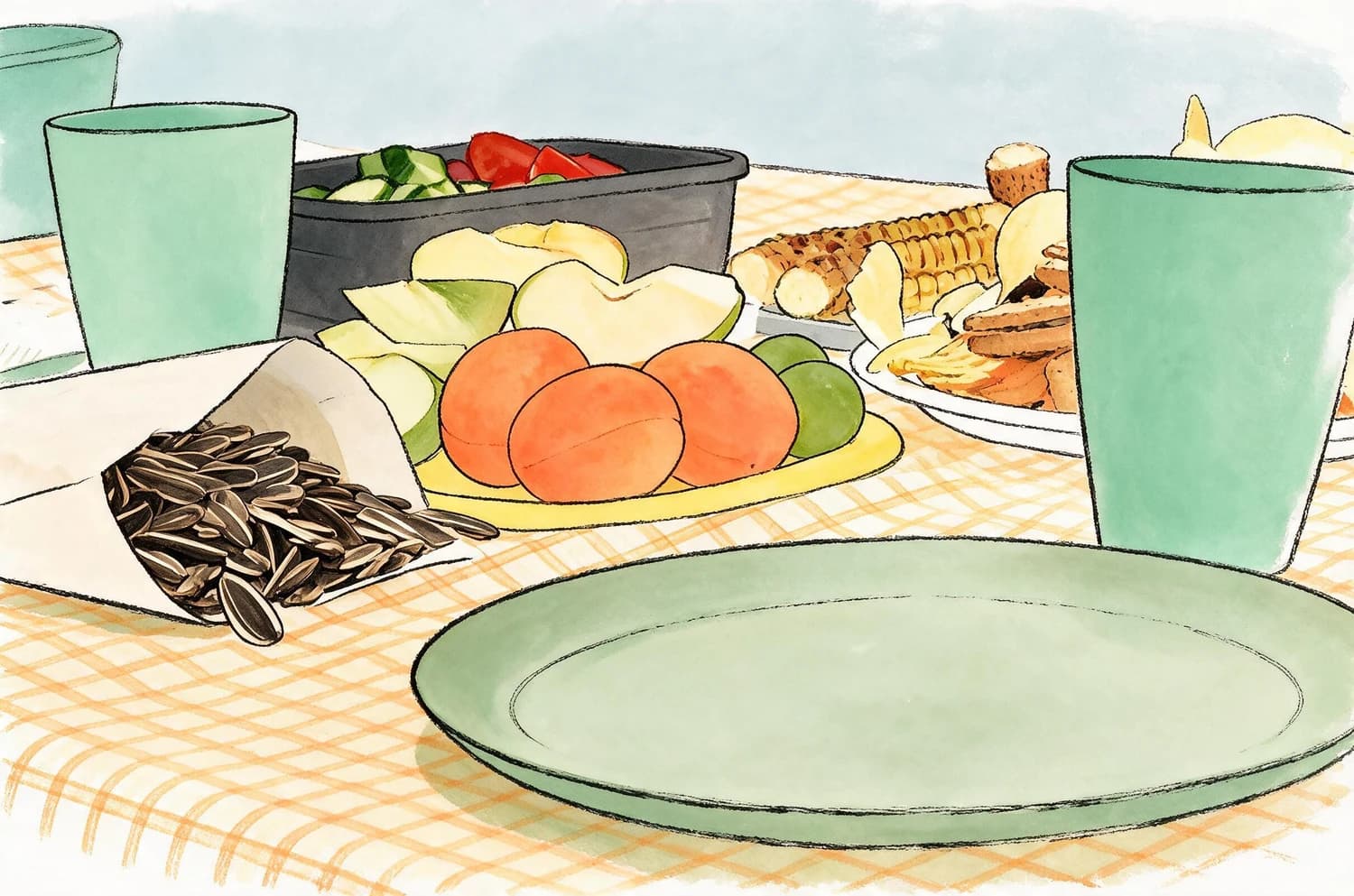
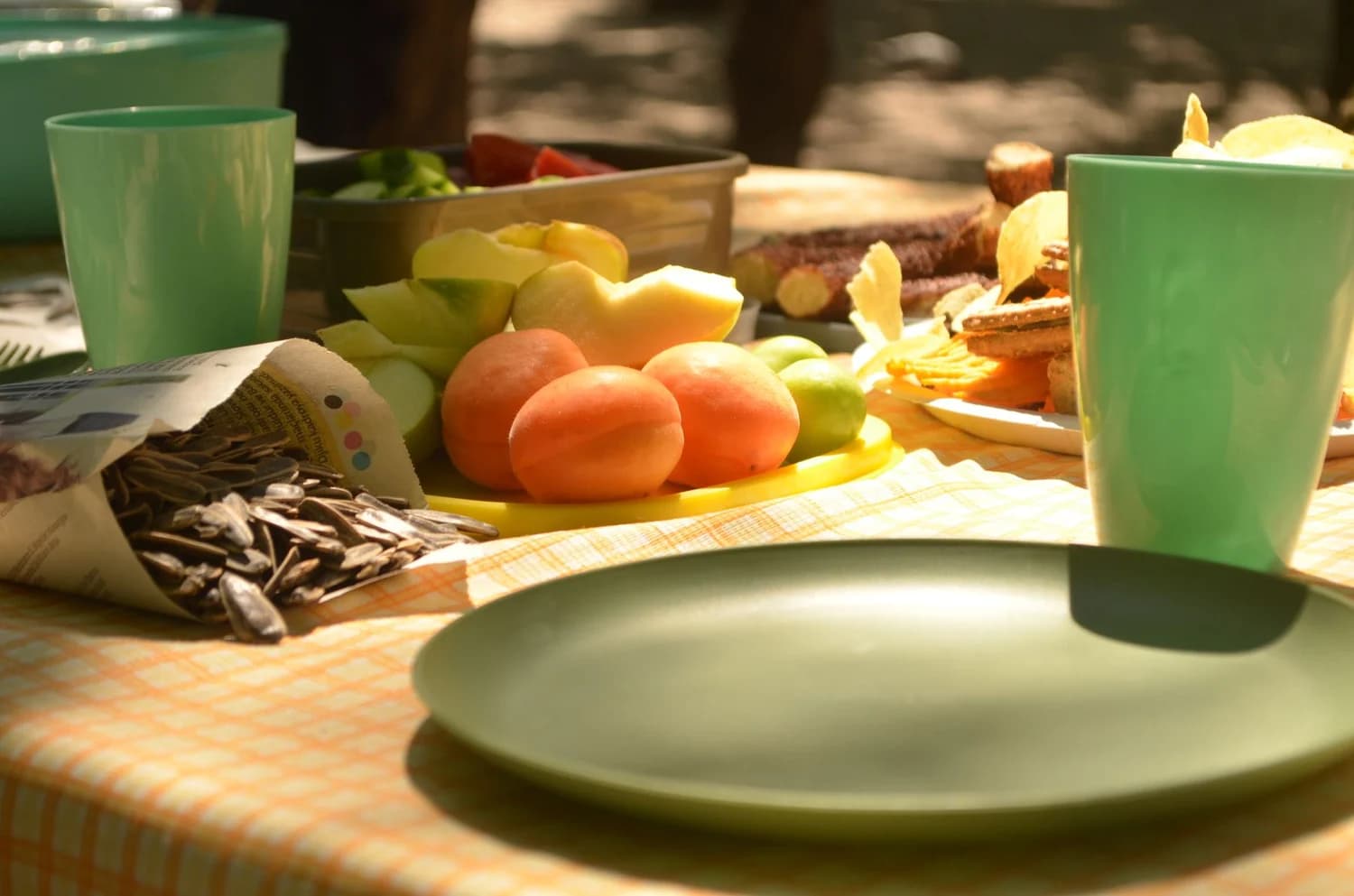
The official Softline Playground source photo shows a full-color, detailed real-world scene with distinct objects, textured surfaces, and natural depth. The corresponding generated result keeps the exact original scene layout and every object’s relative position unchanged, but simplifies all complex objects into flat geometric shapes paired with loose, broken hand-drawn contours. No original fine textures, photorealistic shading, or photographic detail remains in the final output, which matches the consistent stylistic rules defined for the Skill.
Step-by-Step Workflow
- 01
Define Your Invariant and Variable Rules
Start by listing exactly what must stay recognizable across every source photo you process with this Skill, such as full scene layout, key subject positions, and core composition. Next, list all elements that may change, including stylistic rendering, color palette, and fine detail removal. Document these rules clearly so you can reference them during testing, and avoid vague language that could lead to inconsistent outputs across different source images. Navigate to the custom Skill workbench at /studio?mode=custom to enter your rules and initial parameters.
- 02
Test Across a Diverse Set of Source Photos
Run your draft Skill on at least 8 to 12 distinct test photos that cover different scene types, lighting conditions, subject counts, and edge cases such as dense crowds, small text, and complex overlapping objects. Compare every output against your written rules to spot inconsistent behavior, missed layout shifts, or unintended artifacts. Use the official Softline Playground before image at /audits/official-skills-2026-08-21/softline-playground-before.webp as your first baseline test to confirm your core rules produce the expected simplified geometric and hand-drawn contour style.
- 03
Finalize and Separate Private Testing From Publication
Keep all your test runs, draft iterations, and private output previews contained to your personal Studio workbench and Library, so no unfinished or unvetted version of your Skill is shared publicly. Once you have consistent results that meet all your defined rules, prepare clear before-and-after evidence for every key scene type you tested. Review the public marketplace submission requirements, then submit your Skill for official review so it can be listed as a public Skill for other Imagild users to access.
Key Design Decisions
- Choose What You Will Explicitly Preserve
- Your first critical decision is to select a small, specific set of invariant elements that will never be altered by your Skill. For Softline Playground, this means locking in full scene layout, the relative position of every object, and the overall compositional balance of the source photo. Avoid overloading your invariant list with trivial details, because this can cause the generative transformation to produce unexpected artifacts or fail to apply your intended stylistic effect consistently.
- Define What Elements Are Allowed to Change
- Next, decide exactly which visual elements the generative transformation is permitted to modify, replace, or remove. For Softline Playground, this includes all photorealistic texture, photographic shading, fine surface detail, and precise object edges, which are replaced with flat solid-color geometric shapes and loose, broken hand-drawn contours. Be specific about these allowed changes so you can easily spot when an output deviates from your intended style during testing.
- Plan for Verification and Known Limitations
- Your third core decision is to build a mandatory verification step into your workflow, and acknowledge the known limitations of generative transformations. Generated lettering, fine hand details, and very small distinct objects can be inaccurate or distorted even with consistent rules, so you must manually check every final output before you share or export it. You also need to confirm you have full rights to all source photos you use for testing and public demonstration, to avoid permission issues before you submit your Skill for marketplace review.
Frequently Asked Questions
Do I need advanced coding or node editing experience to build a reusable AI transformation Skill?
No, you do not need any advanced coding or complex node editing experience to build a working reusable Skill on Imagild. The custom workbench is designed for everyday photo owners, creators, and small teams, and lets you define your rules, test outputs, and refine your method using plain language controls. The Softline Playground example was built entirely using this no-code structured workflow, with no custom code required.
What happens if my Skill produces inconsistent results across different source photos?
Inconsistent results are normal during the drafting and testing phase, and they are a sign you need to refine your written rules to be more specific. Go back to your invariant and variable rule lists, remove any ambiguous language, and add more test photos that cover the edge cases where your Skill failed. Run additional test batches until you see consistent behavior across your full test set before you submit the Skill for public review.
Why can’t I publish my private draft Skill directly to the marketplace without review?
All public Skills on the Imagild marketplace go through a mandatory review process to confirm they meet platform guidelines, produce consistent results that match their stated description, and are accompanied by clear, verifiable before-and-after evidence. This review step protects other users from broken, misleading, or untested transformations, and ensures every public Skill delivers the predictable repeatable experience that the platform is designed to provide.