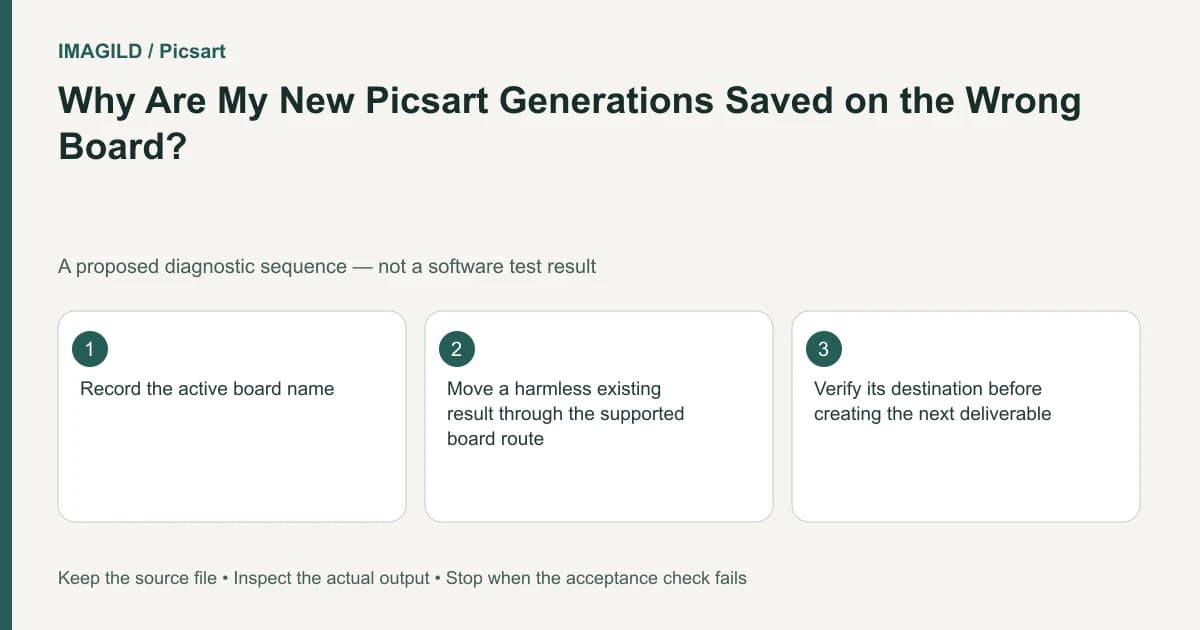
Check which board was active when you generated. Playground saves new creations in the board you are working on; switching to another tab does not necessarily move an existing result. Locate the original card, then use the documented move route if it belongs in a different project.
Identify the creation's project context
When several boards are open, a familiar name in one tab is not proof that the current request belongs there. Read the active board before running another generation. A missing card in the expected project may still exist in the board that was active earlier.
The Boards help page describes new creations saving into the current board and moving items between boards. Keep those two operations distinct. Generating again in the desired board can create an unnecessary duplicate instead of relocating the existing result.
Imagine a hypothetical studio working on a summer café poster and an autumn menu. Both projects use a ceramic cup. A successful cup illustration appears in the summer board even though it was intended for the autumn menu. The immediate problem is organization, not image quality.
Find the existing result before recreating it
Search the boards that were open during the session, starting with the last active project. Use the visual content, approximate generation time and request details to identify the correct card. Do not rely solely on a thumbnail if similar alternatives were generated.
Open the candidate and compare it with the intended autumn brief. Check the cup shape and agreed illustration style. If it is a rejected alternative, moving it to the correct board would not make it an approved asset.
Record the source board and intended destination before moving. If collaborators use the source board, tell them which item is being reorganized. Preserve any review notes needed to explain why the result belongs in the other project. Do not delete unrelated project content as part of this correction.
Move the item, then check both sides
Use the current interface's documented drag-and-drop movement route. Inspect the destination after moving and open the result there. Check the source board as well so you know what changed; do not assume whether a particular interaction copied or moved without looking at the resulting state.
| Check | Café-to-menu example | Why it matters |
|---|---|---|
| Correct card | Approved cup illustration | Prevents moving a rejected variant |
| Correct destination | Autumn menu project | Restores project context |
| Result still opens | Full image and request are accessible | Detects an incomplete organizational action |
| Source state understood | Collaborators know where it went | Avoids duplicate recreation |
This is a proposed organizational check. It is not a claim that an actual studio transfer was performed. If the operation fails or the item disappears, retain the observed state and contact support rather than repeating destructive cleanup.
Separate board organization from Library reuse
The Assets Library and boards guide explains that boards and reusable assets serve different roles. If the cup should appear in several campaigns, moving one creation between project boards is not the same as saving an approved reusable prop.
Decide whether the autumn project needs this finished illustration or the underlying reference for a new generation. The approved-version handoff guide helps define that boundary. Do not replace a final composition with a generic reusable asset and call the delivery equivalent.
For a reusable cup reference, check the shape, handle, color and any lettering before saving it. A later generated composition still needs separate inspection. The board's name cannot establish that all of its content is visually approved.
Hand off the intended artifact
The sharing and download instructions distinguish linking a creation from downloading it. Once the card is in the proper project, choose the handoff appropriate to the collaborator. Someone continuing the project may need the creation context; a printer or social scheduler may need the final file.
Open the downloaded file or link yourself before sending it. Confirm the recipient is being given the autumn design rather than the similar summer candidate. The concept, content and master approval guide can help when several review stages share similar filenames. If the autumn layout needs an image file, check its required encoding using the JPEG, PNG and WebP export guide rather than delivering an arbitrary preview capture.
Before a future generation, add a simple pre-run check: active board, intended task, input reference and quoted cost. This prevents a context error without requiring a new folder hierarchy for every experiment. The goal is a project structure people can use, not organization for its own sake.
If a result is missing after the documented move, report both board names, the approximate time, platform and observed action. Avoid sharing unrelated client projects in screenshots. Completion means the intended result is retrievable in the correct context and the next person knows whether it is a draft, an approved reference or a final deliverable.
Prepared by Imagild Editorial. AI assisted research and drafting. Documentation checked on 4 November 2026; examples and checks above are proposed, not claims of hands-on software testing. Report a correction.