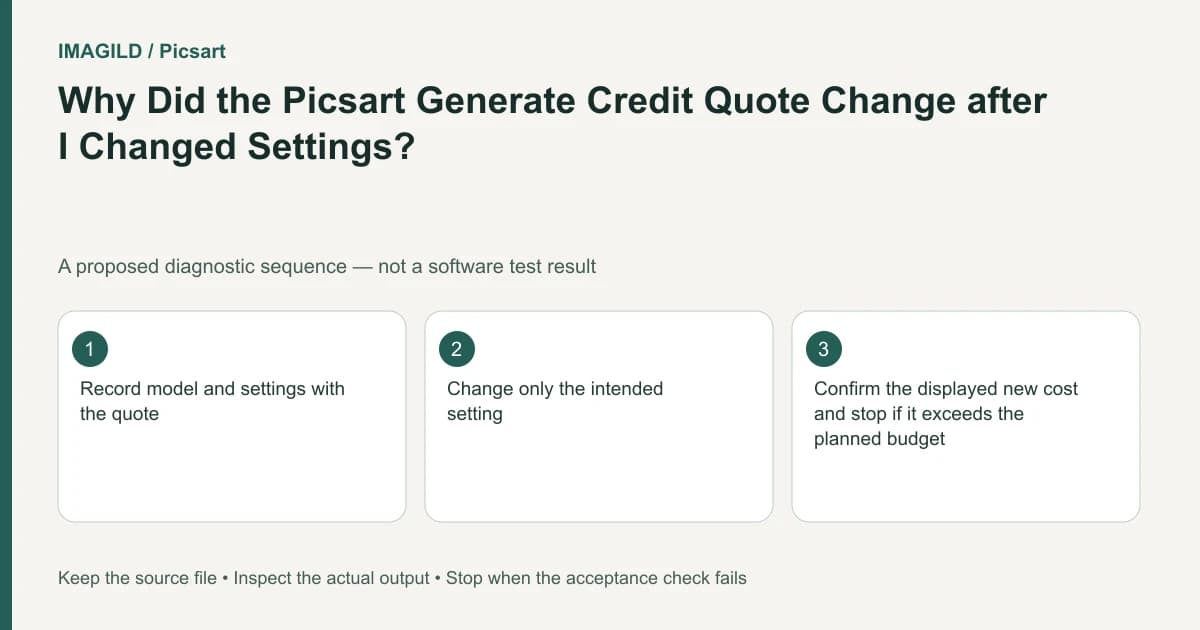
Read Playground's displayed credit quote after every intended configuration change and before Generate. To understand a changed quote, vary one setting at a time while keeping the other visible inputs stable. Record the actual amounts; an earlier quote is not a fixed price for a different model or setup.
Capture the configuration that produced the quote
The Playground introduction documents the model picker and a credit display that changes with settings. Identify the current media type, model, prompt, references and available output options. The displayed amount belongs to that configuration.
Do not invent a price table from old screenshots. Available models and their settings can change. If the current interface does not show a value you need to verify, mark it unknown rather than borrowing another tool's value.
Change one setting and reread the amount
Use a deliberate comparison before submitting a paid job:
- Record the initial setup and displayed quote Q1.
- Change one visible setting relevant to the task, such as the selected model.
- Check whether the interface also changed or reset other controls.
- Record the new setup and displayed quote Q2.
- Compare Q2 with Q1 only after confirming what actually changed.
Changing the selected model is a concrete documented choice. However, models can expose different controls. If switching models resets output options or removes a reference, the comparison is no longer a one-variable test. Record those differences instead of claiming the price change was caused by one factor alone.
Use actual quotes in a comparison sheet
For a hypothetical product-image request, keep the same authorized source and prompt while inspecting two supported model choices. Do not generate either merely to inspect a displayed quote unless the interface requires a paid action that you have separately approved.
| Field | Before | After |
|---|---|---|
| Type | Actual selected media type | Confirm the same type |
| Model | Actual model A | Actual model B, if this is the chosen variable |
| Input | Approved source and wording | Verify unchanged |
| Settings | Record visible values | Check resets or changed availability |
| Quote | Actual Q1 | Actual Q2 |
Apply these comparison conditions to the corresponding rows:
- Type: a switch from image to video changes the task.
- Model: record both names.
- Input: a missing reference invalidates the intended comparison.
- Settings: do not hide secondary changes.
- Quote: read the displayed amount before Generate.
Q1 and Q2 are labels for the reader's observed amounts, not provider prices. A difference, Q2 minus Q1, describes only those recorded configurations. It does not establish future pricing or equivalent output quality.
If similar input images make the source uncertain, use the approved-version checklist to identify the attached file. An unintended input revision invalidates a comparison intended to change only a model or setting.
Keep tool and operation scope explicit
The Flow guide describes an estimated run cost in a separate node environment. A Playground quote should not be applied to a Flow operation merely because both use the same source picture.
The longer-video guide describes each extension as its own generation step. If the intended operation changes from a base clip to Continue, inspect that action's quote rather than assuming the original clip price includes the new segment.
The points and job record guide offers a general way to associate a quote, request and outcome. Its Imagild rates are not Picsart prices. Use the method of recording an actual request, not another service's numbers.
Verify the request after submission
When the intended setup and displayed amount are acceptable, submit one deliberate generation and retain the corresponding record. Classify the result as completed, failed, cancelled or still uncertain using the actual service state.
The pending-task checklist helps avoid duplicate submissions when progress is unclear. Keep that later job-state question separate from the pre-run quote comparison.
If the quote changes without an intentional setting change, pause and capture the exact current state. Check account and model context, then ask the provider about the discrepancy if necessary. Repeated paid clicks do not isolate a quote problem.
Completion means the actual request can be traced to the configuration and amount approved immediately before generation. No price comparison or paid generation was executed for this guide, and no model is claimed to provide equivalent results at a lower cost.
Prepared by Imagild Editorial. AI assisted research and drafting. Documentation checked on 4 November 2026; examples and checks above are proposed, not claims of hands-on software testing. Report a correction.