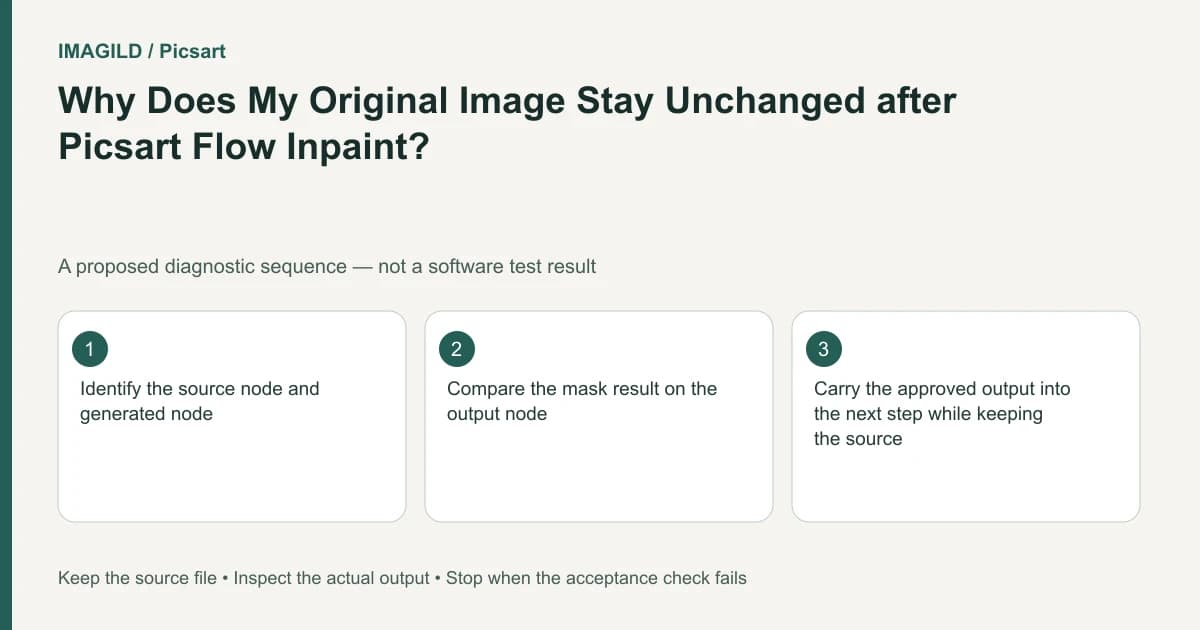
Flow Inpaint creates a new result node; it does not overwrite the input image. Inspect the generated node and its connection before deciding that the edit failed. Continue from the approved output while retaining the original as a reference and a safe branch point.
Read the canvas as a chain of artifacts
On a node canvas, position alone does not establish which image is being edited. Identify the source image, the processing step and the output associated with that step. Two visually similar cards can represent different stages.
The Flow documentation explicitly says an Inpaint result appears in a new node while the original remains unchanged. This is the central diagnosis when a user returns to the input and still sees the unwanted object. An unchanged input can be the expected state rather than a failed request.
Before running anything again, zoom out enough to inspect the canvas. Note which node contains the mask or editing instruction and which node contains the returned result. Avoid deleting the source simply to make the newest output easier to find.
Trace a single local replacement
Imagine an authorized tabletop photograph with a handwritten price tag that must be removed. The proposed workflow creates a working branch for the edit and leaves the input image visible for comparison. Give the stages meaningful names in your own production notes even if the application uses generic labels.
Record the source filename, the intended tag area and the processing step used. Run one local change. When the new node appears, open that result rather than reopening the original image card. Compare its tag region with the input at the same viewing size.
If the tag remains in the new output, that is a different problem from looking at the wrong node. Inspect the selected region and instruction. If the tag is gone but part of the product label changed, the edit has produced a result that fails the protected-content requirement.
Use the existing controlled selection guide to define the target. For a tag close to a bottle edge, neighboring-object mask spill is a more relevant inspection than whether the input was overwritten.
Prove the next step uses the intended output
Make a small, reversible downstream test only after approving the edited image. Trace the connection from the approved result to the next operation. A processing node connected to the source can reproduce the old tag even when another branch contains a successful removal.
| Canvas observation | What to inspect next |
|---|---|
| Only the source still shows the tag | Open the new Inpaint result |
| The new result also shows it | Inspect the selection and prompt |
| The result is correct, downstream output is not | Trace the downstream input connection |
| Two new outputs disagree | Identify which generation was approved |
This branch check is a proposed reproducible inspection, not an observed failure rate. Do not generate an unnecessary new image merely to make the graph more visually tidy. The connection and artifact identity are the evidence you need.
Keep the input available until the whole project is accepted. It can help distinguish a new processing defect from an earlier change that was already present. If you replace or remove a branch, record that decision so a collaborator does not continue from the wrong version.
Distinguish a result from a reusable library asset
If your next goal is reuse across projects, a result node and a saved asset are not the same thing. The Assets Library instructions describe explicit routes for turning material into an asset. Do not assume that completing an Inpaint run automatically creates the reusable object a later prompt will reference.
For the tabletop example, decide whether the clean product image is a final delivery, a reference for another generation or reusable material for future work. Each role has a different acceptance question. A final delivery needs the correct file; a future reference needs an identifiable approved source; an asset needs to be saved and retrieved through the relevant feature.
The sharing and downloading documentation describes saving a creation to a device. Use the downloaded file as a separate delivery check: reopen it and confirm it is the cleaned output, not the original. Application state is not a substitute for verifying the actual handoff file. For another editor, the approved-version handoff checklist helps identify that accepted output rather than a similarly named canvas candidate.
Preserve a clear version trail
For a small project, a simple text record can be enough: original filename, edit purpose, approved result and destination. Include the review date and the protected details you checked. Do not manufacture a testing claim from this record; it only documents the work actually performed.
When collaborating, tell the next editor which node is approved and what remains unfinished. “Use the clean product result for layout; keep the input for comparison” is more actionable than “use the latest.” Canvas order may change as people rearrange nodes.
If the new result cannot be found or the flow reports an error, retain the node name, time, prompt and shareable screenshot for support. Stop before overwriting or rebuilding a large project without a clear diagnosis. The preservation of the original is a useful property of the workflow, not something that needs to be defeated.
Prepared by Imagild Editorial. AI assisted research and drafting. Documentation checked on 4 November 2026; examples and checks above are proposed, not claims of hands-on software testing. Report a correction.