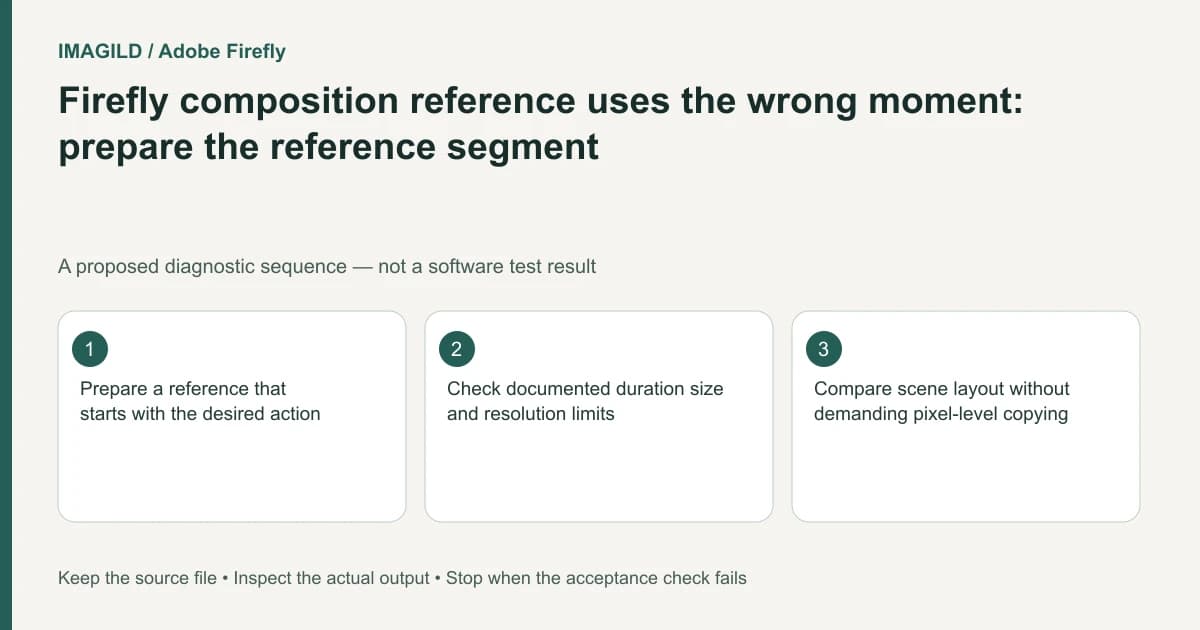
If Firefly follows the wrong part of a composition-reference video, prepare a reference that begins with the intended action. The documented Firefly reference workflow uses the beginning of the uploaded clip. A useful moment later in a longer source is not selected merely because you describe its timestamp in the prompt.
Locate the intended reference action first
Watch the source and identify the segment that carries the needed spatial arrangement. Record the start and end visually. Distinguish camera motion, object motion and composition: a reference may contain all three, but this workflow's purpose is composition guidance.
Adobe's composition-reference instructions specify input constraints for the documented Firefly model route, including a 5–10 second reference, a maximum of 200 MB and supported resolutions of 540p, 720p or 1080p. The guide states that the beginning is used when the uploaded clip is longer than the used segment. Check the current interface before export because limits can change by model or version.
Do not apply those limits to every video model offered in Firefly. Confirm the selected model and reference control before preparing a new file.
Export a reference copy with the right beginning
Keep the original source intact. Create a reference copy whose opening shows the intended action, with enough context to understand the composition. Avoid a fade from black or unrelated introductory shot before the useful material.
The exact-trim boundary guide explains why a packet-copy trim and an exact decoded-frame trim can start differently. For this task, verify the first visible frame of the prepared reference rather than assuming that a requested timestamp was honored precisely.
Use a preparation record:
| Item | What to verify | Why it matters |
|---|---|---|
| Beginning | Intended scene is already visible | The useful action must not sit outside the used segment |
| Length and size | Within current documented limits | A valid-looking extension is not enough |
| Resolution | Supported by the selected reference route | Avoid unsupported input preparation |
| Content | Authorized and relevant composition | Reference does not authorize copying another creator's work |
Describe the desired scene, not an edit to the reference
The official composition guide recommends describing the desired scene instead of relying on instructions such as “change red to blue.” A reference guides generation; it is not necessarily a direct video-editing command. State the new scene's subject and action while retaining the composition requirement you actually need.
Check for incompatible keyframes before submitting. The Firefly-model video guide documents that first/last frames disable composition-reference controls in its Timeline workflow. A correctly trimmed reference cannot fix an unsupported control combination.
Review composition without demanding a duplicate
For a proposed tabletop reveal, compare the relative placement of the product, hand and background during the selected segment. Do not judge success only from a broadly similar color. Also inspect whether required product features remain acceptable in the generated output.
The unified generation documentation helps identify the active model and settings. Retain the prepared reference filename, generation setup and selected output. If the wrong action still guides the result, check the submitted file's actual beginning before refining the prompt or paying for another attempt.
Worked segment preparation: the useful table action starts later
Imagine an authorized source in which the first four seconds show an unrelated doorway, while the next six seconds show the tabletop arrangement required for a new shot. These times illustrate a proposed selection, not a measured Firefly run. Export a separate reference copy beginning with the useful tabletop view, within the current documented duration, size and resolution constraints. Open that copy and inspect its first visible frame before uploading.
The expected first reference frame contains the table, product and hand arrangement, not the doorway or an introductory fade. Record the source interval and the prepared-copy filename. This makes a later mismatch traceable: the wrong uploaded segment, a conflicting input mode and an unsuitable generated result are separate possibilities.
Workflow boundary and sources
This is documentation-based guidance with constructed examples, not a reported generation or application test. Use Imagild Film Script for a written plan and inspect the actual supported input roles in Film Prompt before reference-video recreation. External software controls belong to their named products. No exact reconstruction, native analyzer, existing-clip repair or ranking result is promised.
- Adobe Firefly Generate Video Using Firefly Models — First/last frame roles and incompatible composition controls in the documented editor route.
- Adobe Firefly Unified Generation and Editing — Generate video assigns an image to the first frame; Use as reference has another role.
- Adobe Firefly Video Composition Reference — Beginning-of-clip composition guidance, accepted input bounds and descriptive scene prompts.
Editorial revision: November 13, 2026.