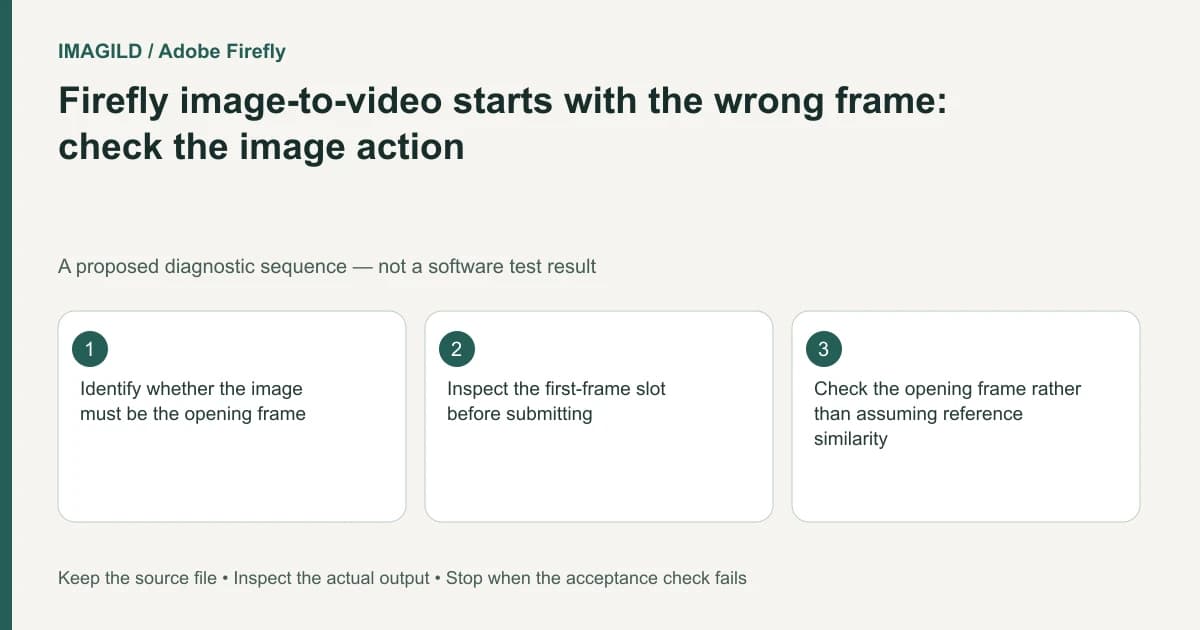
If an image must be the opening frame of a Firefly video, use the action that puts it in the first-frame role. Use as reference is a different operation. Before generating, inspect the actual reference slot; selecting an attractive image is not enough to establish how the model will use it.
Write the frame requirement in plain terms
“Use this photo” is ambiguous. It may mean begin with this exact composition, preserve the subject's appearance, or borrow the scene's overall look. Those instructions require different evidence when you review the result.
In the unified generation and editing guide, Generate video uses the selected image as the first frame, while Use as reference provides a visual-reference route. The menu choice therefore forms part of the generation brief. It is not a cosmetic shortcut to the same request.
For a hypothetical product reveal, the approved still shows a bottle centered beside a label. If the first visible frame must match that approval, write that requirement explicitly. If only the bottle's general appearance is a reference and a different opening shot is permitted, document that instead.
Inspect the populated slot before submission
Start from the selected image, choose the appropriate action, and inspect the video generation controls. Confirm that the intended asset appears in First frame when that is the requirement. If it appears only as a visual reference, stop and correct the role rather than relying on the prompt to override an unverified setup.
Check the prompt for conflicting instructions. A request to start from the approved wide composition while also opening on an extreme close-up creates a review conflict. Decide which boundary matters before spending another generation.
Adobe's separate Firefly-model video instructions describe first/last-frame controls and combinations that disable other settings in Timeline. Do not assume that every model or interface offers the same combination of frames, styles and reference controls.
Review opening-frame compliance separately from motion
| Review question | Evidence to inspect | Insufficient evidence |
|---|---|---|
| Was the image assigned as a first frame? | The populated input slot before generation | The source was selected somewhere in the workspace |
| Does the opening meet the brief? | First decoded frame and immediate playback | A thumbnail from later in the clip |
| Is motion usable? | The complete generated clip | A matching opening still alone |
| Are product details acceptable? | Label and silhouette through the motion | A broadly similar color palette |
Prove the requested role from the actual submitted Firefly setup. A separate API’s field names do not establish this interface contract.
Deliver the chosen clip rather than a role assumption
Download the approved generated clip and reopen it outside the browser. If you also assembled it into a Timeline project, check whether the requested delivery is the single generation or the rendered sequence. Adobe's project export instructions describe a separate whole-timeline export.
Keep the approved still, the chosen input role and the selected output together in the job notes. If the first frame fails, diagnose the role before elaborating the motion prompt. If the first frame passes but the later motion fails, treat that as a motion review rather than changing an already-correct reference assignment.
Filled role check: an approved opening still
This hypothetical reference-recreation brief requires the bottle on the left and a blank headline region on the right in the opening. These observations are invented, not a Firefly test.
| Submitted setup and candidate | Decision | Reason |
|---|---|---|
| Approved image is only a general reference; the first decoded frame is a centered close-up | Hold opening compliance | Neither the populated role nor the observed opening demonstrates the required composition |
| Generate video places the image in First frame; opening retains left bottle and right copy space | Pass opening composition only | Both setup evidence and delivered opening support the named requirement |
| Same correct opening, but label deforms later in the move | Hold whole clip | First-frame approval does not approve subsequent motion or product details |
Keep a record of the submitted slot, intended crop and first decoded output frame. If the first row fails, correct the role and remove conflicting close-up wording before changing style. If only the third row fails, retain the correct first-frame assignment and simplify the later movement. The tool-specific menu contract belongs to Adobe, and the result must still be inspected.
Workflow boundary and sources
This is documentation-based guidance with constructed examples, not a reported generation or application test. Use Imagild Film Script for a written plan and inspect the actual supported input roles in Film Prompt before reference-video recreation. External software controls belong to their named products. No exact reconstruction, native analyzer, existing-clip repair or ranking result is promised.
- Adobe Firefly Export Projects — Whole-timeline export is separate from selecting an individual generated clip.
- Adobe Firefly Generate Video Using Firefly Models — First/last frame roles and incompatible composition controls in the documented editor route.
- Adobe Firefly Unified Generation and Editing — Generate video assigns an image to the first frame; Use as reference has another role.
Editorial revision: November 13, 2026.