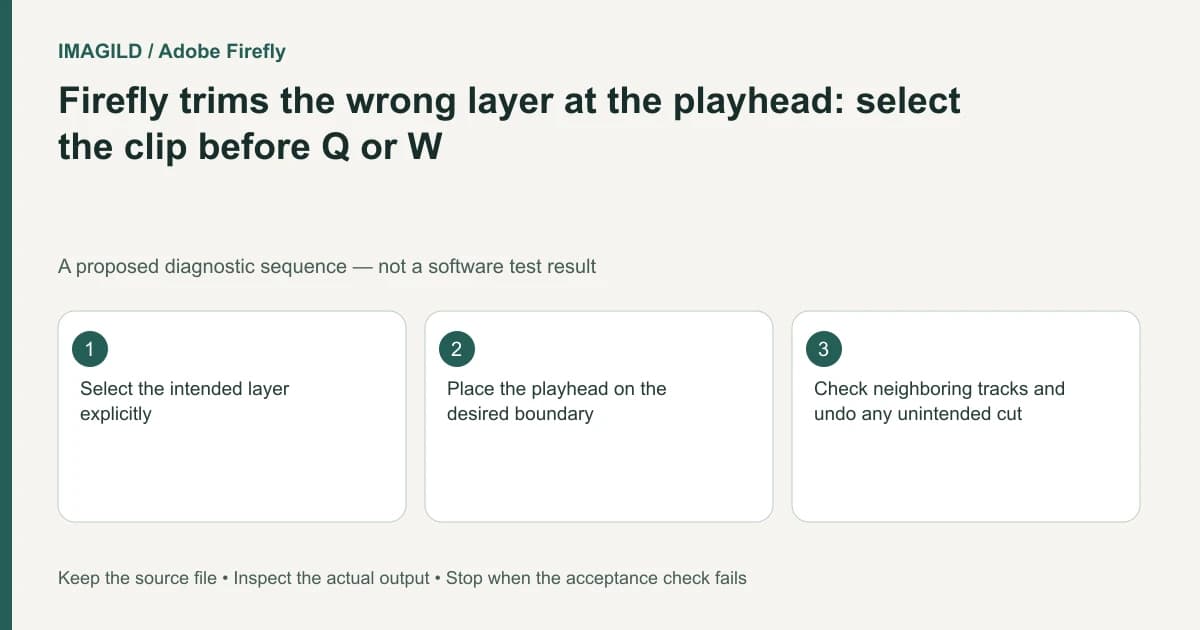
Before using Firefly's trim-to-playhead commands, select the intended clip or layer and place the playhead on the required boundary. Then check the result on neighboring tracks. Do not assume Q or W defines a whole-project export range or trims every layer in the same way.
Choose the side that should be removed
Write the desired result in terms of retained content: keep everything after this frame, or keep everything before it. A vague instruction to “trim here” does not specify whether the beginning or the end is unwanted.
Adobe documents Trim beginning to playhead with Q and Trim end to playhead with W. The pages use clip-oriented controls, while some surrounding wording refers broadly to the timeline. Because that wording does not establish every multi-track consequence, test the selected-layer operation in a recoverable copy rather than promising an all-track trim.
For a hypothetical talking-product clip, the editor wants to remove the speaker's pause at the beginning without cutting a title that starts earlier. That is a layer-selection and timing task, not merely a keyboard shortcut exercise.
Inspect selection and playhead independently
Select the actual video, image, audio or text layer you intend to change. Check the playhead's position against visible content. If hovering changes the viewer independently, use a deliberate playhead check before applying the trim.
Apply the appropriate command once and inspect the selected boundary immediately. Undo if the wrong side or wrong layer changed. Do not compensate by dragging several unrelated clips until the sequence looks approximately right; that obscures what the original command did.
| Check | Expected evidence | Reason to undo |
|---|---|---|
| Selected layer | The intended clip is visibly selected | Another overlay or audio layer was active |
| Trim direction | Only unwanted beginning or end is removed | The required portion disappears |
| Neighboring layers | Their timing remains suitable | A title or sound now loses context |
| Sequence continuity | Cuts and gaps match the brief | An unexplained gap or overlap remains |
Review the edit as a sequence
Play through the changed boundary with sound. A frame-accurate visual cut can still remove an important consonant or leave a caption without its corresponding speech. Check the first retained image and the first audible phrase together.
The Kdenlive trim-direction guide discusses a different application's ripple behavior. It should not be used to infer Firefly's controls. Here the useful distinction is explicit: which side is discarded, which layer is selected, and whether surrounding timing changed.
Adobe's Firefly export instructions apply after the edit passes review. Export the intended timeline and reopen the MP4. A source clip's original start and a timeline's trimmed start are different artifacts, so inspect the delivered movie rather than a history preview.
Stop if the brief actually asks for a render range while all original media must remain unchanged. A destructive-looking timeline trim may be the wrong construction. Preserve the original edit and choose a supported delivery workflow that matches that separate requirement.
Worked trim decision: keep the spoken instruction intact
For a proposed tutorial clip, the selected layer runs from 00:08 to 00:18 and the useful instruction starts near 00:10. If the goal is to remove the lead-in, place the playhead at the approved start and investigate Trim beginning to playhead (Q), not Trim end (W). If the goal is instead to retain the opening and discard everything after a later point, choose the end-trim direction. These times are illustrative, not a tested multi-track result.
Listen for the first consonant in “turn the cap” before approving the boundary. A visual frame can look clean while the word has been clipped. Check an earlier title and other audio separately; the official pages' broad timeline wording does not establish that every track behaves identically. Undo an unintended change rather than compensating with several unrelated drags.
- define which side of a boundary should be removed: Use the direction concept, not Kdenlive’s exact ripple behavior, for the Firefly decision.
- protect speech meaning at an edit: Use this when a proposed trim removes a pause or word that affects the instruction’s meaning.
- check an actual trimmed file’s opening frame: Use this at delivery if the saved beginning differs from the chosen timeline boundary.
Prepared by Imagild Editorial. AI assisted research and drafting. Documentation checked on 4 November 2026; the examples are proposed review plans, not claims of hands-on software testing. Report a correction.