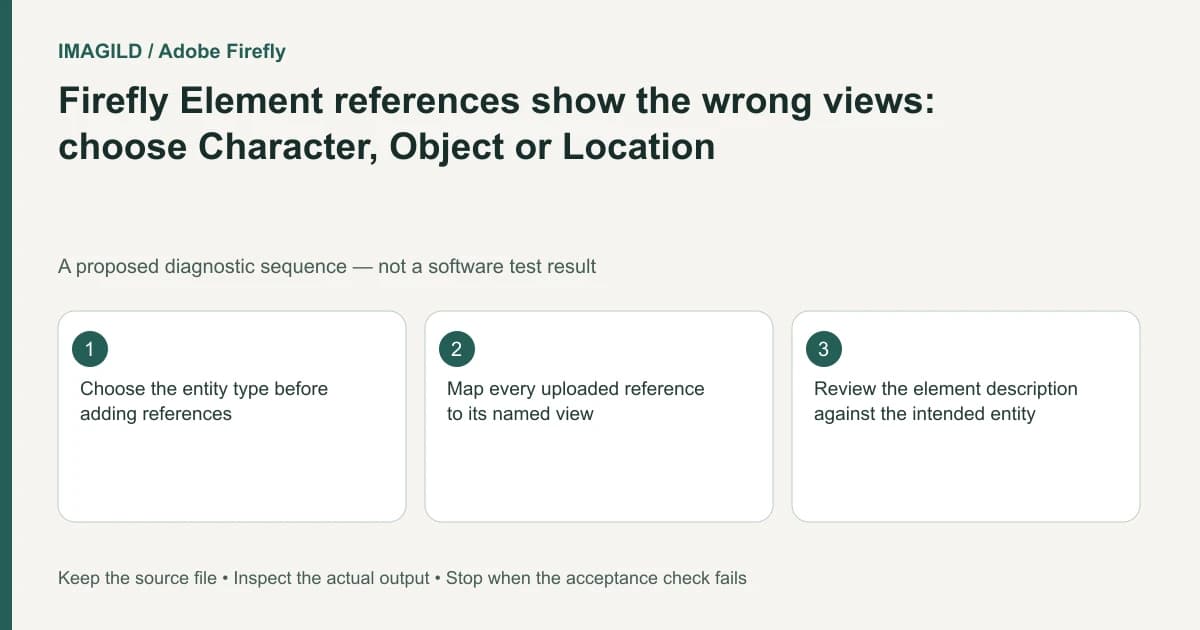
Choose Character, Object or Location before preparing a Firefly Element's reference views. The type determines the available slots. A face-and-body reference set and a location's front-and-wide set describe different entities; placing the same image in an inappropriate slot can weaken the information you give the workflow.
Classify the entity you want to reuse
Write one sentence naming the reusable entity. “The person wearing this coat” is not the same as “the coat as a product,” and neither is the room behind the person. If the recurring requirement is the garment, a character reference may mix the garment with a particular face or pose.
Adobe's Create an element guide documents type-specific reference views: Character uses face/body views, Object uses object views, and Location uses front/wide views. The names describe the intended evidence; they are not a guarantee that every source image contains the necessary information.
For a proposed ceramic-vase series, define the vase as the object. A photograph of a person holding it may contain the object, but also introduces an unrelated face, hand and background. Prefer authorized views that show the required object clearly and consistently. Do not fabricate a hidden back label and present it as an observed product detail.
Match each source to its actual view
Prepare a small reference inventory before uploading:
| Reference | What it actually shows | Potential conflict to resolve |
|---|---|---|
| Front view | Visible front geometry and label | Another file shows a different revision |
| Back view | Observed reverse-side features | The back is not documented at all |
| Wide location view | Spatial context | A different room is mixed into the set |
| Character body view | Wardrobe and body presentation | The outfit differs from the face reference |
Keep the source names and roles recorded. A filename such as front-final is not proof of orientation; look at the image. If a required view is missing, state the gap rather than supplying a misleading image merely to fill the slot.
The unified generation guide also limits where Element references can be used. Confirm the model accepts that reference type before investing in the element setup.
Review the element description before generating more views
Inspect the generated or editable description for attributes belonging to the entity and incidental details that should be ignored. In the vase example, a background curtain should not silently become a required product marking. A description can guide the request, but it does not repair a contradictory set of references automatically.
Additional generated views are a creative interpretation, not new documentary photography. Compare geometry, labels and identity against the authorized source views. If the product's back is unknown, a generated back view cannot prove what the real product looks like.
The Files and history workflow is relevant when saving and locating subsequent results. Keep the reusable element distinct from a selected output image so a reviewer knows which artifact was the reference and which was generated.
The check is complete when the element type matches the intended entity, references occupy truthful view roles, and the description does not carry unwanted details. If the task is instead a local repair to an existing photo, choose an editing workflow rather than forcing it into reusable-entity generation.
Worked slot check: the vase has an observed front and back
For the proposed vase reference pack, choose Object before assigning views. Map the actual front photograph to Object Front and the observed reverse photograph to Object Back. Character views instead describe Face Front, Body Front and Body Back; Location uses Front and Wide. A portrait of a person holding the vase is not a substitute for an observed back view merely because the vase is somewhere in the picture.
Record a blue maker's stamp as visible on the photographed back only. If no authorized back photograph exists, mark that evidence gap in the job note and review any generated reverse view as an invention. Do not let a plausible new stamp become a factual product attribute. Type selection is a configuration check; consistency across generated angles remains a separate visual check.
- review consistency across reference views: Use the view-comparison method where applicable; do not import another tool’s character controls into Firefly.
- resolve contradictory reference details: Use this if two photographs show different vase revisions or markings before adding them to one element.
- retain the approved source set: Use this to distinguish observed source views from generated additional views in the handoff.
Prepared by Imagild Editorial. AI assisted research and drafting. Documentation checked on 4 November 2026; the examples are proposed review plans, not claims of hands-on software testing. Report a correction.
Documentation and production boundary
Runway: Creating with Gen-4 Image References is a vendor-specific workflow reference. The decision record above is our original manual review method. Use Imagild's current film planning workspace for supported planning steps and inspect the current interface before choosing an input or generation mode. Do not infer an available control from another vendor's documentation.