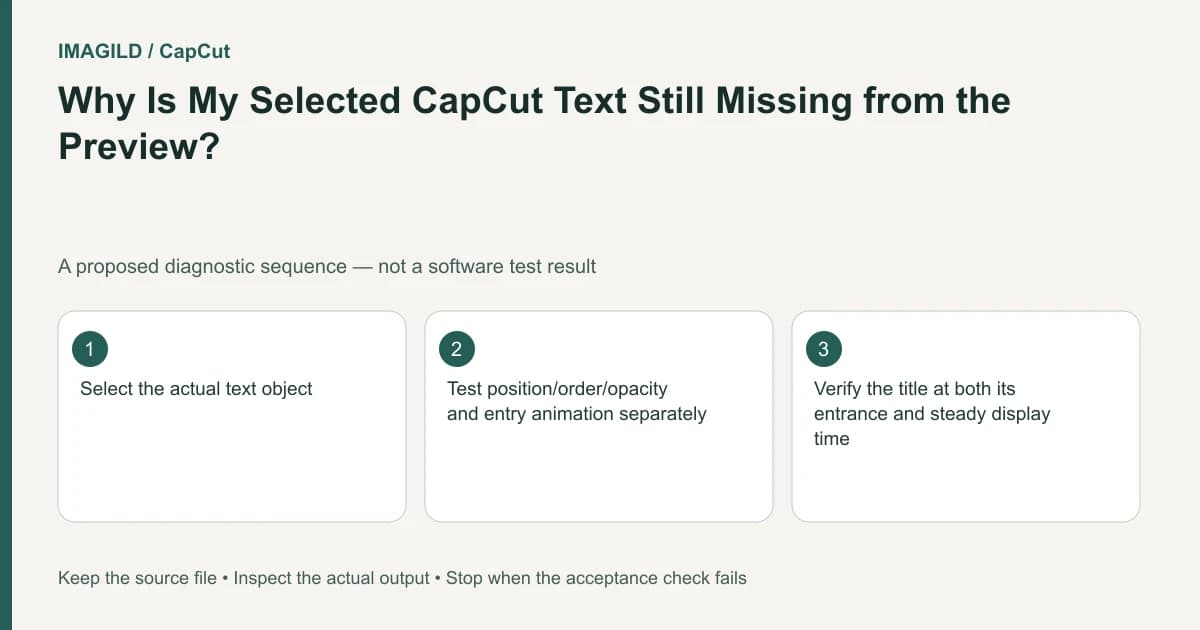
Confirm that the selected text object is active at the playhead, then inspect position, layer order, opacity, size and entry animation. Retyping the title can duplicate an object without fixing the display condition. Restore one property at a time so the cause remains identifiable.
Locate the correct object in time
Move the playhead into the text layer's active duration. Select that object and compare its timeline interval with the frame you are viewing. A selected item can exist elsewhere in time; selection does not make it appear on every frame.
The CapCut text-display guide lists off-screen position, covered layers, transparency, small text and entry animation as distinct causes. Start with these observable properties rather than converting every title into a different text feature.
Consider a hypothetical museum reel whose title should appear over the first gallery shot. The title layer is present, but the preview shows only the artwork. The proposed diagnostic is to determine whether the words are outside the canvas, behind an image or not yet visible because of an animation.
Inspect position and scale before changing content
Check whether the text box lies within the output frame and whether its size is readable at the actual delivery dimensions. A title can be selected through the timeline even when its visible box is off-canvas. Reposition it deliberately rather than dragging randomly until something appears.
For the museum title, temporarily use a clear, readable size and a location inside the picture. If it becomes visible, compare the new position with the intended design and restore an appropriate style. The diagnostic setting is not automatically the final layout.
Do not confuse low contrast with absence. Dark text over a dark wall may be present but unreadable. A temporary contrasting color can help identify this, after which the final design should meet the intended visual standard.
Check compositing properties independently
Inspect the title's layer relationship to overlays, pictures and stickers. If another full-frame item covers it, decide whether to move the title above it or redesign the layout. Changing layer order can affect other elements, so review the composite after the change.
Check opacity as a separate property. An object can have the right position and font size but remain transparent. Then inspect entry animation at several moments within the title's duration. An animation can make the first sampled frame unrepresentative of the whole title.
| Observation | Useful isolated check | Avoid |
|---|---|---|
| Text box lies outside output | Move it within the visible frame | Adding another identical title |
| Text covered by image | Inspect stacking order | Changing unrelated font settings |
| Object fully transparent | Restore appropriate opacity | Assuming the words were not saved |
| Only later frames show words | Inspect entry timing | Extending every clip blindly |
| Words are visible but unreadable | Check contrast and delivery size | Calling it a missing-object bug |
This is a proposed property-by-property test. It reports no observed CapCut result and does not guarantee that every missing title has one of these causes.
Separate title display from transition and source problems
The transition guide concerns a join between clips. If the title disappears only at a join, inspect the relevant transition and object timing, but do not assume a transition control is a text-visibility setting.
The missing-video help page concerns the underlying picture. A black video layer and invisible text can coexist but need separate checks. Restore the intended background before judging the title's final contrast.
The preview-versus-export guide is useful when the editor shows the title correctly but the saved movie differs. Test the actual exported passage instead of using another editor screenshot as final evidence.
Review the title's usable interval
Watch the museum title from its first appearance to disappearance. Check that the complete wording remains readable long enough for the intended audience. A single frame containing the words does not establish a usable title.
If animation or a moving background distracts from the text, reduce the competing motion or choose a simpler presentation. The concept, content and master approval guide helps distinguish approval of wording from approval of its final visual timing.
Use the review-proxy versus master guide when sending a small title test. Identify it as a sample and verify the final movie separately so a corrected title does not remain absent elsewhere in the delivery.
If the selected object still does not display after the relevant properties are checked, provide support with the active interval and a focused view of the object settings. Completion means the saved passage contains the intended readable title at the intended time, not merely that another text layer was created.
Prepared by Imagild Editorial. AI assisted research and drafting. Documentation checked on 4 November 2026; examples and checks above are proposed, not claims of hands-on software testing. Report a correction.