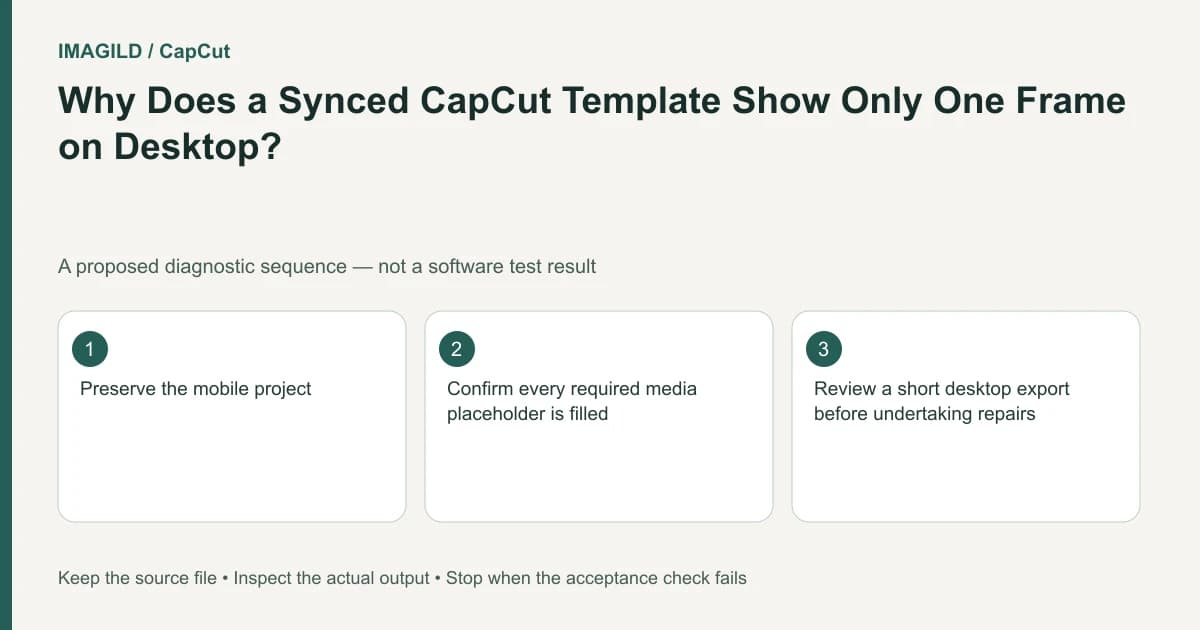
A mobile-origin template can have a limited or static preview on CapCut Desktop because its assets and rendering differ. Confirm every media slot is filled, then test a short saved output. Do not treat the Desktop thumbnail alone as proof that the original footage was lost or that the final export will necessarily work.
Identify the origin of the project
Check whether the sequence began from a mobile or community template and was later synced to Desktop. A manually assembled desktop timeline with a black clip is a different diagnostic case from a synced template whose motion preview is incomplete.
The single-frame template guide describes the Desktop limitation and the importance of completing media replacement on mobile. Its described expected export behavior has conditions. Do not turn it into an unconditional promise for an unfilled, corrupted or otherwise failing project.
Consider a hypothetical birthday montage with six photo slots and animated frames. The mobile version shows motion, while the Desktop timeline appears to hold one still. The proposed check separates three possibilities: an incomplete template, a preview-only limitation and an actual output defect.
Check the template where it was completed
Open the original supported environment and inspect each required slot. Confirm it contains the intended photo or video rather than a default preview. A slot can look filled at a glance while still using the wrong image or crop.
Review the order of the six birthday photos and the text spelling. Note the expected duration and visible transitions. This gives the Desktop output test something precise to compare with rather than a general memory that the template once looked animated.
The profile-template explanation distinguishes a reusable design from an exported movie. If you only opened a template preview without supplying your own media, a static placeholder should not be described as lost source footage.
Test a small output before editing around the preview
Choose a short representative passage containing the expected motion and a media change. Use a supported bounded export route where available; the range-export instructions explain that operation for CapCut's supported marker workflow.
Reopen the saved sample outside the editor. Check whether the frames animate, whether the correct media appears and whether the timing matches the intended template. A progress bar reaching the end does not prove those content conditions.
| Mobile/project check | Desktop saved sample | Interpretation |
|---|---|---|
| Slots filled and mobile plays correctly | Sample plays correctly | Preview limitation is a plausible explanation |
| Slots unfilled | Sample contains placeholders | Complete the template first |
| Mobile plays correctly | Saved sample is static or wrong | Treat as a real output problem |
| Original media unavailable | Sample missing content | Resolve source availability before judging motion |
This is a proposed diagnostic matrix, not a report that any particular birthday template passed. Preserve the differing observations; they are more useful than declaring every static desktop view harmless.
Avoid replacing working media to fix a preview limitation
Do not convert every photo to a video or add duplicate motion effects merely because the Desktop preview is static. If the saved sample already plays correctly, those changes can alter a working template and introduce a second timing problem.
If the sample fails, compare the source slots and project state before editing complex desktop-only substitutes. For unsupported dynamic elements, complete the work in the environment that supports them or choose a simpler layout. A copied project structure does not prove identical rendering features.
The preview-versus-export guide helps document the actual discrepancy. The video export failure-stage guide is useful if no saved file appears at all; that is a different outcome from a saved but static movie.
Decide what the next editor needs
If the birthday montage is finished, a verified rendered movie may be the appropriate handoff. If the next editor must change every slot, they need the supported editable workflow and the authorized source media. Do not label a rendered movie as an equivalent editable template.
Use the proxy-versus-master guide to identify a small review sample separately from the final birthday file. Check the final movie end to end after the representative sample passes; the sample cannot verify every slot or ending.
If Desktop and mobile results still disagree, report the template origin, platform versions, filled-slot state and the saved sample's behavior. Avoid sharing private birthday photos publicly for troubleshooting. The task ends with a verified output or a clear environment-specific limitation, not an assumption based solely on a static thumbnail.
Prepared by Imagild Editorial. AI assisted research and drafting. Documentation checked on 4 November 2026; examples and checks above are proposed, not claims of hands-on software testing. Report a correction.