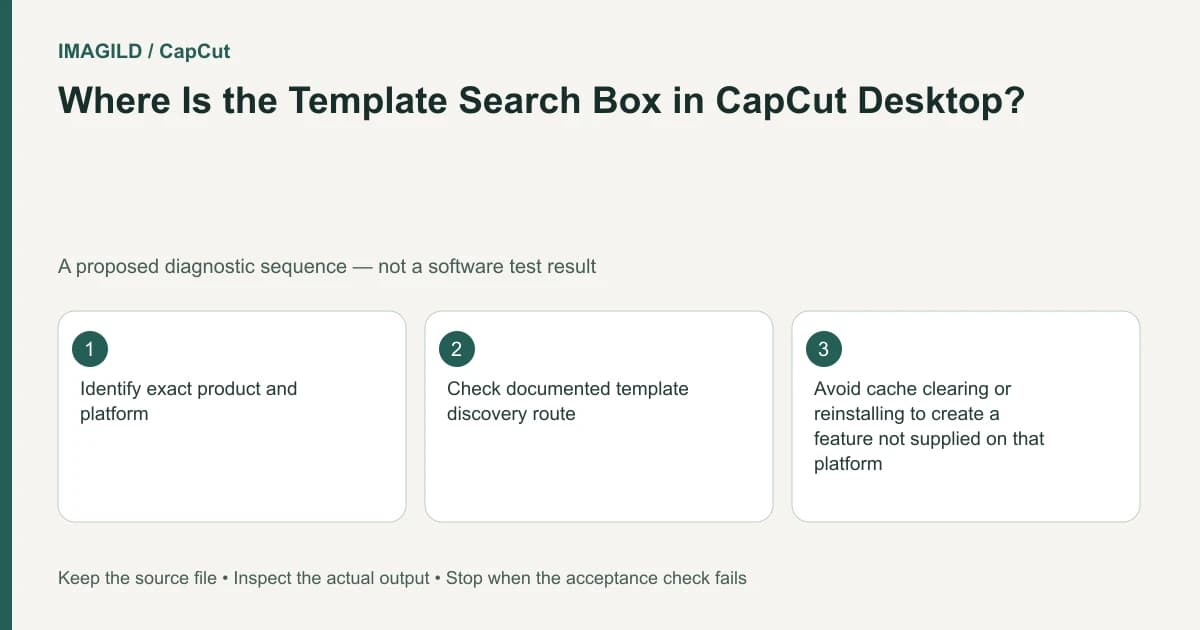
CapCut Desktop does not provide the same online template search as Mobile or Web in the current help documentation. Desktop has a limited built-in set. Confirm the platform first; clearing a network cache cannot restore a search feature that the documented desktop interface does not offer.
Use the platform matrix before troubleshooting
The template-search guide makes the following distinction:
Desktop
In the Windows or macOS desktop application, the cited help describes limited preloaded templates and no online template search. Inspect the built-in choices or choose a supported search environment.
Web
The Web editor has template search with a smaller gallery than mobile. If results are empty, check sign-in, connection and a broader relevant search term.
Mobile
The mobile application has template search in its library. Check the current library and whether the actual intended design is available.
This platform distinction concerns discovery, not a promise that every template works on every device. A mobile result absent from Web may simply not be published to that library. Do not treat that difference as proof of a damaged account.
Separate an absent search control from empty results
If you are in the native Desktop app, stop looking for the mobile online-search workflow. If the actual task requires that design, use its supported Mobile or Web route. A tutorial's product name is insufficient; its platform matters.
If search exists but returns nothing on a supported environment, check the account and try a broad relevant term before assuming the design exists there. Inspect the exact preview rather than accepting a similarly named result. Do not bypass regional restrictions or organizational network controls to force access.
For a hypothetical weekend travel diary, the intended template has three landscape slots followed by one portrait. A different design with the same “weekend” wording may have different timing and crops. Search success is only the start of the suitability check.
Apply the chosen design to suitable media
The profile-template explanation describes templates as reusable layouts populated with your own photos or clips. Open the design, inspect its slots and use authorized media. A preview of another creator's content is not your completed travel diary.
Make a proposed slot map:
| Slot | Intended source | Check before continuing |
|---|---|---|
| Arrival landscape | Station or street view | Important subject remains in crop |
| Activity landscape | Main activity clip | Its useful action fits the slot timing |
| Detail landscape | Food or object photograph | Fine content remains readable |
| Closing portrait | Approved person photo | Face and composition suit the portrait frame |
The map is an example, not an observed template test. If the source set does not fit, choose another design or edit manually instead of forcing repeated crops that remove important content.
The photo workflow chooser helps separate changing an image's appearance from choosing a presentation format. The travel-film planning guide is useful when the story matters more than matching a particular template.
Test portability only after the supported template stage
The single-frame Desktop template guide describes differences when mobile-origin templates are synced to Desktop. A synced project is not evidence that all dynamic template controls are native there. Finish the required media replacement in the supported environment and inspect a saved sample before depending on another editor.
Use the preview-versus-export comparison if a static desktop preview differs from the saved movie. That is a separate problem from finding the design in the first place.
Completion means a suitable template is found in a supported library and works with the intended media, or a deliberate manual alternative is chosen. Missing Desktop search should not trigger repeated reinstalls or purchases. No template search or application test was performed for this guide.
Prepared by Imagild Editorial. AI assisted research and drafting. Documentation checked on 4 November 2026; examples and checks above are proposed, not claims of hands-on software testing. Report a correction.