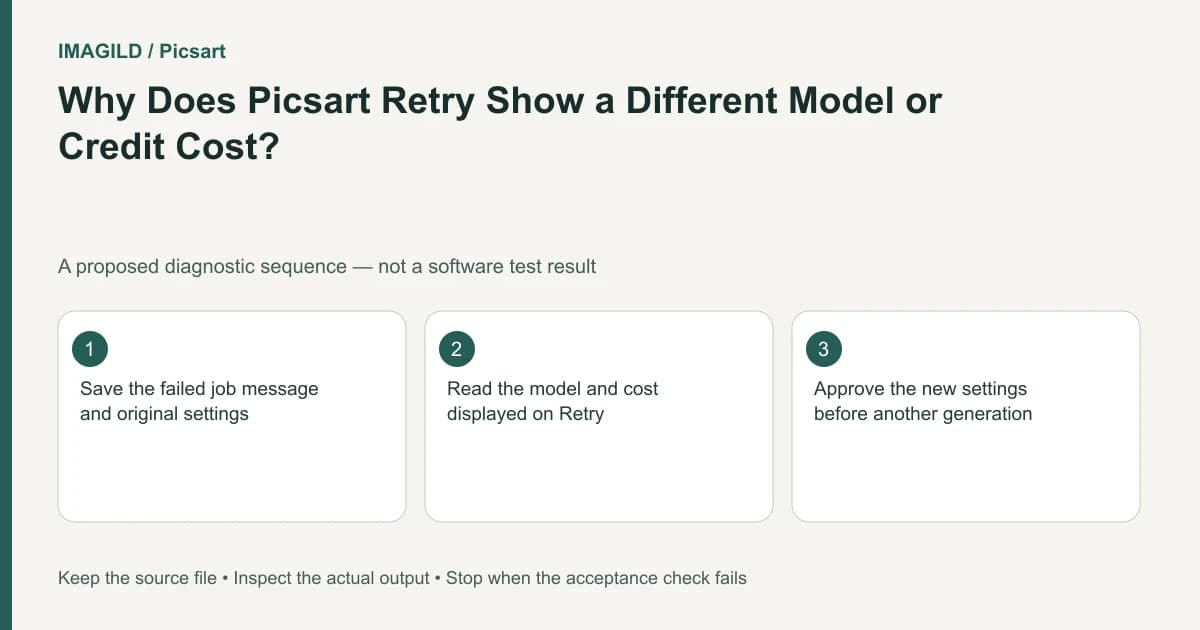
Read the model and credit cost shown by Retry before selecting it. On the web, Picsart may suggest a different model after a failed video. Treat that offer as a new generation decision, not as a guarantee of a free replay or identical output from the original model.
Preserve the failed request before accepting an alternative
Record the tool, model, prompt, settings, time and exact error. Keep these together so the original failure does not become confused with the next attempt. A screenshot of the current button can help identify the proposed model and cost, but do not include private account details unnecessarily.
The AI video troubleshooting page explicitly notes that the web Retry route can suggest another model and shows its cost. Check what your interface actually offers. A familiar Retry label is not sufficient evidence that all underlying choices stayed unchanged.
In a hypothetical travel-film project, a first model fails on a request for a slow camera move over a harbor. Retry offers another model. The new model might be an appropriate alternative, but the editor still needs to approve its quote and judge its output against the harbor shot's requirements.
Compare the two generation contracts
Before proceeding, write the old and proposed setups side by side. Include the reference input, intended duration or resolution where displayed, model name and visible cost. If a field is not shown, do not fill it with a remembered value from another tool.
| Decision | Original failed request | Proposed retry |
|---|---|---|
| Model | Record the actual original name | Read the new offer |
| Input | Identify the approved reference | Confirm it is still attached |
| Creative brief | Slow harbor camera move | Check the same intended task |
| Cost | Record the earlier quote | Read the current displayed quote |
| Outcome | Error message | Not known until completion |
This is a proposed comparison sheet. It does not claim any model has been tested or establish that two models produce equivalent motion. If the alternative changes a condition essential to the project, decline it and investigate another supported route.
The Playground introduction describes model and setting choices as part of a generation. A prompt is only one part of the request. Holding its words constant does not make a model change irrelevant.
Diagnose the reason before spending again
Read the actual failure category. A temporary service problem and a content restriction require different responses. Do not attempt to bypass a model's restriction by disguising prohibited content in another prompt or repeatedly switching providers.
If the failure concerns input or connection, investigate that specific condition. A changed model can sometimes return a video while leaving the underlying input problem unexplained. Record what changed so a successful retry does not become a false diagnosis of the first error.
For a reference-driven shot, the motion-to-reference guide helps check whether the proposed movement is compatible with the visible scene. That planning check is separate from any service-level error.
Review the replacement result as a new candidate
In the harbor example, inspect whether the camera move reveals invented geometry, whether boats remain coherent and whether the end frame supports the next planned shot. A returned file is a completed request, but it is not automatically the approved film component.
Use a matching review setup for candidates from different models. Compare the same brief and intended use, not two arbitrary attractive thumbnails. The equal-review contact-sheet guide explains how presentation choices can bias selection even before motion review.
The separate AI Video Editor instructions concern modifying an existing video with a described change. If that is a more suitable route than generating another clip, record the switch explicitly. Do not present a new edit as the original model successfully completing its failed request.
Keep failed-job returns separate from new charges
Track the first failed request and the proposed generation as different entries. Any return associated with the first job should not be treated as permission to ignore the next displayed quote. Use the provider's actual account history and current rules if a balance question remains.
If the alternative completes, keep its approved file separate from the source reference. The review proxy versus delivery master guide helps when you send a small candidate for approval but still need a distinct delivery file later.
Contact support if repeated failures persist or the displayed model and cost are unclear. Include the original error and proposed Retry state rather than only saying that the button did not work. Do not share credentials.
Completion means the new request was consciously approved, its result was reviewed and the first failed job remains traceable. You do not need to accept a suggested model merely because it is offered through Retry, and you should not promise a free or equivalent replacement without explicit evidence.
Prepared by Imagild Editorial. AI assisted research and drafting. Documentation checked on 4 November 2026; examples and checks above are proposed, not claims of hands-on software testing. Report a correction.