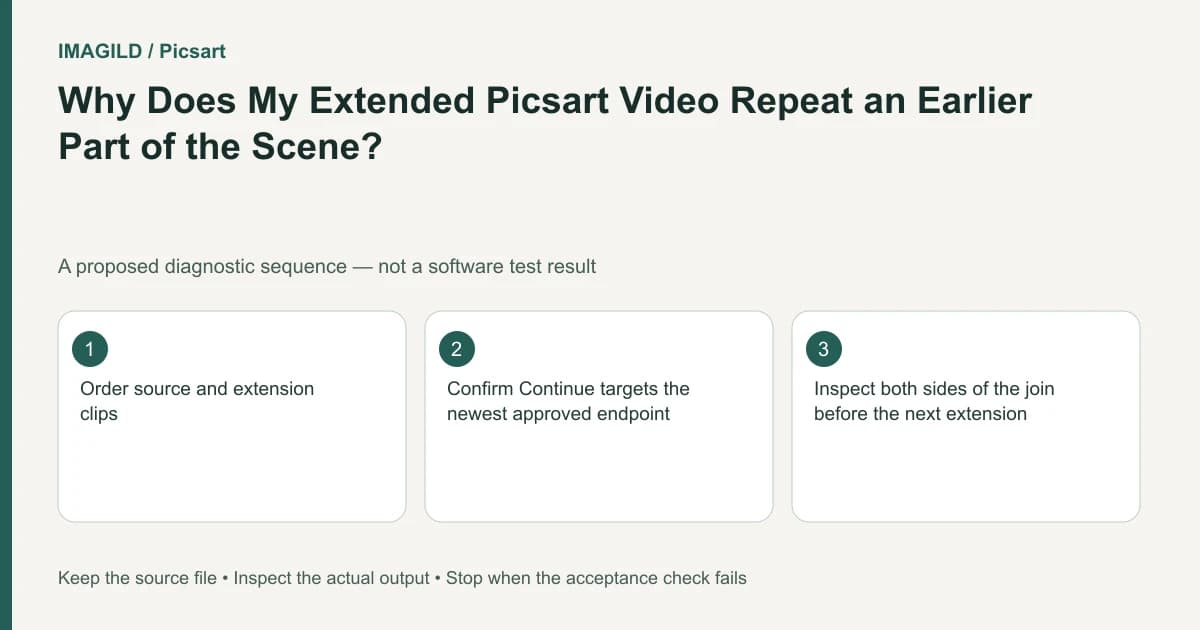
Choose Continue on the newest approved clip, not the original branch. Picsart's extension workflow continues from an endpoint, so selecting an older card can restart the wrong part of the story. Review each join before adding another segment, then merge only the accepted sequence.
Draw the continuation chain before generating
Write a short sequence of intended actions with clear endpoints. For example, a hypothetical cyclist approaches a gate, pauses to open it and rides through. The first clip ends near the gate; the second must begin from that end state, not from the cyclist's initial distant position.
The longer-video instructions describe continuing from the newest clip and joining the resulting segments. Use this sequential model rather than assuming that selecting any related card extends the entire assembled story.
Keep a simple record: base clip A, approved continuation B and next intended continuation C. If B fails review and you create B2, mark B2 as the selected branch. A canvas full of visually similar clips needs an explicit sequence, not merely chronological assumptions.
Check the newest endpoint as an input
Open the approved clip and inspect its ending. Note the character's position, direction of travel, camera framing and any object contact. The next prompt should describe what happens next from that state.
For the gate example, record whether the cyclist is already touching the latch and which side of the gate they occupy. A prompt saying “arrives at the gate” may repeat an action already completed. “The cyclist opens the gate and rolls through” is a more precise continuation concept, subject to what the actual endpoint shows.
The reference timestamp evidence guide provides a way to turn observed frames into a planning record. Do not claim that a written endpoint forces a generator to preserve all details; it makes the result easier to judge.
Confirm settings before each extension
Read the current model's input and duration conditions and the visible quote. The available extension models can change, so do not repeat an old article's model list as a guarantee for your current account. The Playground introduction is the general model-and-settings route.
Select the intended clip through the current Continue or supported upload workflow. Check that the source card is B2 rather than A. If the interface allows a preview of the selected source, use it before running. A wrong input cannot be corrected by a more elaborate description of the next scene.
Keep the first extension small enough to review as one meaningful action. Do not build a minute-long sequence before checking whether the first join is usable. A rejected intermediate segment can invalidate every continuation based on it.
Review the join, not just the new clip
| Boundary check | Gate example | Reject when |
|---|---|---|
| Position | Cyclist remains beside the same gate | They jump back to the distant approach |
| Direction | Travel continues through the opening | Movement reverses without a story reason |
| Contact | Hands and gate remain coherent | The latch or hand teleports |
| Scene | Fence and light remain usable | The location changes unexpectedly |
| Timing | Action progresses | The same arrival repeats |
This table is a proposed acceptance plan. It reports no observed output and no measured success rate. Inspect a short region before and after every join rather than only watching each clip independently.
If the continuation is unusable, the AI video troubleshooting guide can help distinguish a technical failure from a completed but unsuitable result. Those require different records and should not be treated as the same event.
Merge the selected branch only after approval
Collect the approved chain in order and verify that rejected alternatives are excluded. Use the supported merge route after the joins pass. Then play the merged result from beginning to end and inspect every boundary again; a correct set of separate clips can still be assembled in the wrong order.
For film planning, the travel short-film continuity guide explains how a sequence needs more than a collection of attractive shots. The motion-to-reference guide is useful when the endpoint lacks the visual information needed for the proposed next movement.
Download and reopen the final merged file. Confirm the sequence, duration and last frame suit the delivery brief. Keep the component clips and the selection record until the handoff is accepted; that makes it possible to replace one bad continuation without discarding the whole chain.
Stop extending if character, geometry or timing drift makes the sequence unsuitable. A deliberate cut to a new shot can be more honest and effective than forcing a seamless continuation the inputs cannot support. Completion means a reviewed chain with intentional endpoints, not simply a larger total duration.
Prepared by Imagild Editorial. AI assisted research and drafting. Documentation checked on 4 November 2026; examples and checks above are proposed, not claims of hands-on software testing. Report a correction.