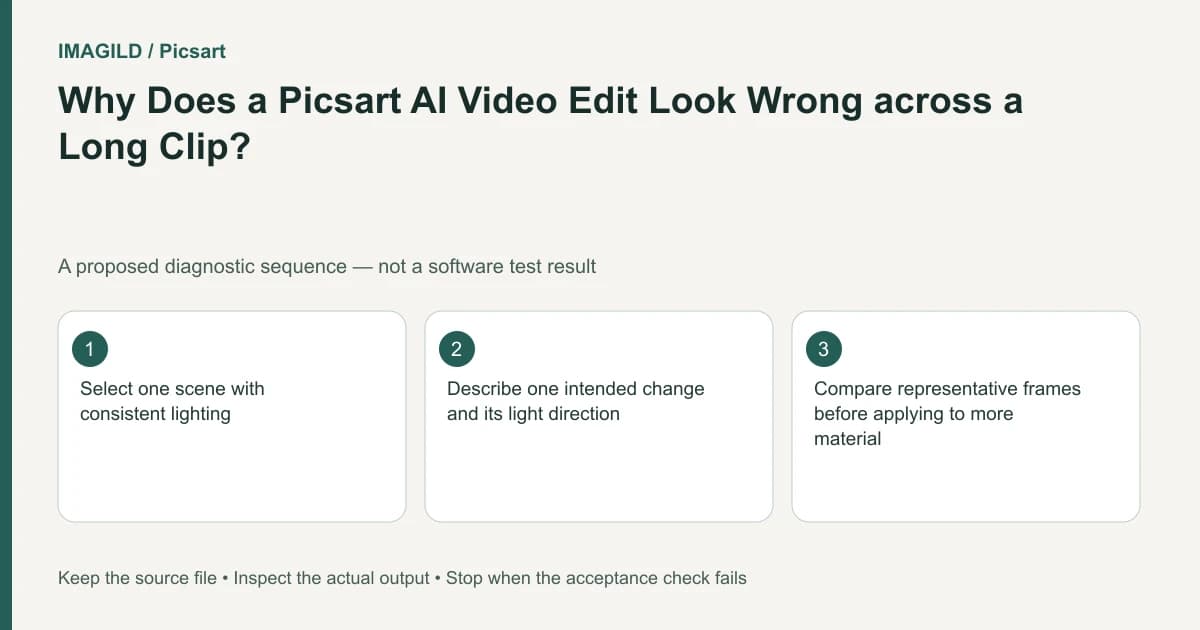
Divide a changing-shot video into short, coherent sections and describe the lighting direction for each section. One global instruction can conflict with different cameras or light sources across a long clip. Review a small pilot before applying a treatment to the rest of the sequence.
Find where the lighting problem changes
Watch the source without editing and mark shot boundaries. Note where the camera angle, environment or dominant light changes. A cut from a daylight window to a night street is not simply more of the same correction task.
The AI Video Editor guide recommends short sections and a specific lighting direction. Use that advice to reduce ambiguity. It does not establish that any arbitrary long montage will receive a coherent treatment from one broad sentence.
Consider a hypothetical travel montage with an indoor café, a covered arcade and a sunset harbor. The request “add warm light from the left” means different things in each camera view. If the subject turns or the edit cuts to a reverse angle, the same screen-side phrase can conflict with the visible scene.
Write a per-shot lighting brief
For each short section, record the original light cue, the intended change and protected details. Describe the desired relationship in terms the viewer can inspect. “A warmer café mood while preserving the visible window direction” is more reviewable than “make it cinematic.”
Do not add a new light treatment to fix every unrelated defect. Motion blur, a changing face and an exposure problem are different observations. Separate them so you can reject a candidate for the actual failure rather than keep increasing prompt complexity.
| Section | Observed source cue | Proposed treatment | Protected detail |
|---|---|---|---|
| Café | Window beside subject | Warmer existing light | Face and cup reflection |
| Arcade | Repeated overhead fixtures | Retain believable overhead direction | Arch geometry |
| Harbor | Low sun behind subject | Keep the backlit relationship | Horizon and silhouette |
The table is a planning example only. Do not present it as a measured edit or a recommended universal preset. The reader must fill in cues visible in their own footage.
Create one representative pilot
Choose a short section that includes a meaningful movement or reflection, not merely the easiest static frame. Keep the source unchanged and identify the returned version separately. Compare beginning, middle and ending frames as well as continuous playback.
The background light-direction checklist provides a still-image starting point for judging spatial coherence. In video, repeat the review over time. A consistent direction in one frame can become an unstable highlight in the next.
If the pilot fails, reduce the scope or simplify the request before processing every scene. Do not promise that shortening alone guarantees success; it makes the cause and result easier to inspect. A scene requiring exact factual reproduction may need another technique or original capture.
Compare the result with the adjacent shot
After a pilot passes individually, place it beside its neighboring shots. Check whether the color mood and perceived time of day still fit the sequence. Different environments need not look identical, but unexplained jumps can distract from the story.
The Flow documentation describes Relight as another video-lighting route. If you switch to that workflow, record the new artifact and method instead of assuming it is the same text-edit operation. Compare the actual returned clips against the same brief.
The original-shadow video review helps identify a persistent source cue that can conflict with a changed look. Do not confuse a dark painted object with a cast shadow or assume every dark region should move with the new light.
Distinguish generation errors from visual rejection
If the service returns an error, use the AI video troubleshooting route and preserve the message. A returned video with flickering reflections is a quality rejection, not the same event as no video being returned. Keep those outcomes separate in the production record.
Review identity, text, architecture and motion alongside lighting. A warmer image does not compensate for an altered face or broken railing. For a longer film, the coherent travel-film guide helps connect these individual checks to the sequence's purpose.
Once the selected sections pass, assemble the final version and watch it end to end. Reopen the saved delivery file and compare the approved pilot moments. Keep the original and rejected versions until the handoff is accepted so a later revision can return to the source.
The task is complete when each section has a clear brief, the actual treatment passes local review and the sequence remains coherent. Stop using one global instruction when the footage contains visibly different conditions that need separate decisions.
Prepared by Imagild Editorial. AI assisted research and drafting. Documentation checked on 4 November 2026; examples and checks above are proposed, not claims of hands-on software testing. Report a correction.