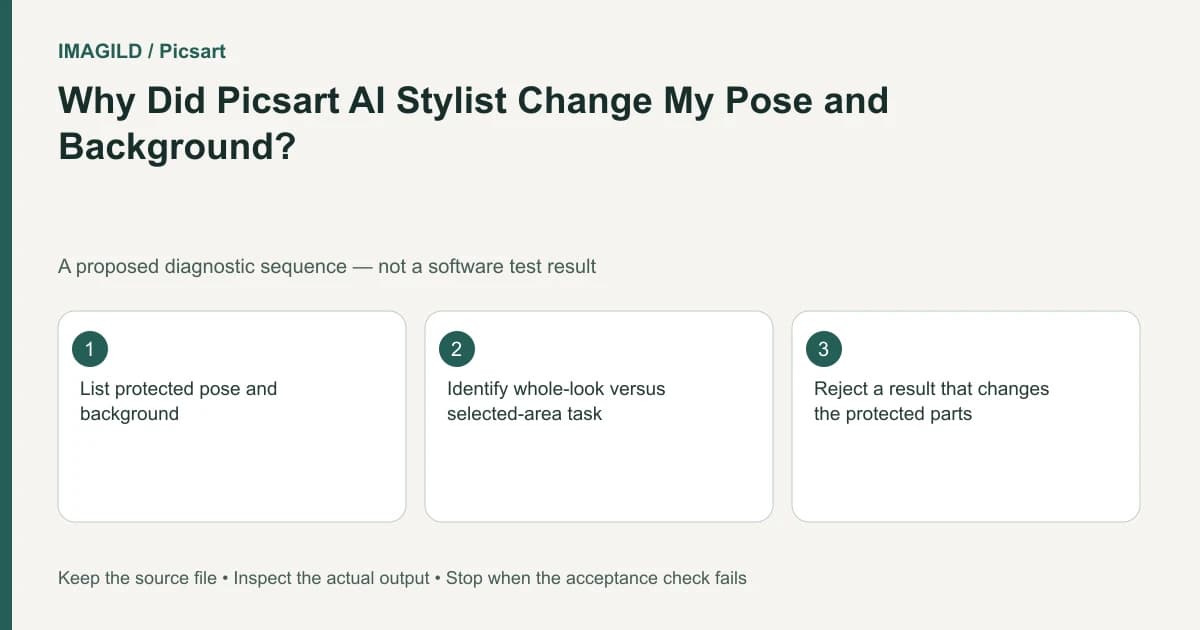
AI Stylist can deliberately regenerate the outfit, pose and background as a complete look. If your brief allows only a garment change, treat a changed stance or room as a scope mismatch. Choose a selected-area workflow when preservation matters, then judge its output against explicit protected features.
Decide whether the requested change is local or global
Start with the user's sentence, not the tool name. “Show this jacket with a different overall fashion mood” leaves room for a broad interpretation. “Change this jacket to navy while keeping the person and location unchanged” is a constrained edit. These requests need different approval conditions.
The AI Stylist guide describes recreating a whole look, including pose and backdrop. That documented purpose explains why an output may be unsuitable for a garment-only brief even if it matches the selected style. Repeating the same broad generation is not a reliable way to establish precise preservation.
Create a two-column brief before editing. Put allowed changes on one side and protected facts on the other. If the customer cannot decide whether a different pose is acceptable, resolve that question before generating an entire campaign.
Build an identity and composition reference
Consider a hypothetical speaker portrait for an event page. The organizer wants a darker jacket while keeping the existing posture, microphone and stage sign. A regenerated standing pose would fail because the approved composition has the speaker seated beside the sign.
Keep an unchanged reference and mark the jacket region on a separate review copy. Note where the jacket meets hair, hands and the microphone. Those boundaries require special attention because a garment edit can accidentally replace adjacent objects or change the person's silhouette.
Record the required crop and intended display size. A tiny thumbnail may conceal a changed microphone label that becomes obvious on a larger event poster. The natural portrait checklist provides a broader identity review, while mask spill at a neighboring object concerns the local selection boundary.
Route the edit according to the protected area
For a mobile selected-area task, the AI Replace instructions describe brushing the region and describing its replacement. For the web node environment, consult Flow's Inpaint instructions. Confirm which interface you actually have; a named feature in another platform is not a missing setting in the current one.
In the speaker example, start with the jacket rather than selecting the entire person. Describe the requested color and relevant material without adding a new camera angle or environment. Keep the microphone outside the selection when possible. Any selection touching fingers or hair should be reviewed closely after generation.
Do not promise exact preservation simply because the operation is local. Use the provider's documented scope to select a tool, then inspect the actual result. If the workflow cannot meet the brief, a conventional color adjustment or careful manual composite may be more appropriate.
Review using separate acceptance decisions
| Area | Question for the speaker portrait | Action if it fails |
|---|---|---|
| Jacket | Is the intended color plausible in the existing light? | Revise the local treatment |
| Face and hair | Are identity and silhouette still acceptable? | Reject the candidate |
| Hands and microphone | Are shape, grip and overlap coherent? | Repair or choose another method |
| Stage sign | Are the original words and placement preserved? | Reject for this event use |
| Overall pose | Does the subject remain in the approved composition? | Return to a constrained route |
Review the output against the reference, not against a memory of the photograph. The proposed table is a method for the reader's own file; no Picsart output was measured for this guide.
If you intentionally choose a full restyling, use a different approval sheet. Permit the agreed changes explicitly, and avoid presenting the result as a faithful photograph of an event that did not occur. A broad creative concept and a factual speaker portrait should not share an unspoken standard of accuracy.
Keep wardrobe exploration separate from final delivery
A stylistic candidate can help a customer decide a direction without being the final image. Label the candidate accordingly and retain the original. Once the direction is chosen, use the least disruptive edit that satisfies the protected-feature list.
If an actual garment's exact construction, pattern or fit matters, compare the output with authorized product references. A plausible jacket is not proof that a real garment has that seam, fabric or fit. Seek a new photograph when the deliverable needs evidence that generative editing cannot supply.
For broader scope selection, the AI photo workflow chooser helps distinguish transformation from correction. The useful outcome here is a brief and workflow aligned with the request, not a claim that one product can preserve every feature under all conditions.
Report the right problem
When contacting support, state whether the tool failed technically or produced an unwanted permitted transformation. Include the current environment, style choice, prompt and a shareable comparison where authorized. “It changed the pose” is a useful observation; “the upload is broken” is not the same diagnosis.
Stop regenerating when the tool's intended scope repeatedly conflicts with the brief. Preserve the rejected candidate and the written boundaries so another editor can continue without repeating the same broad transformation.
Prepared by Imagild Editorial. AI assisted research and drafting. Documentation checked on 4 November 2026; examples and checks above are proposed, not claims of hands-on software testing. Report a correction.