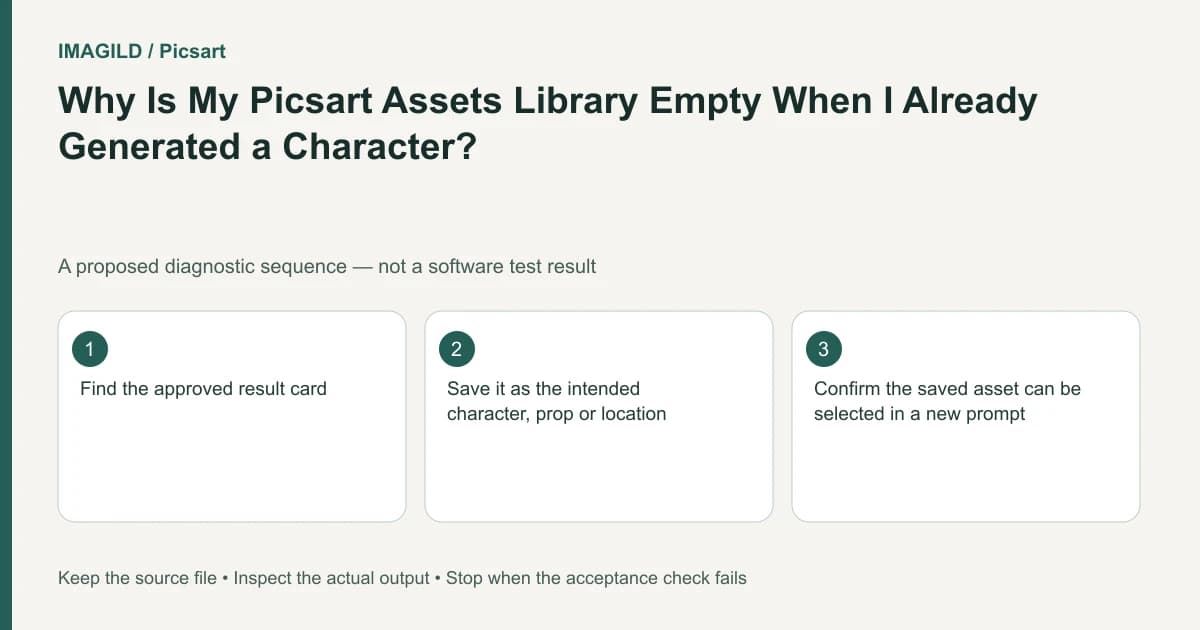
A generated Playground result is not automatically a reusable Library asset. Save it through a supported asset-creation route, then verify that you can retrieve the intended character, prop or location. Keep the generation card until the reusable item and its reference material have been checked.
Decide what needs to be reusable
An image can serve as a final illustration, a reference or an asset for later generations. Those roles overlap, but they are not interchangeable. A card visible on a board proves that a result exists in that project; it does not alone prove that a reusable asset was created.
The Assets Library documentation describes explicit ways to create an asset, including using a result menu, dragging board media and choosing Add to Library during character creation. Use the route supported in your current interface instead of assuming a successful generation performed that additional step.
In a hypothetical children's story, a creator wants to reuse a red delivery bicycle. The useful reusable object is the approved bicycle design and reference, not every background and character visible in the first illustration. Define what should remain consistent before saving the asset.
Save one identifiable asset before organizing a collection
Choose a result you are allowed to reuse. Inspect it for visible design defects first: wheel count, frame shape, handlebar orientation and distinctive accessories. Saving an unapproved candidate can make a later collection look organized while distributing the wrong design.
Use one documented saving route. Give the item a name that distinguishes it from rejected alternatives in your production notes and, where supported, in the asset itself. Avoid a name such as “final” if several versions could later receive that label.
Check the Library's relevant category or all-items view. Confirm that the intended item appears and open it. Compare its visual reference and description with the approved card. Do not delete the source merely because a new tile has appeared.
Use a retrieval test that exposes a wrong asset
The proposed bicycle test is simple: start a fresh draft composition and retrieve the saved bicycle through the Library. Before spending generation credits, confirm that the selected reference is the red bicycle rather than a blue rejected version.
Write a small checklist specific to that object:
| Property | Approved reference | Why it matters |
|---|---|---|
| Frame | Red step-through design | Distinguishes the story prop |
| Basket | Front woven basket | Carries the parcel in the next scene |
| Wheel arrangement | Two ordinary wheels | Prevents unnoticed design drift |
| Reference identity | The accepted result card | Avoids saving a rejected variant |
These are hypothetical acceptance criteria, not a claim that Playground reproduces every feature perfectly. If the saved item is correct but a later generation changes it, investigate generation consistency separately from asset saving.
For that next stage, the reference-priority guide helps when several images suggest different details. Library organization does not resolve contradictory source material automatically.
Keep boards and reusable assets distinct
The separate Boards guide describes organizing creations by project. Use a board to retain the scene's working material and the Library for material you intend to reuse. Do not empty or delete a board to force an item into the Library.
An asset can be correct while the current project board looks empty or contains an older version. Check the active project context as a separate question. The approved-version handoff checklist is useful when another editor needs to know which item is approved.
For the story, keep the bicycle reference, the first scene and the later scene identified separately. A collaborator should be able to tell whether they are being asked to reuse the bicycle or merely review an illustration containing it.
Diagnose saving failure without destroying evidence
If the item does not appear, record which saving route you used and what the interface showed. Check account identity and the relevant Library view before repeating the entire generation. A new generated image would not explain why the original asset was not saved.
The Playground introduction is useful for confirming the environment and account used for the creation. Preserve a shareable screenshot of the result and the attempted saving step. If repeated saving attempts fail, use support with the platform, approximate time and observed behavior; do not supply a password or private login token.
Do not promise that an asset tile guarantees identical future pixels. The retrieval test only proves that you can locate the intended saved material. A later scene still needs a visual review, particularly for meaningful prop details and character interaction.
For character work, the turnaround consistency checklist provides a different verification task. Complete the Library workflow first, then evaluate what the generator actually produced from the retrieved reference.
Prepared by Imagild Editorial. AI assisted research and drafting. Documentation checked on 4 November 2026; examples and checks above are proposed, not claims of hands-on software testing. Report a correction.