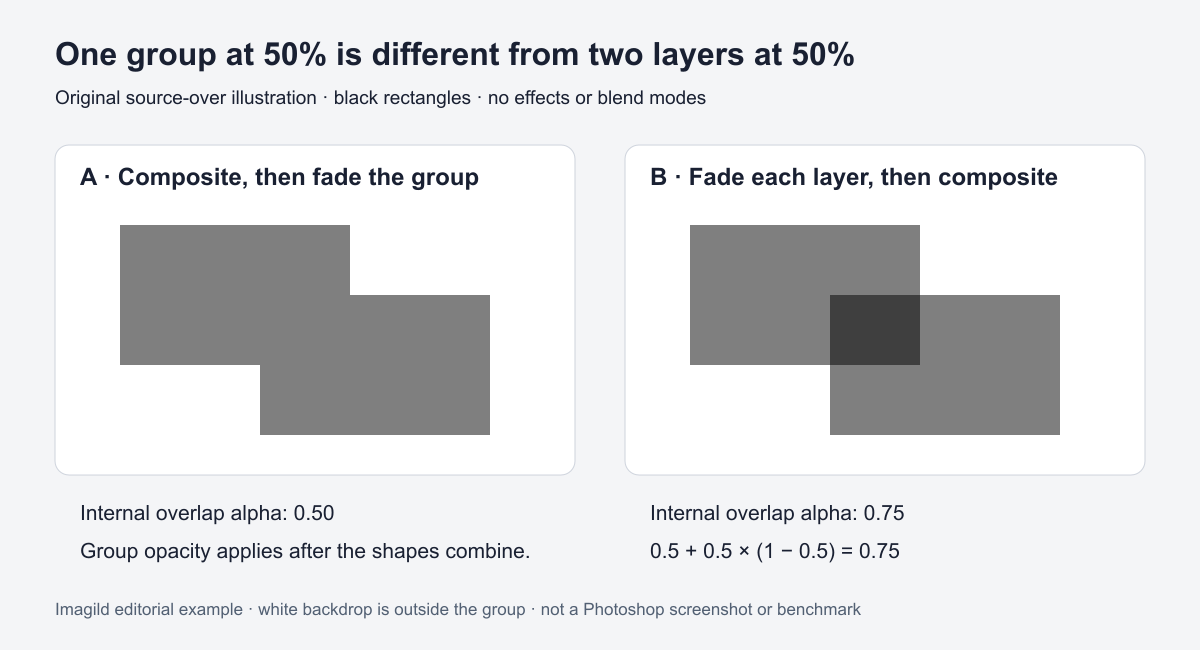
Fading a finished group and fading each element before they overlap are different operations. In the first case, the artwork combines and the composite is faded. In the second, partly transparent elements combine with one another, so overlaps can accumulate coverage. Decide whether the whole badge or its separate pieces should look translucent before changing the controls.
Remove other explanations from the example
Use two ordinary opaque black rectangles with an overlap, no effects and no adjustment layers. For the group comparison, use a Normal, isolated composite in an editor that supports that structure. Do not change advanced blend modes at the same time. Adobe explains group blending and distinguishes the default Pass Through behavior from a group treated as a composite.
The relevant arithmetic is documented by W3C's source-over compositing specification. For two separate shapes each with alpha 0.5, the overlap coverage is 0.5 + 0.5 × (1 − 0.5) = 0.75. Combining opaque shapes first and fading that composite to 0.5 produces different coverage. Those calculations describe this controlled model, not every effect stack.
What our original illustration actually demonstrates
The accompanying original SVG was rendered locally using the existing Sharp renderer. In the resulting PNG, a sampled left overlap was RGB 127,127,127 and the right overlap was RGB 63,63,63. The example therefore provides an inspectable synthetic comparison of the two orders.
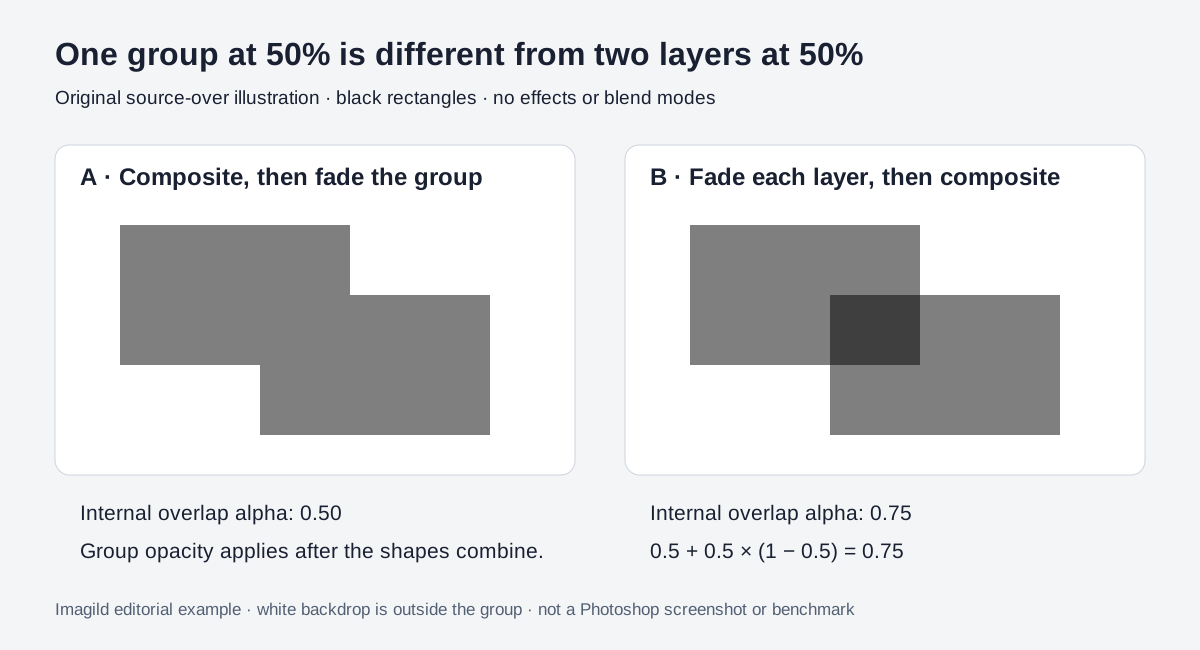
The white backdrop is outside the groups. Both sampled output pixels have alpha 255: the delivered PNG is opaque there. The 0.5 and 0.75 values refer to internal compositing coverage, not the final file's transparency. This was an SVG rendering check with no model calls, not a Photoshop session, a screenshot or a cross-application benchmark.
Copyable layout brief
Fade the assembled decorative badge as one object. Keep its internal overlaps unchanged before that final fade. Use a separate revision for translucent pieces that should visibly accumulate at overlaps. Keep the source layers editable, record the group mode, and compare the saved flat export over the intended background. Do not substitute Fill for group opacity or add shadows during this diagnostic.
For a fictional collage watermark, the first option may keep the overlapping components equally restrained. The second may deliberately emphasize their intersections. Neither is universally correct; the approved visual relationship determines the choice.
Verify the actual editor and export
Reproduce the small example on a disposable document if you need to understand a particular application's controls. Check group mode, masks and effects before extending the finding to a complex client layout. Save the editable master and inspect the exported file over the intended backdrop.
Imagild can supply source artwork, while this group-compositing decision belongs to the external finishing application. Accept the result when overlap strength follows the brief and the delivery matches the approved composition. The synthetic example explains why identical slider percentages do not necessarily describe identical operations.