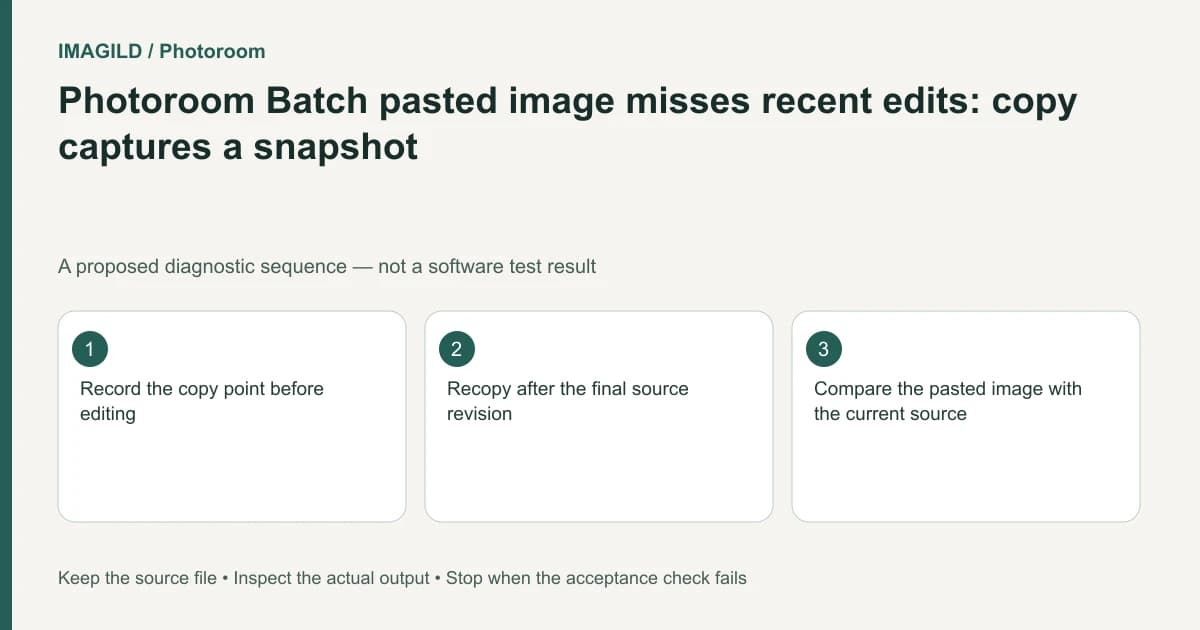
A Photoroom Batch image copied before its final edits can paste with the older appearance. Copy captures the image's state at that moment; it is not a live link that follows later source changes. Recopy after the approved revision, then compare the pasted image with the current source.
Reconstruct the copy point
Note when Copy was used relative to the last text, background or layout change. A pasted version showing an old badge can be a correct reproduction of the earlier clipboard state rather than a failed save.
Photoroom's duplicate or copy images instructions distinguish immediate duplication from Copy followed by a later Paste. The copied state does not automatically incorporate edits made after Copy. Keep that chronology explicit when diagnosing a mismatch.
For a proposed catalog variant, the editor copies a product image, changes the source badge from “New” to “Limited,” then pastes. If the pasted image still says “New,” first check the copy timing. Do not assume the label was lost from the source.
Compare the source and pasted artifact
Identify a distinctive approved change and inspect it in both images. Check the correct source image, not another similar product in the batch. Record the current image count so repeating the copy/paste test does not silently add unwanted duplicates.
| Checkpoint | Evidence | Interpretation |
|---|---|---|
| Source before Copy | Earlier badge or layout | Defines the captured snapshot |
| Source after revision | Approved final change | Does not retroactively update the clipboard |
| Pasted image | Its actual visible revision | Can reveal the copy point |
| Recopied final source | New clipboard snapshot | Should be reviewed as a new independent copy |
Use the explicit image Copy action again after the source is ready, then Paste deliberately. Check the new image before removing an earlier candidate. Keep a recoverable copy of anything still needed for comparison.
Do not substitute Copy edits for image copying
Photoroom's Copy/Paste edits guide describes transferring edits onto selected existing images. That is a different output: it does not mean “create an independent image snapshot.” Choose the artifact you need before using a similar-looking clipboard command.
The existing Batch scope guide addresses the image-versus-layer selection context. For this failure, the extra requirement is timing: the right image must be copied after the intended revision, not merely selected correctly.
Verify the final set rather than just one paste
Inspect the source and retained copy side by side. Confirm the required difference between them, such as a deliberately different badge, and the details that should remain identical, such as product identity and canvas size. Remove redundant candidates only after preserving needed work and confirming the final selection.
Use the Batch download route, open the files and check their actual revisions. The delivered set should have the expected count and wording. A successful paste does not establish that the recipient received the latest image; the file itself is the final acceptance boundary.
Worked snapshot check: the copy precedes the approved badge
For a proposed product tile, Copy is used while the badge reads New. The source is then changed to Limited, and Paste produces another New tile. Record that sequence before assuming the source failed to save. The copied snapshot belongs to its copy time, not to the source’s later state.
Inspect the current source to verify Limited, then Copy that approved state again and Paste deliberately. Compare product identity, badge and layout in the new copy. Record the expected image-count increase so the test does not leave unreviewed duplicates. If the intention was to apply Limited to other existing products, choose Copy edits instead and inspect what that edit-transfer operation changes.
- identify the approved source revision: Use this before copying so the clipboard captures the intended version.
- choose content copying or edit transfer in the correct scope: Use this to distinguish creating another image from modifying existing target images.
- verify what the final export preserves: Use this when the independent copied image and its downloaded artifact must both remain available.
Prepared by Imagild Editorial. AI assisted research and drafting. Documentation checked on 4 November 2026; the examples are proposed review plans, not claims of hands-on software testing. Report a correction.