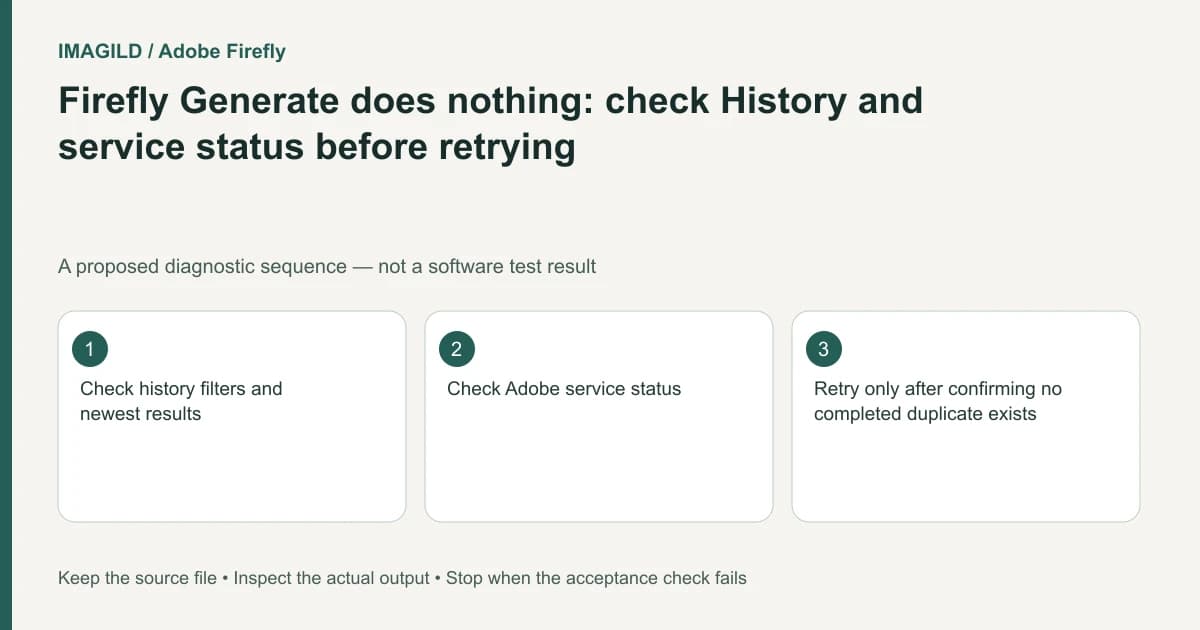
If clicking Firefly Generate appears to do nothing, first look for an existing job or result and check service status. A quiet interface, a hidden completed result and a request that never started are different states. Do not repeatedly submit the same prompt until you know which state applies.
Preserve the request evidence
Record the time, selected model and visible generation setup. If the interface provides a job state or error, retain it. Keep the prompt and references unchanged during the first investigation; otherwise a later result may be difficult to associate with the correct attempt.
Adobe's video-generation troubleshooting page recommends checking History, using the Generate video page where appropriate, refreshing and checking Adobe Status. It also warns through its workflow distinctions that a missing result may be a filter problem. These are diagnostic steps, not a guarantee that a retry will be free.
For a proposed client clip, suppose Generate was clicked once and the panel did not visibly update. The safe next question is whether the request exists, not how many more times to click the button.
Search for the first result before creating a second
Open History and check the newest entries. Use All or Video where the current filter excludes the intended result, and ensure you are not viewing only favorites. Check project scope as well if you moved between jobs.
The generation-history instructions describe media filtering and result actions. Finding a completed result resolves retrieval even if the original generation panel failed to display it. Open the actual asset and verify its content before assuming it belongs to this request.
| Evidence | Interpretation to investigate | Next check |
|---|---|---|
| Matching completed result in History | Result existed but was not visible in the working panel | Open or download the correct candidate |
| Visible in-progress job | Request may still be running | Wait according to current job state |
| Explicit error | Generation failed or was rejected for a stated reason | Record the exact message |
| No job and a known service incident | Service interruption may explain the missing start | Avoid repeated submissions during the incident |
Check service and interface separately
Use the official status link supplied by the troubleshooting guide. A reported incident supports a service explanation; it does not prove that every account or model is affected. Conversely, a green status page does not establish that your individual setup is valid.
If you use the separate Generate video route suggested in the documentation, inspect the model and references again. The unified generation guide shows that settings depend on the active model. Do not silently drop a required first frame while moving between surfaces.
Make a bounded retry decision
Retry only after confirming the first attempt has not already produced the required result and after resolving any visible cause. Keep the attempt distinguishable in your notes. The pending-task checklist is useful for recording identifiers, states and delivered files across services.
Stop when the same failure repeats without new evidence. Send support the time, model, current workspace, error and whether History contains a result. Do not promise a credit refund, a successful retry or a completion time that the account has not confirmed. The final objective is one traceable deliverable, not a growing list of uncertain duplicate requests.
Worked evidence record: service incident versus one missing task
For a proposed investigation, keep two records. The service record contains the time checked and the relevant status-page message. The task record contains the request time, selected model, visible job state and any matching History result. A status-page incident can support a service explanation; it does not identify your individual job. A green status page cannot prove your job completed.
Suppose the working panel shows no progress while History is filtered to Favorites. Switch to All or Video as appropriate and inspect the newest relevant result. If the known clip is found and opens, classify this as result retrieval for that request, not a new successful generation after a retry. If no matching result or job can be identified, preserve that uncertainty for support. Remove repeated blind retries from the investigation rather than treating them as a test.
- record the individual task before retrying: Use this for the request-level state, separate from the broader service-status observation.
- identify the matching result among similar clips: Use this when History contains several candidates with similar thumbnails.
- check a recovered video file: Use this after retrieval to establish what the actual deliverable contains rather than what the job state says.
Prepared by Imagild Editorial. AI assisted research and drafting. Documentation checked on 4 November 2026; the examples are proposed review plans, not claims of hands-on software testing. Report a correction.