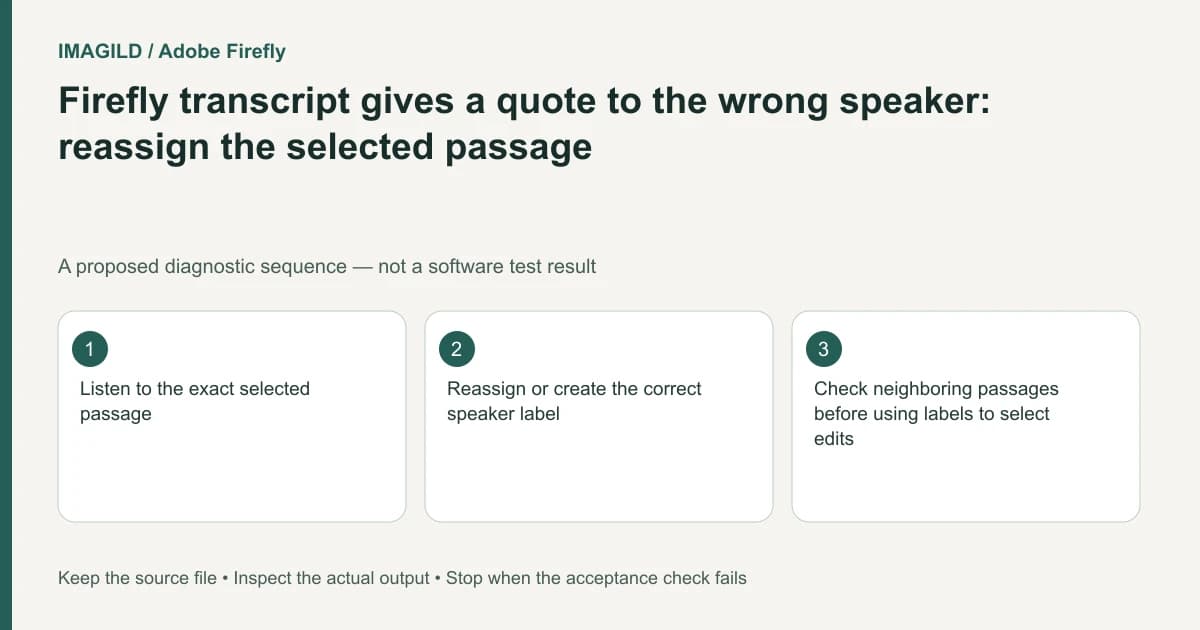
Listen to the selected passage before changing its Firefly transcript speaker label. Highlight the specific text and use the supported speaker-assignment action to select or create the appropriate label. Check adjacent dialogue afterward. An automatically detected speaker label is an editing aid, not verified identity or proof that a quotation belongs to a named person.
Establish the passage and its source context
Locate the exact recording and timeline, then listen from before the disputed line through the following response. Record the quoted words, approximate location and the reason the current label appears wrong. Do not infer attribution from a face visible over unrelated narration or a cutaway shot.
Adobe's speaker-assignment instructions describe automatic labels that can be reassigned for selected text. This workflow belongs to Firefly Timeline beta. It does not authenticate a person's real identity, and this guide does not inspect any interview recording.
Keep the untouched recording and a pre-correction timeline. If the voice is ambiguous or several speakers overlap, mark the passage unresolved rather than converting a guess into an authoritative name.
Separate attribution from transcription accuracy
The words can be correct while the assigned speaker is wrong. Conversely, changing a label does not repair an incorrectly transcribed name or amount. Check these two fields independently.
Use Adobe's transcript-correction guidance when the literal words need revision. Preserve an approved reference for important quotations and verify punctuation where it changes the meaning. Do not rewrite a speaker's actual statement simply to make the transcript more convenient for an edit.
For attribution, use a label supported by the available evidence. A neutral role label may be more appropriate than a real name when identity has not been established. Keep that editorial decision separate from the software's automatically numbered voice categories.
Apply the correction only to the intended selection
Highlight the disputed passage, inspect the selection's beginning and end, then use the documented Assign speaker action. Choose the intended existing label or create an appropriate new one. Review the result before making another correction.
Do not assume the operation should relabel every similar-sounding passage. A speaker can appear in multiple contexts, and a broad change can misattribute neighboring dialogue. If the selection cuts through an overlap, review whether one label can honestly represent the passage or whether the ambiguity needs a separate editorial note.
Adobe's text-based editing overview provides the wider relationship between transcript and timeline work. Understand that relationship before using corrected labels to select or remove material.
Use an attribution worksheet
| Field | Evidence to retain | Reason to stop |
|---|---|---|
| Source | Exact recording and timeline | Wrong interview or revision is open |
| Passage | Selected words and surrounding context | Selection omits part of the statement |
| Voice | Listening comparison with known material | Identity remains ambiguous |
| Current label | Existing detected assignment | Similar labels conceal different speakers |
| Corrected label | Supported role or confirmed identity | A guessed real name is being introduced |
| Neighboring lines | Dialogue immediately before and after | Correction spreads beyond its intended scope |
This worksheet is a proposed review method. It is not voice recognition, biometric identification or a guarantee that automatic diarization is accurate.
Protect meaning during subsequent edits
A corrected label can make it easier to locate one person's contributions, but it does not decide what should be removed. Listen for answers that depend on a question, interrupted statements and overlapping voices before cutting selected material.
Our Premiere source-versus-sequence transcript guide covers another application's deletion scope. Its controls are not Firefly instructions, but the need to establish scope before a broad edit remains relevant. The filler-word meaning check helps assess whether a cleaner excerpt still represents the speaker fairly.
Do not use an edited quotation as evidence of the original full context without retaining the source. Keep corrections and editorial removals distinguishable in the production record.
A hypothetical two-person interview
Suppose an interview contains a host and a guest. A short guest response after an interruption is assigned to the host. This is an illustrative scenario, not an observed Firefly transcription result.
Listen to the response and its surrounding exchange, confirm the appropriate role, and reassign only the selected passage. Then review the host's next question and any overlapping speech. If the voices cannot be distinguished confidently, retain an unresolved label and ask the responsible editor to review the source.
Close with the actual accepted cut
Play the revised sequence and verify the quote, its label and any visible captions separately. Use the approved-version handoff record to identify the accepted revision while retaining the original recording.
This documentation-based guide reports no diarization accuracy measurement, identity verification or performed transcript correction.