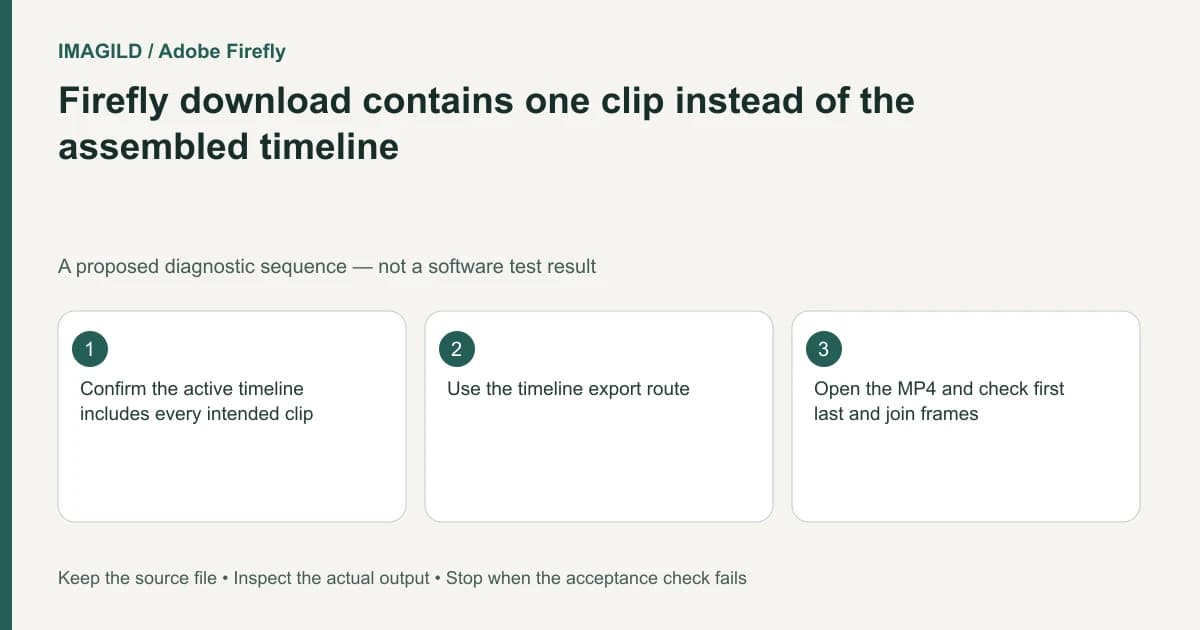
If a Firefly download contains only one generated clip, check where you downloaded it. A history-result download retrieves that generation. The timeline Download action renders the assembled project as MP4. The correct file format alone does not prove that you exported the intended scope.
Identify the required deliverable before downloading
A client may request a single clean generation, a complete edited film, or an editable timeline. These are different artifacts. Write the expected scope and duration in the handoff note before choosing an export action.
Adobe's project export instructions describe Timeline Download, with MP4 output and resolution/quality choices. That route applies to the assembled edit. It is separate from actions on an individual generation tile.
For a proposed three-shot campaign, a correct-looking middle shot may download successfully while still omitting the opening title and ending. A playable MP4 is therefore not enough to establish that the full sequence was delivered.
Inspect the active timeline and its contents
Confirm the project and timeline names. Check that every approved shot is actually present on the timeline; a result in Generation history has not necessarily been added to the edit. The Firefly generation workflow describes dragging a selected generated clip from History into the timeline.
Play the sequence from beginning to end. Inspect overlays, captions and sound, including sections where tracks overlap. Do not infer the final duration from a selected clip's duration.
| Required artifact | Relevant route | Check |
|---|---|---|
| One generated shot | Result/history download | Correct selected candidate and clip duration |
| Whole assembled film | Timeline Download | All shots, titles and ending are included |
| Editable continuation in Premiere | Supported app handoff | Imported sequence and unsupported elements reviewed |
Choose output settings without overstating resolution
Select a supported resolution and quality that meet the delivery brief. The export guide lists 720p, 1080p and 4K choices and shows output information such as frame rate or file size. A 4K output setting does not prove that every source contained 4K detail or that generated lettering will be readable at that size.
Keep a reference of the approved edit's first frame, a middle join and final frame. Those landmarks provide a quick scope check when several MP4 files have similar names.
Open the actual downloaded movie
Play the file outside Firefly and compare its duration with the assembled sequence. Inspect the opening, each important join and the ending. Listen for duplicated music or a missing narration track. A browser preview can be useful during editing, but it is not the file the recipient will receive.
Adobe's Premiere transfer documentation covers an editable handoff with its own limitations. Do not substitute an MP4 when the recipient asked to continue editing, or describe a transferred timeline as a verified render without checking it.
If the result remains a single clip, return to the named timeline and use its export route. There is no need to regenerate existing shots. The final condition is a traceable file whose content and scope match the brief, with the original edit retained for later revisions.
Worked scope check: one pour shot versus the whole film
For a proposed campaign, the approved edit contains an opening title, bottle shot, cap-opening shot, pour shot and end card. If the downloaded MP4 contains only the pour, first identify whether Download was selected on that History result or in the active Timeline. Do not regenerate the other shots when they already exist in the sequence.
Before Timeline Download, read the project/timeline name and inspect the opening title and end card in the edit. After downloading, open the file and verify those two landmarks plus the joins around the pour. Listen for the intended music and narration. A file with correct dimensions and a convincing pour can still fail the scope requirement.
- check whether an export range omits the ending: Use this for the general range-versus-full-delivery boundary; verify Firefly’s actual export controls rather than assuming another tool’s markers.
- check for duplicated source music: Use this when the assembled film contains both generated clip sound and a separate music bed.
- identify the intended delivery master: Use this so a single-shot review file is not sent in place of the complete film.
Prepared by Imagild Editorial. AI assisted research and drafting. Documentation checked on 4 November 2026; the examples are proposed review plans, not claims of hands-on software testing. Report a correction.