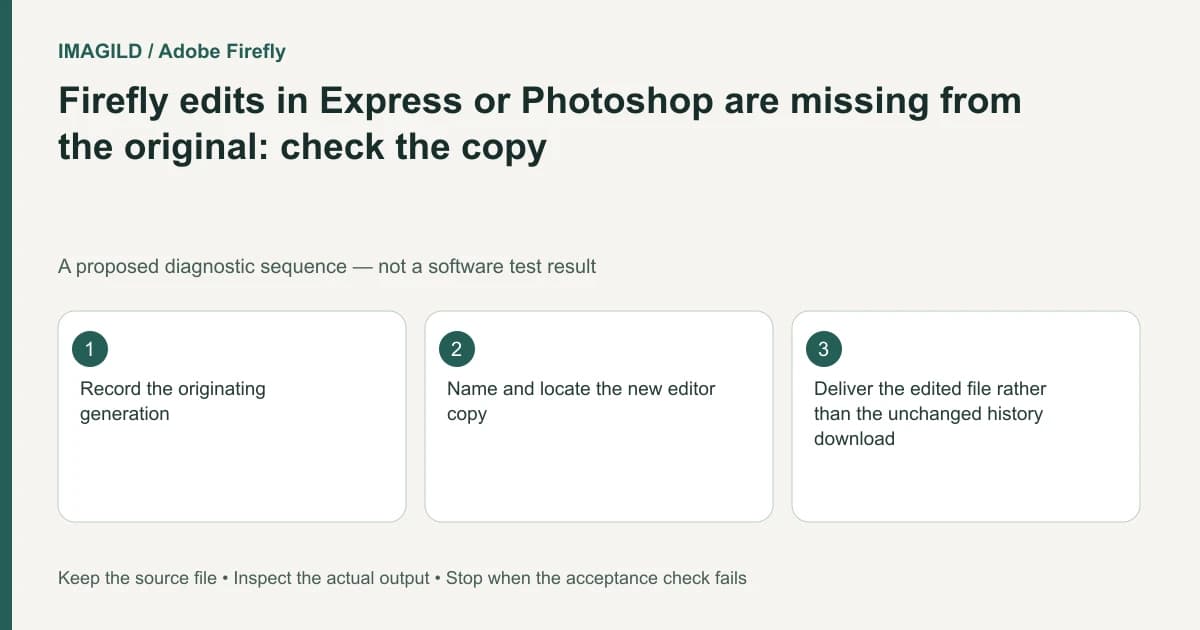
Opening a Firefly result as a copy in Photoshop web or Adobe Express creates a separate file. Locate and deliver that edited copy when it is the approved revision. Do not expect a new editor's changes to overwrite the original Firefly history asset automatically.
Name the original and the new working file
Record the originating generation and the editor copy separately. A shared thumbnail or similar filename can hide that they are different artifacts. Give the working copy a revision name before making changes if the editor permits it.
Adobe's generation-history instructions include Open a copy in Photoshop web or Adobe Express and specify that this produces a new file. The word “copy” is an important handoff boundary. Finding the original in Firefly History does not prove that the new edit failed to save.
For a hypothetical product banner, the Firefly image may be sent to Express for a headline and logo. Downloading the original generation afterward can still produce the clean image without those additions. That is a version-selection problem, not evidence that the headline disappeared from the edited file.
Follow the copy through the destination editor
Open the destination file and inspect a distinctive intentional change. Keep the source generation untouched while reviewing the copy. If several revisions exist, record which one contains the approved layout rather than relying on the most recent tab you happened to open.
The Firefly workspace overview explains the source application's Files and project areas. Use them to identify the original, but use the destination editor's actual file context for its copy. Do not infer that both applications share one live editable document from their integration alone.
| Artifact | What it should contain | How to distinguish it |
|---|---|---|
| Original history result | Generated source image | Generation details and unchanged source appearance |
| Editor copy | Requested text, retouch or layout changes | A named revision and a distinctive approved change |
| Final download | Chosen delivery representation of the edited copy | Independent file review after download |
Separate missing controls from missing edits
If the integration action itself is absent, check the documented environment and permissions for the action you are attempting. The existing Express Open in Photoshop or Illustrator guide concerns a different source application's asset context. Its controls should not be assumed to describe Firefly's copy command.
Once a copy exists, verify the destination editor's save state before closing. Do not delete either artifact to make the list look cleaner while you are still establishing which revision is correct. Retaining the original makes an unwanted change recoverable.
Download from the approved version
Use the edited file's supported export route and open the resulting image independently. Compare the headline, logo, crop and any retouch against the approval reference. A local file with the correct extension but missing the approved changes is still the wrong deliverable.
The Firefly generation-action guide distinguishes source-result actions such as Download and Keep in files. Those actions on the original should not be mistaken for exporting the destination editor's revised copy.
The handoff passes when the source, working copy and delivered file are identifiable and the delivered file includes the approved changes. If another teammate needs the editable copy, share its appropriate access separately from the rendered image; receiving a flattened download does not establish access to the underlying edit.
Worked copy trail: source, edited banner and delivery image
For a proposed job, note three artifacts: bottle-source in Firefly history, bottle-banner-edit in the destination editor, and bottle-banner-delivery as the exported file. These are suggested job-note names, not guaranteed automatic filenames. The revised copy adds a readable “Autumn collection” headline and an approved store logo.
Open the destination copy and inspect those two additions before downloading. Then open the saved image outside the editor and read the headline again. If the local file is the clean bottle without text, check which file supplied the download; that does not prove the destination edit was erased. Retain the original generation and the edited copy until the handoff is accepted. A flat download and access to the editable copy remain different deliverables.
- identify the approved file among revisions: Use this to keep source, editor copy and delivered image traceable.
- agree on editable or flattened artwork delivery: Use this if the recipient needs to change the headline or logo after handoff.
- diagnose a missing Express integration control separately: Use this only when that distinct Express action is absent; it is not evidence that a Firefly-created copy lost its edits.
Prepared by Imagild Editorial. AI assisted research and drafting. Documentation checked on 4 November 2026; the examples are proposed review plans, not claims of hands-on software testing. Report a correction.