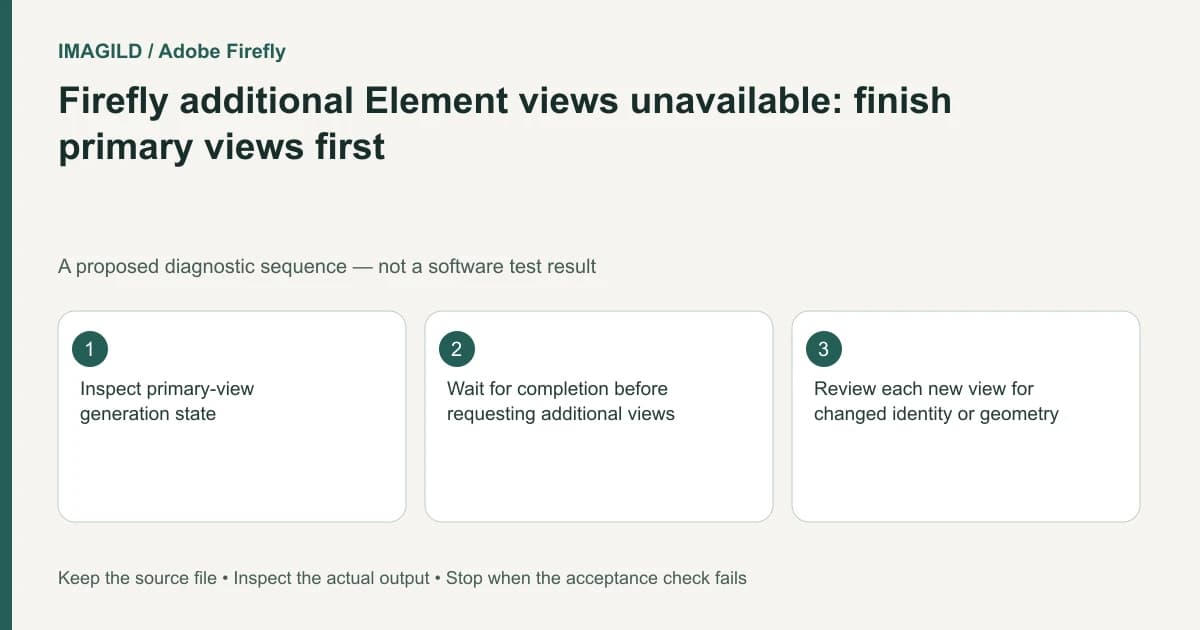
If Firefly's additional Element views are unavailable, check whether primary views have finished generating. The documented element workflow makes additional views dependent on the primary stage. Recreating the element or repeatedly starting the same stage is not the first remedy for an unfinished dependency.
Identify the stage that is incomplete
Open the intended element and inspect its primary generated views. Distinguish a view that is still processing from one that completed but is unsuitable. The first requires a job-state check; the second requires a quality decision. Neither can be diagnosed simply from a disabled additional-view control.
Adobe's Element creation instructions describe Primary generated views and Additional generated views in sequence. The primary generation must finish before the additional stage is activated. The same guide allows the element window to be closed while the character-sheet work continues in the background; returning later is different from submitting a duplicate request.
Record the element name, type and visible status. Keep the original references unchanged while investigating. If you replace references and restart generation during the wait, it becomes harder to identify which version produced a later result.
Decide whether the completed primary views are usable
For a hypothetical recurring presenter, suppose the face reference is correct but a completed primary body view changes the jacket. Do not advance to additional angles merely because the next control is available. The dependency is technically satisfied, but the creative brief is not.
Use these stage gates:
| Stage | Required check | Reason to pause |
|---|---|---|
| Reference preparation | Correct type and truthful source views | Conflicting wardrobe or product revision |
| Primary generation | Finished status and acceptable detail | Pending job or an invented required feature |
| Additional generation | Correct requested view | Primary defects have not been resolved |
| Selection | Each view reviewed independently | A consistency score is treated as proof |
Treat any model-provided consistency score as one interface signal, not an independent accuracy measurement. Review face, object shape and required markings yourself. A plausible new angle can still be unsuitable for the real subject.
Keep generation state separate from file retrieval
The unified workspace overview describes Files and history navigation. If the element appears to be missing after you reopen the workspace, check that you returned to the intended item and project context. An empty current-project history is not enough to establish that background work failed.
The existing pending-task guide gives a general framework for checking identifiers, status and delivered files before retrying. It does not establish a particular Firefly refund or retry policy. Do not promise that a failed or canceled view will cost nothing unless the current service explicitly confirms it.
Validate the final reference pack
Once additional views are available, request only the views needed by the job. Compare them with the authorized input from the same perspective where possible. Flag hidden areas that have been inferred rather than observed.
The generation and editing documentation explains how the resulting element can be used in a supported reference workflow. Record the element version used for the selected output. The handoff passes when the dependency completed, the chosen views meet the brief, and another editor can locate the intended element without generating it again.
Worked dependency check: pending view versus rejected jacket
For a proposed presenter element, keep a short record with two separate columns: processing state and visual decision. A primary view still showing generation activity belongs in the first column as unfinished. A completed view that changes the approved charcoal jacket belongs in the second as rejected. Both can prevent sensible additional-view work, but they require different actions.
Wait for primary generation to finish before expecting Additional generated views to activate. After completion, inspect the face and jacket before requesting more angles. If the button becomes available but the jacket is wrong, availability is not approval. Preserve the element's references and description while diagnosing this; changing them during a wait can mix two configurations in the same review record.
- check a pending generation before starting another: Use this when the primary stage has not finished rather than treating an inactive dependent control as a new failure.
- compare the required angles: Use this after a view completes to separate processing success from acceptable identity and wardrobe.
- keep the chosen element version traceable: Use this when rejected and accepted primary views coexist in the project.
Prepared by Imagild Editorial. AI assisted research and drafting. Documentation checked on 4 November 2026; the examples are proposed review plans, not claims of hands-on software testing. Report a correction.