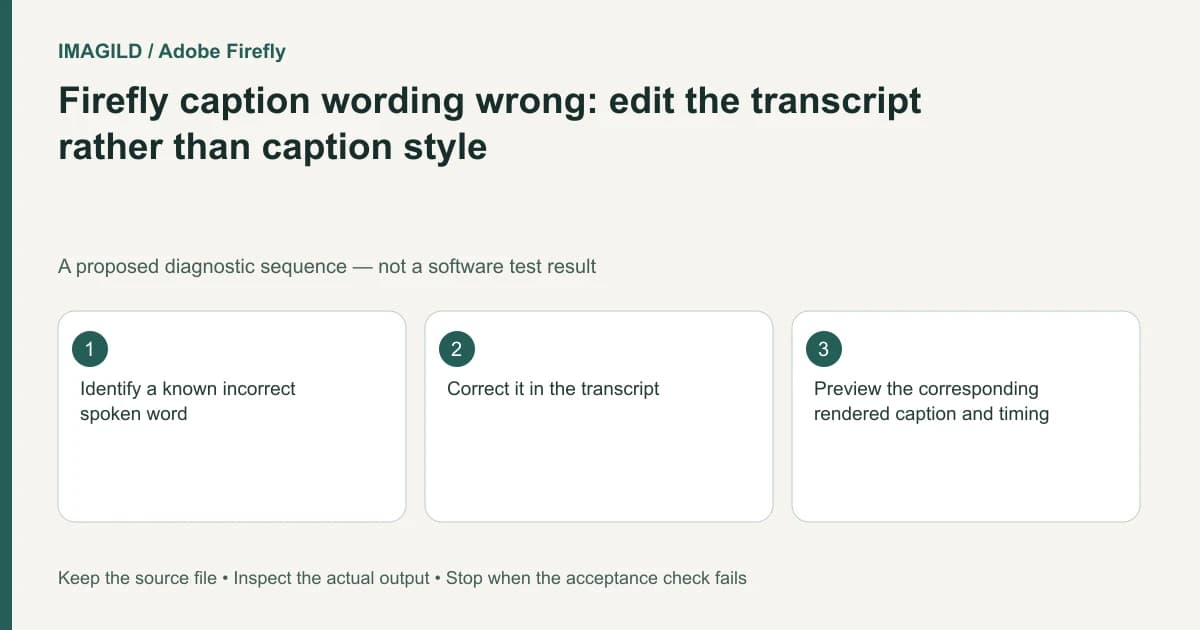
To correct words in Firefly captions, edit the Text-based editing transcript rather than the caption-style controls. Typography and position affect how captions look; they do not establish that recognized dialogue is correct. After correcting the transcript, inspect the corresponding visible caption and its timing.
Separate the spelling error from a styling problem
Listen to the actual passage and write the approved wording. A brand name, speaker name or technical term should be checked against a reliable supplied spelling. Do not “correct” ambiguous speech based only on what an automatic transcript guessed.
Adobe's caption instructions describe caption appearance and position, with wording corrections made through Text-based editing. Choosing a different font can improve readability, but it cannot repair an incorrect word.
For a proposed product tutorial, suppose the speaker says an approved model name and the caption uses a common English word instead. The acceptance condition is the correct model name at the corresponding spoken moment, not merely a caption box that fits the screen.
Correct a known passage in the transcript
Open the Text-based editing view and locate the passage by listening and reading together. Correct the intended wording there. Keep a record of the approved text when names or terminology are important, so another editor does not revert it to the original recognition.
If speaker labels are also wrong, treat that separately. Adobe's speaker-assignment documentation allows selected transcript text to be assigned to another speaker. A corrected word does not prove that a speaker identity is correct, and a speaker label is not a verified real-world identity.
| Defect | Control to investigate | Verification |
|---|---|---|
| Wrong recognized word | Transcript wording | Listen to the phrase and inspect the updated caption |
| Wrong speaker label | Assign speaker for selected text | Compare against the actual voice in that passage |
| Unreadable type | Caption appearance | Review at delivery size |
| Caption covers a product | Caption position | Check the actual frame and safe visual area |
Review all visible consequences
A correction can change line length and wrapping. Inspect the caption at the intended export size, including punctuation and adjacent captions. Do not reduce the font so far that the corrected technical term becomes unreadable.
Check the time interval as well. The right sentence shown over the wrong shot can still mislead a viewer. Play from just before the corrected passage through the next caption rather than inspecting only a paused frame.
The caption-object guide explains a broader distinction between visible titles and subtitle data. Its product-specific controls do not apply to Firefly, but the delivery question remains useful: does the recipient need captions rendered into the movie, a subtitle file, or an editable project?
Validate the requested handoff
Use the relevant Firefly export route. Adobe's project export guide describes the rendered MP4. Open the downloaded movie and inspect the corrected passage in context. If a separate subtitle artifact is requested, verify that artifact independently rather than assuming visible movie captions prove it exists.
Stop if the audio is not intelligible enough to establish the wording. Ask the source owner for the approved text or retain an appropriate uncertainty rather than inventing a confident quotation. The final check passes when words, speaker context, readability and the actual delivered artifact all match the brief.
Worked caption correction: an approved model code
Suppose an authorized tutorial says the fictional product code “A7,” while recognition writes “a seven.” This is a proposed proofreading example, not a claim about a real recording. Confirm the approved spelling with the source owner, locate that spoken passage in Text-based editing and correct its transcript wording. Do not look for the word correction in the caption font or position controls.
Preview the corresponding caption and neighboring cues after the edit. Check that “A7” is readable, not split awkwardly, and still appears during the intended phrase. Changing transcript text does not mean the recorded audio itself now says a different word. If the audio is ambiguous, request an approved transcript rather than inventing one. Review any subtitle file and rendered caption separately when both are required.
- proofread numbers and meaning-changing caption errors: Use this for codes, quantities and negation where a fluent-looking transcript can still be wrong.
- separate corrected transcript text from recorded speech: Use this when a reviewer expects the spoken audio to change after a caption correction.
- verify rendered captions and subtitle data separately: Use this at handoff if both a movie and an editable or exportable subtitle artifact are required.
Prepared by Imagild Editorial. AI assisted research and drafting. Documentation checked on 4 November 2026; the examples are proposed review plans, not claims of hands-on software testing. Report a correction.