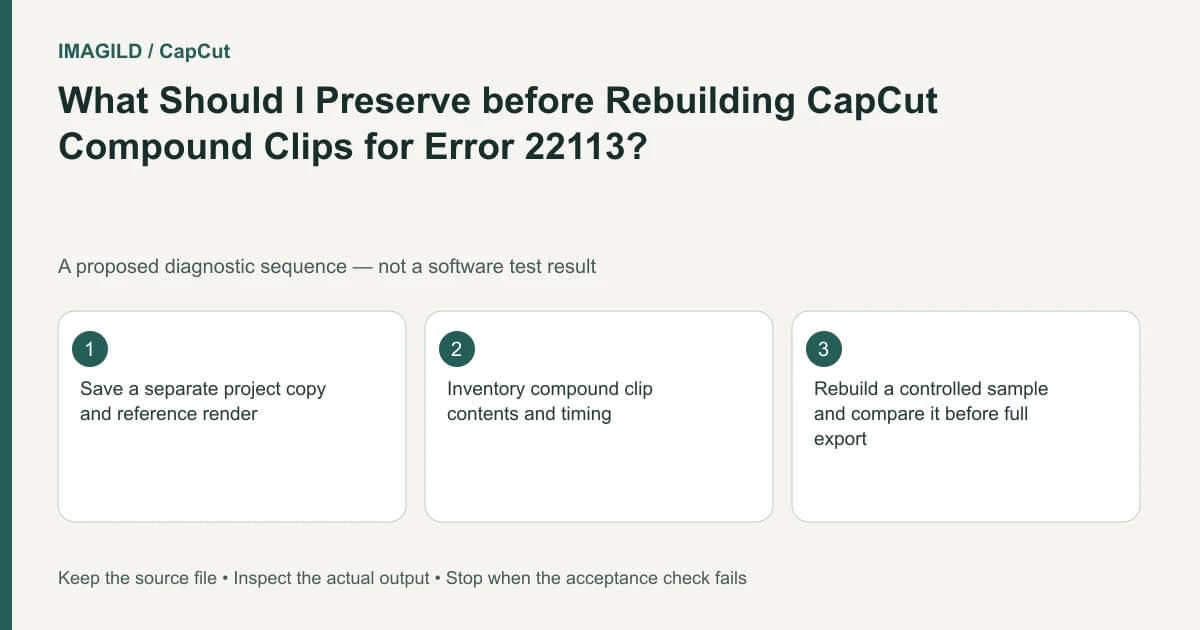
For CapCut export error 22113, the official troubleshooting route is to recreate compound clips. Work in a protected copy and document their timing, contents and effects before rebuilding. Test the resulting sequence; do not remove nested structures blindly or describe a flattened substitute as an equivalent editable project.
Confirm the exact error before changing structure
Read the export message and distinguish 22113 from other codes. A generic export failure can have a different documented route. Note whether the process produces a file, stops during rendering or fails at saving; those observations help avoid changing compound clips for an unrelated destination problem.
The CapCut export-error guide specifically maps 22113 to removing and recreating compound clips. This guide adds a preservation and verification procedure around that documented action; it does not claim the procedure has been executed on a real project.
In a hypothetical product reel, two compound groups contain a logo animation and a three-shot demonstration. Rebuilding them without a map could shift the logo, lose an audio adjustment or change a crop even if the next export succeeds. Success therefore requires both technical completion and content equivalence.
Inventory each compound structure
Before modifying the working copy, record where each compound begins and ends. Identify its internal video, still, title and audio elements, along with visible transforms and effects. Note nested compounds if present rather than assuming the first level contains the whole structure.
Use a reference movie if one already exists and is suitable, plus representative timeline views. Do not claim a new reference export is possible when the project is currently unable to render. In that case, record the accessible timeline and monitor state before rebuilding.
| Item | Record before rebuilding | Compare afterward |
|---|---|---|
| Timeline bounds | Start, end and placement | No unintended shift or gap |
| Media identity | Actual source/take | Same intended content |
| Layer relationships | Order, crop and blend where relevant | Same visible composition |
| Titles | Exact words and timing | No missing or duplicated text |
| Audio | Source and important adjustments | No unexpected silence or overlap |
This is a proposed reconstruction checklist, not an assertion that every internal property transfers automatically. If an effect cannot be reproduced, identify that limitation before accepting the rebuilt sequence.
Recreate deliberately in the copy
Follow the current app's supported compound-clip controls to rebuild the documented structures. The provider's 22113 route refers to all compound clips in the draft; do not claim that changing one arbitrarily chosen group guarantees the error is fixed.
Work through the inventory in a controlled order and compare each reconstructed group before proceeding. Keep original and rebuilt versions distinguishable. If the copy becomes confusing, return to the preserved state rather than layering several partial repairs on top of each other.
The same-basename media guide helps when reconstruction requires selecting a source again. The correct filename alone is not proof that the correct take was used.
Test a representative interval and the full export
Where available, the range-export instructions describe bounding a sample. Include a compound boundary and its neighboring content. Inspect the saved sample for timing, titles and sound, not just the absence of the error.
Then export the complete intended delivery and review it. A passing sample does not prove every compound structure or the ending was covered. The render-versus-save failure-stage guide helps classify any new failure accurately instead of assuming every later error remains 22113.
If the full export succeeds but the logo animation changed, the technical issue may be resolved while the production deliverable is still wrong. Restore the agreed content or obtain approval for a deliberate change before calling the task complete.
Consider flattening only as an explicit compromise
CapCut's Premiere handoff guide explains the distinction between a rendered movie and rebuilding editable source structure in another transfer context. The same artifact distinction matters if a team proposes using a rendered substitute here: it may preserve appearance while losing separate editability.
Do not recommend a flat substitute as a guaranteed fix when no suitable render can be produced. If an authorized existing render is available, identify exactly which parts become baked in and whether future revisions require the original project.
Use the proxy-versus-master guide to keep any diagnostic sample separate from the delivery movie. Completion requires a correctly rendered full file and a project state whose changes are understood. If 22113 persists after the documented route, provide support with the compound inventory and actual outcome rather than weakening system protection or discarding the source edit.
Prepared by Imagild Editorial. AI assisted research and drafting. Documentation checked on 4 November 2026; examples and checks above are proposed, not claims of hands-on software testing. Report a correction.