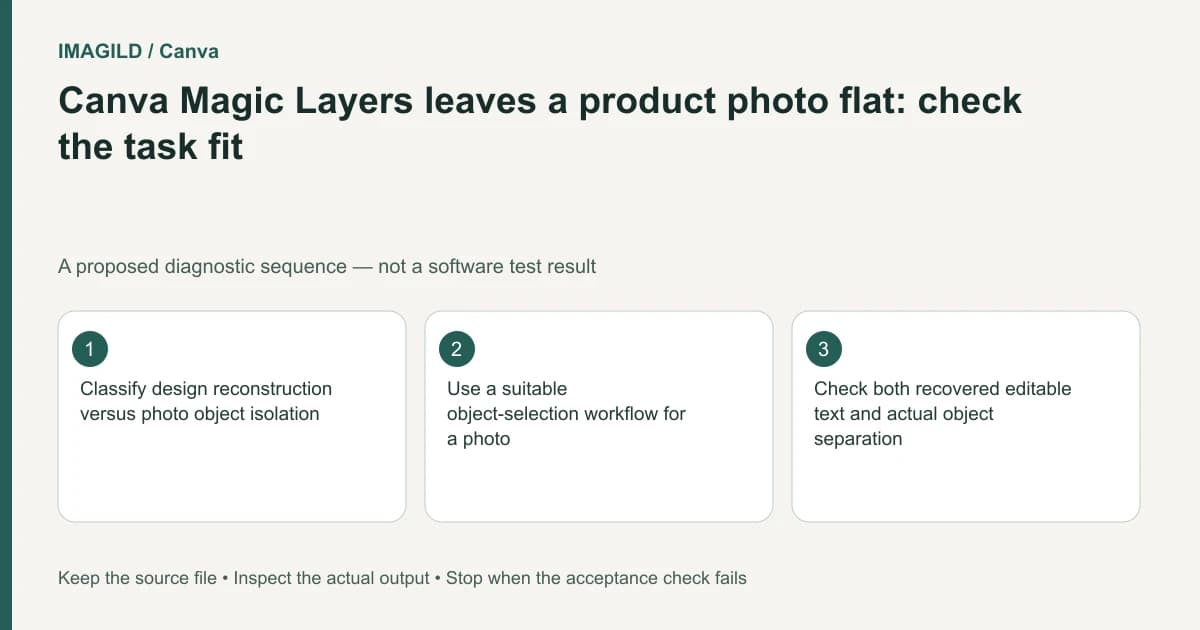
A product photo remaining largely flat in Canva Magic Layers can be a task mismatch. The feature is oriented toward reconstructing graphic designs and stylized artwork, while a photographed object may need a subject-isolation workflow. Decide which elements must become editable and whether the original product pixels must remain intact before choosing another operation.
Describe the missing editability precisely
There are at least three different requests hidden inside “make this photo layered.” You may want the product separate from its background, the printed label editable as text, or independently editable decorative objects in a poster containing the photograph. Write which request applies before interpreting the result.
Canva's Magic Layers guidance cautions that photorealistic imagery may not separate cleanly. A photographed bottle is not equivalent to a flat illustration containing a bottle-shaped graphic. An image can meet the file-format conditions while remaining a poor fit for the reconstruction the job requires.
Save the source and identify protected features: label spelling, cap shape, transparent material, small handles, product color and contact shadow. If those are sales-critical, making them independently editable may be less important than preserving them accurately.
Choose the operation by the object you need
| Actual task | Working direction | Primary acceptance check |
|---|---|---|
| Move a photographed product to a new scene | Isolate and composite the subject | Original product detail survives |
| Change the text beside a product in a poster | Edit or reconstruct the surrounding design | Wording and placement are correct |
| Rewrite lettering printed on the product | Request artwork or an authorized retouching brief | Packaging is not misrepresented |
| Separate a stylized product illustration | Evaluate design-layer reconstruction | Shape boundaries and overlaps remain coherent |
| Deliver an object and its ground shadow separately | Plan separate components | No duplicated or incompatible shadow |
| Build a reusable editable product master | Preserve the original working project | Required objects remain editable on reopening |
This distinction avoids judging every workflow by its layer count. Several recovered fragments are not necessarily more useful than one accurately masked product layer.
Use photo isolation deliberately
Canva documents a separate Magic Grab workflow for making a photographed subject selectable. Check its current supported editing context instead of assuming it appears in every canvas or element type. Treat any reconstructed background behind a moved subject as material that needs visual review.
If exact source-pixel preservation is required, a conventional layer-and-mask workflow in a suitable editor may be easier to audit. Adobe's layer-mask documentation describes hiding and revealing parts of a layer. A mask-based composite still needs edge inspection; the existence of a mask does not guarantee a clean cutout.
Our source-preserving product-background guide covers that downstream construction in more detail. It is an alternative task path, not a claim that Magic Layers or Imagild provides the same layer-editing controls.
Inspect what moved and what was invented
When a subject is separated, temporarily move a working copy away from its original position. Inspect the vacated area and the subject's new edge. Look for duplicated labels, missing handles, opaque gaps between parts, fringes and remnants that were hidden by the original placement.
Do not judge transparent or reflective products against an opaque-box checklist. Glass can contain the old background within its recorded appearance. A bright metal edge can include an environmental reflection. Decide whether those areas need specialist retouching rather than presenting a rough extraction as a faithful new product photograph.
Inspect the source and output side by side. Compare letters, seams, ports and proportions rather than only asking whether the overall scene looks attractive. If a required feature changes, reject the candidate or correct it from authorized source material. Repeated generation is not an acceptance criterion.
A hypothetical jar advertisement
Suppose a seller has one studio photograph of a jar and wants a new illustrated advertisement. The jar's label must remain accurate, while the headline and decorative shapes should be editable. This is an illustrative production plan, not a reported test.
Keep the approved photograph as the product source. Separate the jar with an appropriate photo workflow, and build the headline and illustrated shapes as their own design elements. Evaluate Magic Layers only if reconstructing an existing flattened graphic is genuinely necessary. There is no need to ask it to invent editable label lettering when the label should remain unchanged.
Keep the jar's contact shadow separately identifiable if the background will change. The cutout-and-shadow delivery guide explains why an approved shadow on one surface may not fit another. Check for a second shadow left behind in the reconstructed background.
Approve the deliverable rather than the feature
Before exporting, verify that the product stays recognizable, labels are accurate, intended design objects are editable and the background contains no remnants. Reopen the exported image at its destination size. A layered working design can still export an unsuitable crop or unreadable claim.
Use the product-label preservation checklist when an AI-assisted image enters the workflow. Keep the original photograph, editable working file and reviewed export distinct. This article interprets public documentation and proposes checks; it does not demonstrate a Canva separation result, measure mask quality or promise pixel-faithful generative output.