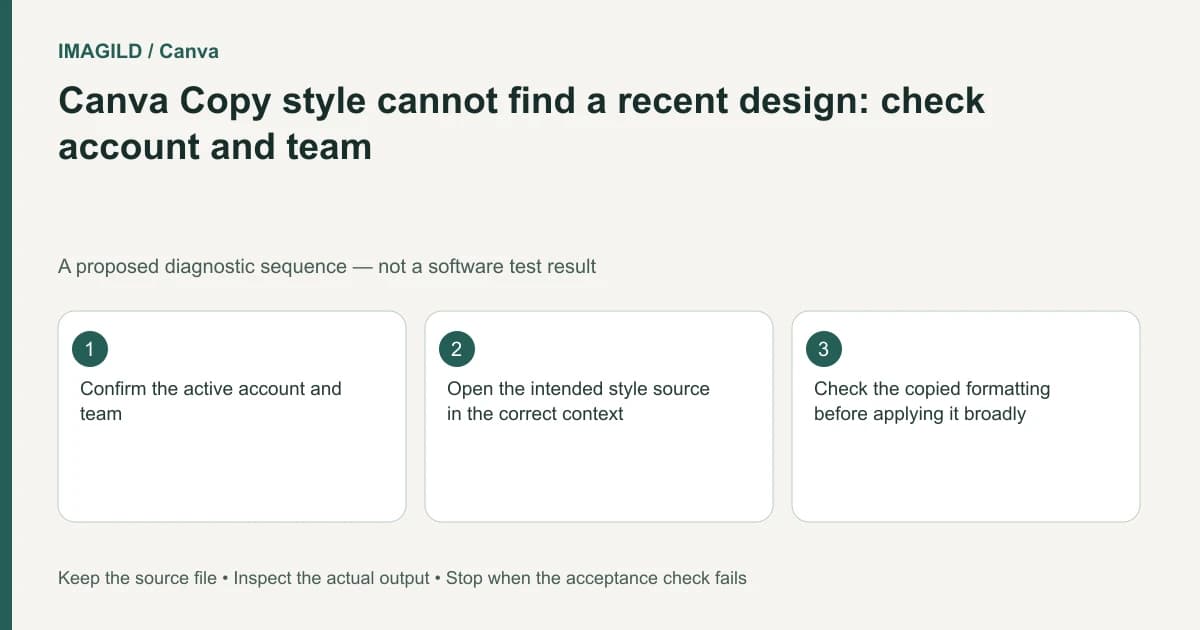
Check the active Canva account and team before treating a missing recent-design style source as lost work. Canva scopes that copying route to the same account or team. Open the intended approved design in its proper context, verify the source element, and test the formatting on one target before applying it broadly.
Identify the source by design identity
Record the intended design's link, name, owner or team context and approved revision. A thumbnail may resemble several campaign variants. The fact that you can open a shared link does not establish that the design will appear in every recent-source list.
Canva's copy-style documentation supplies the account/team boundary. Start with that condition rather than clearing browsing data, changing the artwork or asking a teammate to rebuild the design. Keep the current target open so you do not accidentally apply changes to a different campaign copy while switching contexts.
If the reference exists in another team, use your organization's supported sharing and editing arrangements. Do not exchange passwords or move confidential designs into a personal account simply to make a recent list look different. The necessary question is where the authorized source should be accessed.
Distinguish an absent source from an unsuitable operation
A recent design supplies a source for copying formatting. It is not an archival guarantee that every historic asset, private revision or shared file will be offered as a candidate. Locate the design itself and inspect the exact element whose formatting is approved.
If the required change is artistic image treatment, consult the separate Style Match guidance rather than expecting ordinary formatting transfer to reconstruct an illustration. Keep access troubleshooting and operation choice separate. A correctly located source can still be the wrong kind of reference for the desired result.
Write down the values or visible qualities that should transfer before applying anything. A project can contain headings with different roles, and the most recently edited heading may not be the approved brand example.
Use a source-location record
| Question | Evidence to record | Why it matters |
|---|---|---|
| Which account is active? | Visible account identity | Avoids checking the wrong personal context |
| Which team owns the source? | Intended workspace or team | Explains a scoped recent-source list |
| Which design is approved? | Exact link and revision note | Similar names do not establish identity |
| Which element supplies formatting? | Selected heading, shape or chart | A design contains multiple styles |
| Which target should change? | One representative element | Prevents an accidental broad application |
| What must remain unchanged? | Text, data and layout requirements | Matching style is not content approval |
Use this as a troubleshooting record, not as a request for credentials. Another authorized editor should be able to understand the intended source and target without taking control of your account.
Recover the design context without discarding revisions
If the source was resized or copied, determine which design now contains the approved formatting. Canva's resize documentation distinguishes a changed design from copied output. Our resized-original versus copy guide covers locating those versions; a new size can still contain outdated copy or an experimental heading.
Keep the source link in the approved-version handoff record. Do not use a restored old revision merely because it is easier to find if that revision also restores an obsolete event date or price.
If you cannot establish the authorized source, stop and ask the owner for the specific design or a written formatting specification. Approximate recollection of a previous thumbnail is not a reproducible style reference.
A hypothetical agency-team mismatch
Suppose a designer belongs to a personal workspace and an agency team. A client template is available through the agency, but the designer starts a new card in the personal context. The recent-design list does not show the expected template. This is a proposed diagnostic example, not an observed account test.
Identify the source team's intended workflow, open the approved template there, and verify the correct heading. Apply its formatting to a small authorized target in the appropriate design. Check the resulting font, line breaks and spacing rather than approving the operation because the source finally appeared.
If bold or italic does not behave as expected after transfer, inspect the real font family and supplied variants using our Canva custom-font variant check. That is a separate typography issue, not proof that the account selection is still wrong.
Finish with a reproducible handoff
Once the representative target is accepted, apply the same approved decision only to the intended elements. Review exceptional pages, longer headings and text boxes close to the edges. Reopen the final export and confirm that the agreed source identity and visual treatment match the delivered revision.
Keep the design links and brief alongside the export. This documentation-based guide reports no account switching, source-list test or guarantee that a particular shared file appears in every interface.