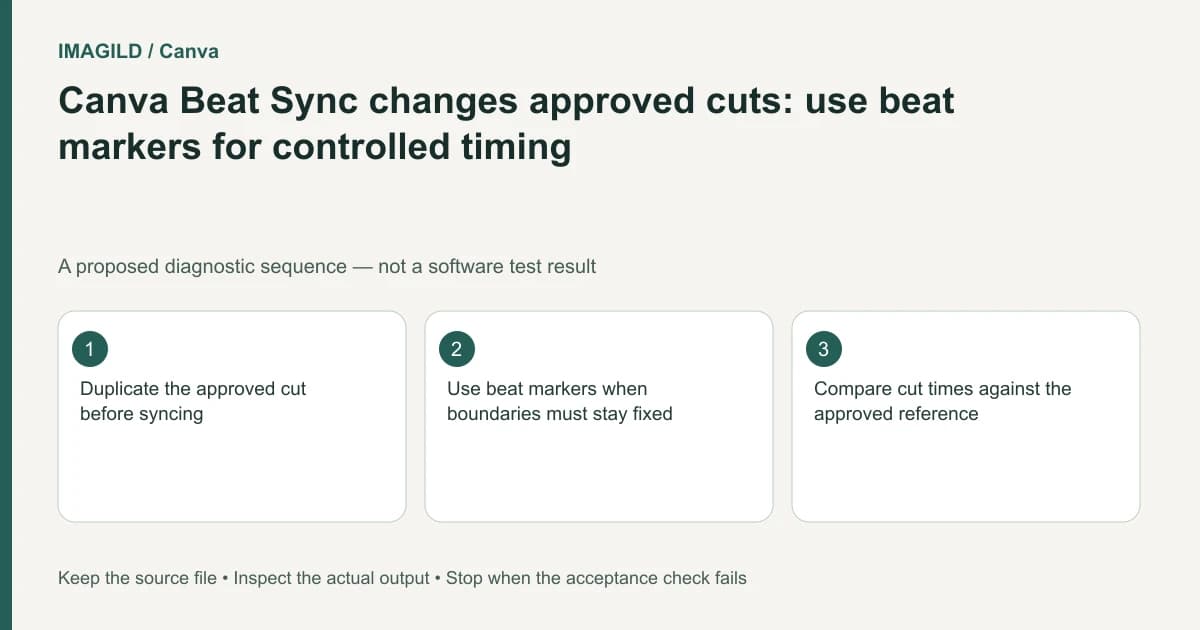
Preserve a copy before using automatic Beat Sync on a sequence with approved cuts. If those boundaries must remain fixed, use beat markers as a visual reference and make only authorized manual adjustments. A musically satisfying result is not evidence that the approved shot duration, action or caption timing remained unchanged.
Record the cuts that cannot move
Identify the start and end of each protected shot and the reason it is protected. A client-approved product reveal, a timed instruction and a required legal card have different constraints from optional atmosphere footage. Mark flexible and fixed sections separately rather than treating the whole timeline as one rhythm experiment.
Canva's Beat Sync page documents two different routes. In the video timeline, click the music waveform and choose Display beat markers for a visual rhythm reference; you then drag clips manually toward the markers. The page describes Sync Now for Pro users as automatically adjusting clips to the beat. Merely displaying markers and running automatic retiming are not the same action.
For protected cuts, start with the manual route and leave their boundaries in place. If automatic retiming is intentionally being evaluated, use a duplicate and compare its changed boundaries before accepting any of them. Confirm current account access rather than treating the presence of music as proof that Sync Now is available.
Keep the original sequence or another supported recoverable copy. Export a reference if needed so a reviewer can compare timing without remembering an earlier preview. Identify the exact music section as well; switching songs and retiming clips together makes the cause of a difference harder to assess.
Classify the permitted adjustments
Write whether each shot may be trimmed, moved, replaced or left untouched. A shot that must show a complete gesture may tolerate a different entry point but not a shorter ending. A caption may need to remain on screen even if a nearby cut shifts.
Canva's element-timing guidance provides the relevant manual timing context. Its trim and scene-duration guide distinguishes operations in different design surfaces. Follow the controls the current project exposes instead of mixing timeline and static-design instructions.
Do not assume a beat marker is an edit instruction. It indicates a rhythmic opportunity. The editor still decides whether changing a cut improves the communication and remains within the approval boundary.
Choose a route before touching the approved cut
| Current requirement | Route | Immediate check |
|---|---|---|
| Preserve every approved boundary | Display beat markers; leave protected clips fixed | No protected start or end moves |
| Move one flexible neighboring cut | Use the markers as a reference and drag only that clip | Complete required action remains visible |
| Evaluate automatic timing | Try Sync Now on a duplicate if available | Compare every changed boundary with the reference |
For a proposed watch example, mark the frame where the clasp finishes closing before changing timing. After the operation, the shot must still include that closure. A marker falling earlier is not permission to hide the end of the action. This is a planned check, not a measured Canva result.
Use an edit-permission matrix
| Sequence element | Timing authority | Allowed action after review |
|---|---|---|
| Approved demonstration | Complete visible action | Retain the protected interval |
| Product reveal | Agreed reveal moment | Move only within the approved tolerance |
| Decorative montage | Musical and visual rhythm | Adjust a bounded candidate |
| Required text card | Reading time and required wording | Preserve minimum readable hold |
| Spoken explanation | Actual speech and visual cue | Keep the cue relationship intact |
| Final logo hold | Delivery specification | Verify its duration in the export |
A matrix makes the scope of feedback clear. If the reviewer approves one rhythmic montage section, that does not authorize shortening a separate required information card.
Compare automatic results against the baseline
If you intentionally try automatic synchronization on a duplicate, inspect each changed boundary. Check whether a clip now starts after its useful action begins, ends before it completes or exposes a pause that was previously trimmed. Review linked text and sound around those boundaries.
Watch the sequence silently as well as with music. Rhythm can make a weak cut feel persuasive while hiding a missed action. The movement-before-musical-sync guide explains that distinction for dance references; the same evidence problem matters for demonstrations and product handling.
Keep a small list of accepted and rejected changes. Do not accept the entire automatic pass merely because most of it looks good. Restore protected sections or choose a manual beat-marker route when the generated arrangement does not respect them.
A hypothetical watch advertisement
Suppose an advertisement has an approved close-up where a watch clasp closes completely. Automatic timing moves the cut onto an earlier beat and hides the final closure. This is an editorial scenario, not a reported Canva test.
The correct review question is whether the clasp action remains visible, not whether the cut feels energetic. Preserve the shot's ending, move a neighboring flexible cut instead, or choose another music passage. If no permitted change meets the brief, keep the approved visual edit and use music as support rather than its timing authority.
Check the seam after restoring the shot. The freeze-or-jump-at-a-cut guide addresses continuity defects that can become visible when clip boundaries change. A timing repair should not introduce a repeated or frozen endpoint.
Approve the final file, not the marker display
Inspect the actual downloaded video using the duration, dimensions, frame-rate and audio checklist. Recheck every protected shot, required text card and final hold. Record which boundaries were allowed to change and which remained fixed.
Keep the editable project, original timing reference and final export as distinct records. This documentation-based guide proposes a controlled synchronization review. It reports no automatic-retiming experiment or guarantee that Beat Sync preserves an approved sequence.